
Vibe Coding course · lesson 25 of 26
- 1What Is Vibe Coding? A Beginner's Guide
- 2The Vibe Coder Mindset: Build Small, Check Often
- 3Choosing Your Vibe Coding Tool: A Beginner's Guide
- 4Set Up Your Workspace for Vibe Coding
- 5Your First Vibe-Coded App in 30 Minutes
- 6From Idea to MVP: Plan a Small First Version
- 7Spec-Driven Development: Give AI a Clear Plan to Build From
- 8Mockups and Examples as Input: Show AI What You Mean
- 9Choose a Tech Stack: Pick Tools You Can Keep Using
- 10Prompts That Build Things: Give AI a Clear Task
- 11Context Documents: Give AI Lasting Project Instructions
- 12Managing Context and Sessions: Keep AI on the Right Task
- 13Set Standards Early and Review AI Output
- 14Build the Skeleton: Start the BookmarkBox App
- 15Add Data and a Database: Save Real Bookmarks
- 16Add Accounts Safely: Sign In and Protect Each User's Data
- 17Design and Polish: Improve the App One Pass at a Time
- 18Version Control with AI: Keep a Safe History of Your Work
- 19Debugging with AI: Find the Cause Before You Fix It
- 20Test by Default: Make Sure Each Feature Keeps Working
- 21Refactor and Keep Your Code Healthy
- 22Security for Vibe Coders: Protect Your App and Its Users
- 23Deploy Your App: Put BookmarkBox Online
- 24Monitor and Maintain Your App After Launch
- 25Where Vibe Coding Stops: Know When to Change Your Approach
- 26Capstone: Ship a Project from Idea to Production
Vibe coding can help you turn an idea into a working app, but it does not remove the need to understand what you are shipping. As the project grows, you may reach a point where a prompt and a quick visual check are not enough. That is not a failure. It is a useful signal to slow down, learn more, invite another person to review the work, or bring in an engineer.
In Monitor and maintain, you started looking after an app after launch. This lesson helps you decide when the project's risks or complexity call for a more deliberate engineering process.
Notice when the risk has changed
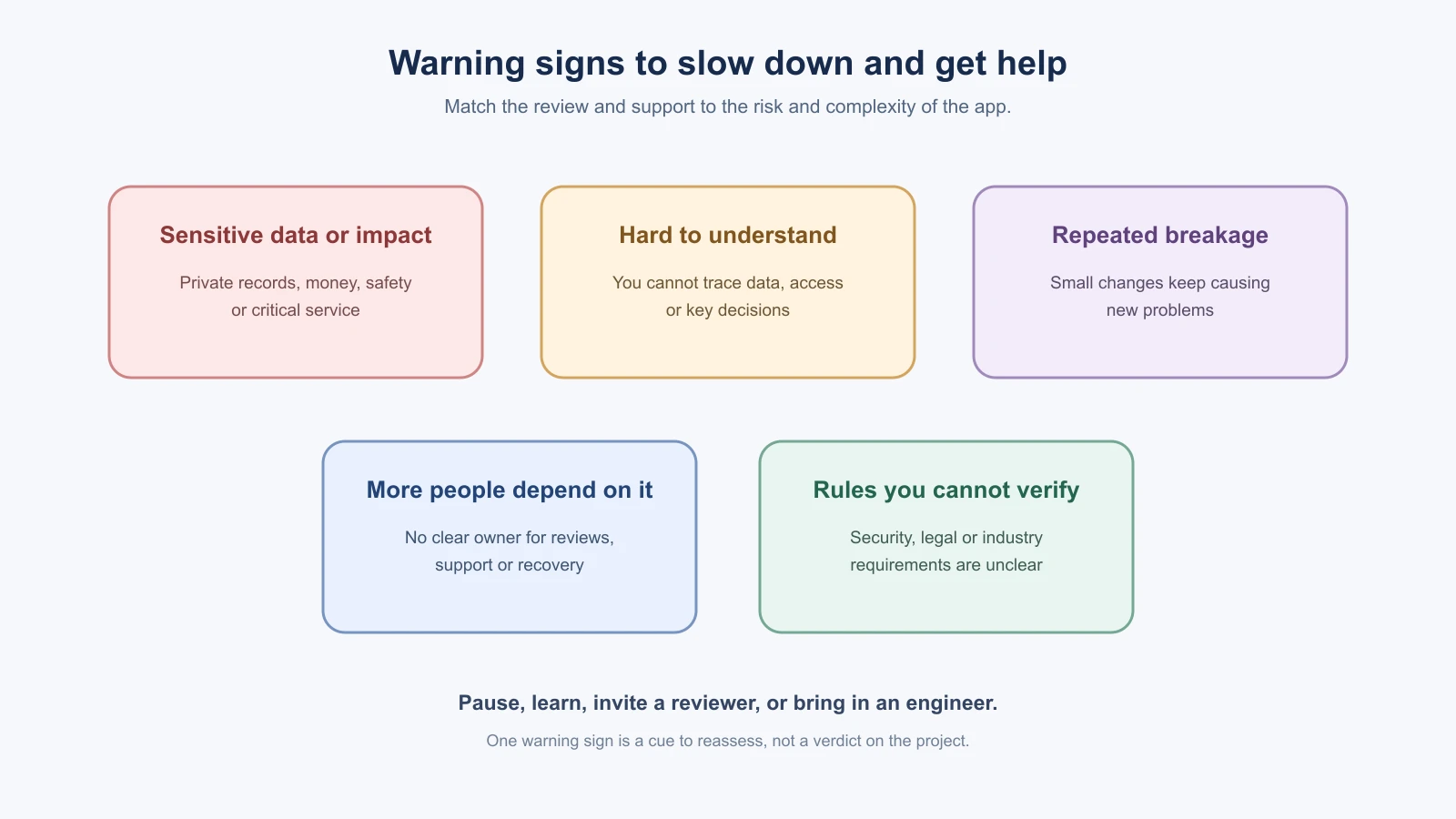
There is no exact number of users or files that marks the end of vibe coding. Look instead at the consequences of a mistake and whether you can still understand and check the system. These are good reasons to pause and get more help:
- The app stores payment details, health information, children's data or other sensitive records.
- A bug could cause financial loss, expose private data, affect someone's safety, or disrupt an important service.
- You cannot explain where important data goes, who can access it, or how to restore it after a failure.
- The AI keeps making broad changes and you cannot tell which change caused a new problem.
- Features depend on each other in ways that make a small edit break other parts of the app.
- You need to meet legal, accessibility, security or industry requirements that you do not know how to verify.
- Other people now depend on the app, but nobody owns maintenance, reviews or incident response.
One sign does not automatically mean you must stop the project. It means your checks and the people involved should match the consequences. A personal BookmarkBox prototype can be an experiment. If real customers trust it with private bookmarks, access control, backups, support and recovery become operational responsibilities.
Technical debt is a signal, not a moral failing
Technical debt is the future cost of shortcuts or structural decisions that make later changes harder. Some shortcuts are reasonable in a prototype. The trouble comes when nobody records them and the app starts depending on them.
You might notice that fixing one BookmarkBox form issue requires edits in several unrelated files, or that nobody knows how its database migrations work. Write down the specific friction, estimate the possible harm, and choose one next step. That could be a refactor, a test, documentation, or a small rewrite of one isolated area. Avoid asking an AI to rebuild the whole app just because the code feels messy. Preserve behavior and data where they matter, and get a review before a change that could lose user records.
The previous lesson on refactoring and code health covers small structural improvements. If you are unsure whether a larger change is safe, first create a backup, make a plan to migrate data, and ask someone experienced to review the plan.
Work with other people clearly
Once another person contributes, agree on a simple way to review and release changes. Keep work in Git branches or pull requests, describe what changed, and ask someone else to inspect changes that affect access, private data, payments or deployment. Code review is a chance to catch assumptions and share context, not a test of who writes the most code.
Ask the AI to prepare a summary and tests, but have a human reviewer check the actual diff and behavior. The Claude Code lesson on code and security review offers more detail on using review workflows. For a small solo project, you can still get another developer to review a focused feature before launch.
Learn enough to ask better questions
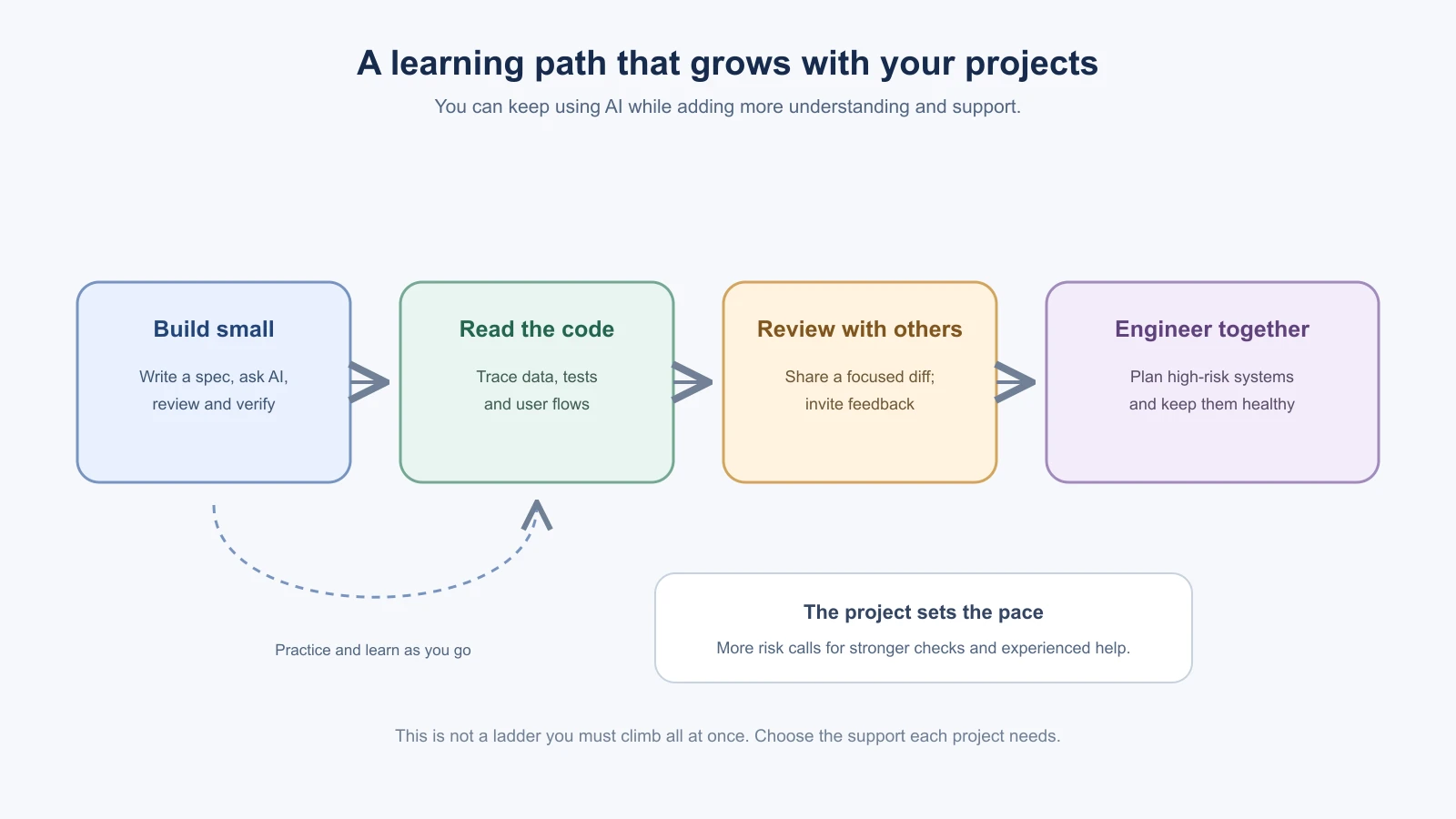
You do not have to memorize a programming language before building. But the more consequential the app, the more useful it is to read the code around its important paths. Start with one flow, such as saving a BookmarkBox item:
- Find the form or button that starts the action.
- Follow how the input reaches the server.
- Find where the server checks the user and stores the record.
- See how the result returns to the page.
- Ask the AI to explain unfamiliar files and verify the explanation against the code.
Learn concepts when they become useful: HTTP requests, server and browser code, database queries, sessions, tests, Git, logs. You can also take a small function and ask the AI to explain it line by line, then change one safe detail and observe what happens. The goal is not to become an expert overnight. It is to make sure you can review the parts you are responsible for.
Know when to bring in an engineer
Ask an experienced engineer to help when you cannot explain or test a high-risk change, when data migration could be hard to reverse, when security or reliability issues repeat, or when the app needs architecture that several people must maintain. You can hire someone for a focused design review or migration plan; bringing in help does not mean you need to hand over the entire project.
Prepare a useful handoff:
- What the app does and who uses it.
- The important data and systems it touches.
- What is broken or difficult, with steps to reproduce it.
- What you have tried and what happened.
- The parts you need help deciding, such as access rules or a migration.
- A link to the repository or a safe copy with secrets and real user data removed.
Continue to ask questions and review the proposed work. An expert should be able to explain tradeoffs and what you will need to maintain afterward.
Check ownership and licenses before sharing
Before publishing a repository or selling an app, check who owns the repository, domain, hosting and database accounts, and how you can export your data. Use an account you or your organization control, and keep recovery access documented. Confirm that images, fonts, code snippets and packages have licenses that allow your intended use.
A public GitHub repository without a license is not automatically open source; GitHub explains that ordinary copyright rules still apply unless you add a license. See GitHub's repository licensing guide before choosing to share code for reuse.
Do not assume that every AI-generated output is exclusive to you or that prompts settle copyright questions. Review the current terms of the AI service and the licenses of any code or assets it suggests. Copyright and licensing rules can depend on the work and the jurisdiction. The U.S. Copyright Office report on AI-generated material describes the US office's current authorship analysis; it is not a universal answer for every country or contract. Get qualified advice if ownership affects a business, client, or public release.
Keep building, with a process that fits
Vibe coding is one way to work, not a promise that every project can be safely built by prompting alone. You can keep using AI while adding stronger tests, code review, documentation and expert input. You can also decide that a project should remain a private prototype rather than becoming a service people rely on.
Before each new phase, ask:
- What could go wrong, and who would be affected?
- Can I explain and check the critical behavior?
- Do I know how to protect and recover the data?
- Would another person help me verify this change?
- What skill or engineering support would reduce the biggest risk?
Choose the next step based on those answers. The course capstone brings the habits together in Ship a project from idea to production.
Mistakes beginners make
- Treating a working prototype as ready for real users. Match your checks to what a mistake could cost and who it would affect.
- Asking the AI to rebuild the whole app because the code is messy. Name the specific friction and choose one next step.
- Skipping review once other people depend on the app. Have a person check changes that touch access, private data or deployment.
- Handing a project to an engineer without context. Prepare a handoff with the purpose, data, problems and steps to reproduce them.
- Assuming ownership and licenses are automatic. Check who owns the accounts, how you can export data, and what the licenses and AI service terms allow.
Recap and try it yourself
Vibe coding has limits. Watch for rising risk, code you cannot explain or check, repeated breakage and unclear ownership, and respond with learning, review or expert help that fits the project.
Try it: for one of your projects, answer the five questions at the end of this lesson. Write down the biggest risk you find and one step that would reduce it, such as reading one code path, asking someone to review a feature, or booking a short design review. The course capstone, Ship a project from idea to production, brings every habit together.