
Vibe Coding course · lesson 1 of 26
- 1What Is Vibe Coding? A Beginner's Guide
- 2The Vibe Coder Mindset: Build Small, Check Often
- 3Choosing Your Vibe Coding Tool: A Beginner's Guide
- 4Set Up Your Workspace for Vibe Coding
- 5Your First Vibe-Coded App in 30 Minutes
- 6From Idea to MVP: Plan a Small First Version
- 7Spec-Driven Development: Give AI a Clear Plan to Build From
- 8Mockups and Examples as Input: Show AI What You Mean
- 9Choose a Tech Stack: Pick Tools You Can Keep Using
- 10Prompts That Build Things: Give AI a Clear Task
- 11Context Documents: Give AI Lasting Project Instructions
- 12Managing Context and Sessions: Keep AI on the Right Task
- 13Set Standards Early and Review AI Output
- 14Build the Skeleton: Start the BookmarkBox App
- 15Add Data and a Database: Save Real Bookmarks
- 16Add Accounts Safely: Sign In and Protect Each User's Data
- 17Design and Polish: Improve the App One Pass at a Time
- 18Version Control with AI: Keep a Safe History of Your Work
- 19Debugging with AI: Find the Cause Before You Fix It
- 20Test by Default: Make Sure Each Feature Keeps Working
- 21Refactor and Keep Your Code Healthy
- 22Security for Vibe Coders: Protect Your App and Its Users
- 23Deploy Your App: Put BookmarkBox Online
- 24Monitor and Maintain Your App After Launch
- 25Where Vibe Coding Stops: Know When to Change Your Approach
- 26Capstone: Ship a Project from Idea to Production
By the end of this lesson, you will be able to explain what vibe coding is, recognize when it is useful, and name the parts of building software that still need your attention. You do not need to know how to program to start. You do need to stay curious about what the AI makes.
The idea in one minute
Imagine you want a simple page that keeps track of books you hope to read. You tell an AI coding tool what you want, look at the first version, and then ask for changes: “Put the books in a list,” “Add a way to mark one as finished,” or “Make the buttons easier to tap on a phone.” The tool writes and changes the code while you guide it by describing what you want.
That way of building is often called vibe coding. In this course, it means using ordinary language to guide an AI tool as it creates or changes software, then trying the result and giving it feedback. The phrase is informal, and people use it in different ways. We will use it for the quick, conversational style of building, while still learning to check the work.
The key change is that you can begin with an idea instead of first learning every programming detail. You can describe the outcome you want and let the tool handle some of the translation into code. But the tool cannot decide what matters to you, whether the result is safe for your users, or whether it actually works in the situations that count. Those remain human decisions.
Where the phrase came from
AI researcher Andrej Karpathy introduced the phrase in a post on X on February 2, 2025. He described a relaxed way of building with an AI coding tool: give it instructions in natural language, accept and try changes, and focus more on the result than on inspecting every line of code. His post was a description of his own way of experimenting, not a promise that software can be built well without care.
You can read Karpathy's original post on X. The phrase has since spread, and its meaning has broadened. Some people use it for any AI-assisted programming. Others reserve it for building quickly while paying little attention to the code. Since there is no single formal definition, this course will be clear about the distinction: we will use AI to move faster, but we will still review, test and take responsibility for what we ship.
Vibe coding and related approaches
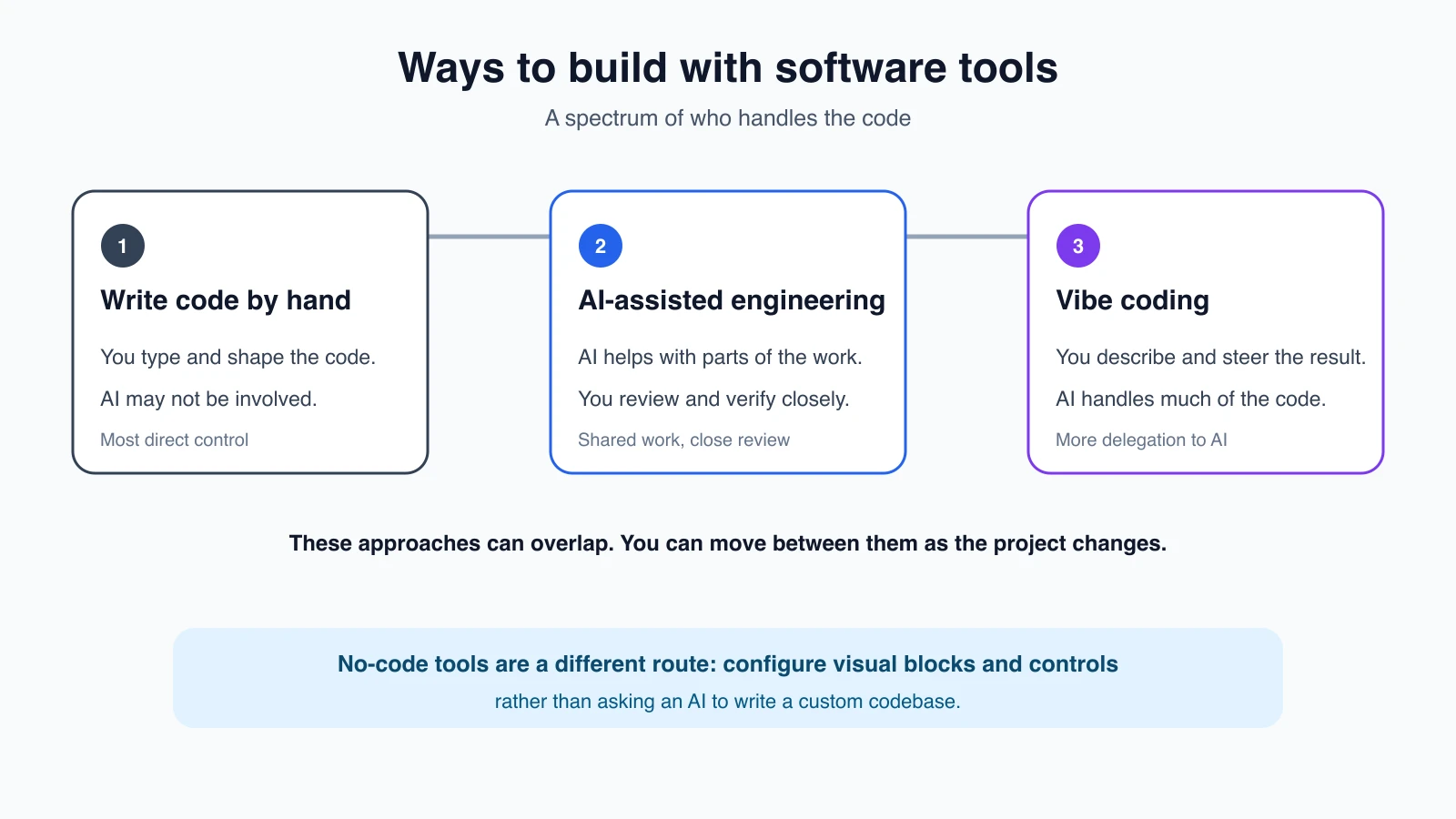
These labels overlap, and people do not always use them consistently. Here is how this course uses them.
| Approach | What you do | What the AI does | A useful way to think about it |
|---|---|---|---|
| Writing code by hand | Choose the instructions and type the code yourself | May not be involved | You control the details directly |
| AI-assisted engineering | Set the design, ask for help, inspect changes and verify behavior | Suggests or implements parts of the work | You use AI as a capable assistant and remain closely involved |
| Vibe coding | Describe the result, try what the AI builds and steer it with feedback | Produces and revises much of the code | You focus on the experience and guide the implementation |
| No-code building | Assemble an app from visual controls and predefined blocks | Usually is not writing a custom codebase for you | You configure a platform rather than describe arbitrary code changes |
The boundaries are not strict. A person might start by vibe coding a prototype, then inspect the code and switch to a more careful engineering process before real users depend on it. A no-code product may also include AI features. The important question is not which label wins. It is how much control you need, and how you will check the result.
What the human still does
An AI tool can generate code, but generating code is only one part of making a useful app. You still bring the goal, decide what to build first, notice when something feels wrong, and judge whether a change is good enough. You also decide what information the app should collect and who is allowed to see it.
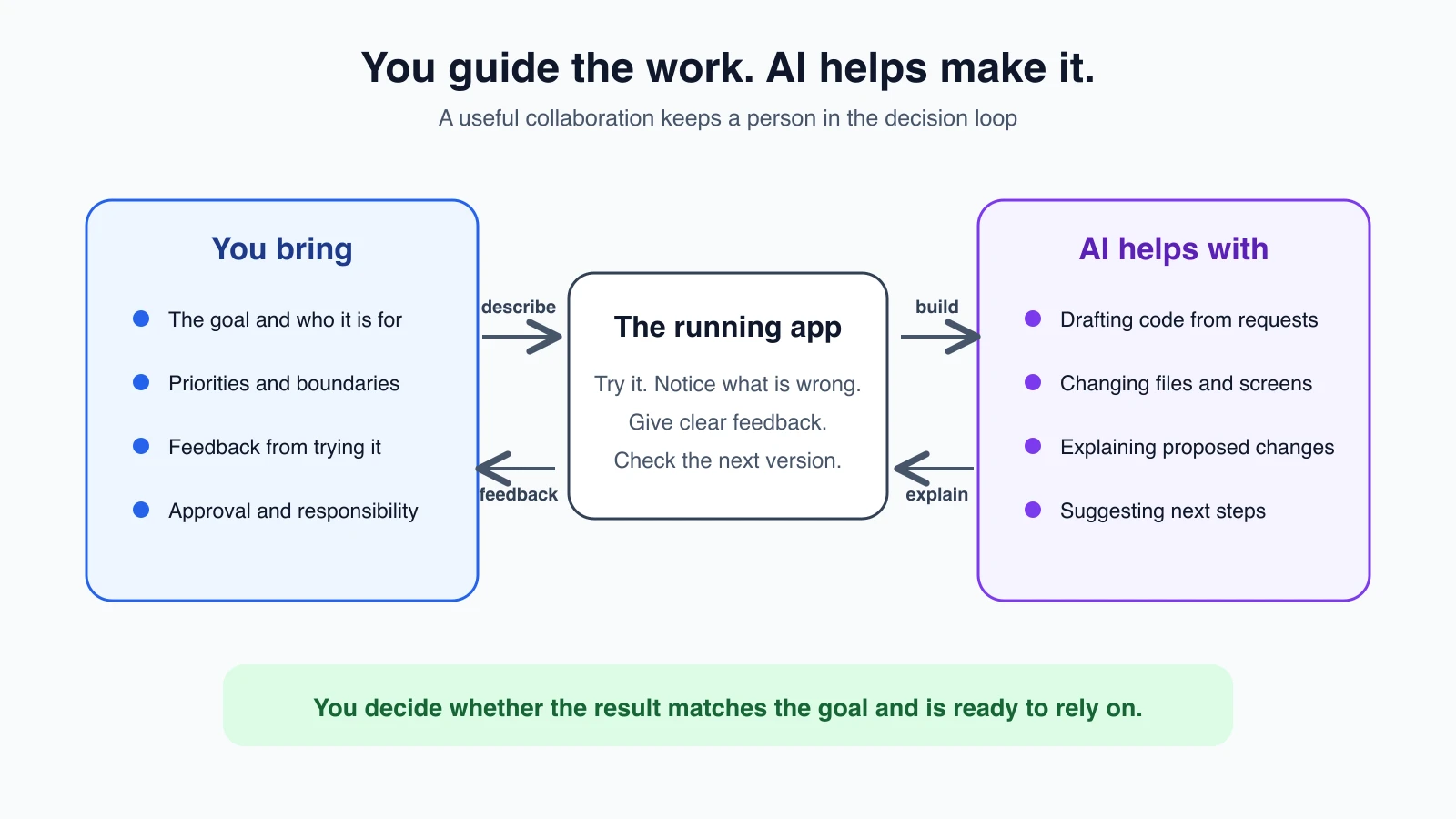
For example, “Build me a reading list” leaves many choices unanswered. Should books be private? Can a user search by author? What happens when the list is empty? The AI may make plausible choices, but plausible is not the same as what you intended. Your job is to make those choices visible and check that the app reflects them.
As your project grows, checking becomes more important. A button that looks right can still fail when clicked. A sign-in screen can look convincing while not protecting anyone's data. Later lessons will show you how to make a plan, test behavior, protect secrets and review changes. You can also learn about how AI agents work, since some coding tools can take actions across your project rather than only suggest text.
Where vibe coding works well
Vibe coding is a good way to explore an idea when the cost of a mistake is low and you can easily see whether the result is useful. It can help you:
- Make a small personal tool or a first version of an idea.
- Turn a rough description into a screen you can react to.
- Learn by asking the AI to explain a file or a change.
- Try several layouts before choosing one.
- Build a prototype to show someone and get feedback.
A prototype is an early version built to explore an idea. It may help you learn what people need, but it is not automatically ready for regular use. If the prototype starts holding private data, taking payments or serving customers, pause and check what needs to change before relying on it.
Where it can go wrong
The same speed that makes vibe coding fun can hide problems. The app may work for the example you tried but fail on an unusual input. The AI may create extra features you did not ask for, use a service you do not understand, or change a file that already worked. If you cannot explain what a sensitive feature does, you may not know what to check when it breaks.
This does not mean beginners should avoid building. It means the size of your checks should match the consequences of failure. A toy timer for yourself needs less scrutiny than an app storing other people's personal information. For anything important, ask someone with the right experience to review it before users depend on it.
Words you will meet in this course
A few terms will come up again and again. You do not need to memorize them. Each one is explained fully when it matters.
- Prompt: the instruction you give an AI tool, written in ordinary language.
- Spec: a short written description of what you want built and how you will tell it works.
- Diff: a view of what changed, with added and removed lines marked.
- Commit: a saved snapshot of your project that you can return to.
- Deploy: put the app on a hosting service so other people can use it.
- Prototype: an early version built to learn from, not yet ready for people to depend on.
Mistakes beginners make
- Treating a working screen as a finished app. Click through the important actions and try empty, unexpected and incorrect inputs.
- Asking for a whole product at once. Start with one small outcome. You will have an easier time spotting a wrong turn.
- Assuming the AI knows what you meant. Describe who the app is for and what should happen in concrete terms.
- Ignoring changes because the code looks unfamiliar. Ask the tool to explain what it changed and why. You do not have to understand every line before you begin, but build your understanding as you go.
- Putting real user data into an unchecked prototype. Keep early experiments low-risk until you have checked privacy, access and security.
Recap and try it yourself
Vibe coding is a conversational way to guide AI as it builds software. It makes it easier to start from an idea, but it does not remove the need to choose, review and test. Treat the AI as a fast collaborator: you set the direction, and you are responsible for deciding whether the result is ready to use.
Try this: write down one small app idea in a sentence. Then add three details: who would use it, the one thing it should help them do, and one thing it should not do. You will use that habit in The vibe coder mindset.