
Vibe Coding course · lesson 7 of 26
- 1What Is Vibe Coding? A Beginner's Guide
- 2The Vibe Coder Mindset: Build Small, Check Often
- 3Choosing Your Vibe Coding Tool: A Beginner's Guide
- 4Set Up Your Workspace for Vibe Coding
- 5Your First Vibe-Coded App in 30 Minutes
- 6From Idea to MVP: Plan a Small First Version
- 7Spec-Driven Development: Give AI a Clear Plan to Build From
- 8Mockups and Examples as Input: Show AI What You Mean
- 9Choose a Tech Stack: Pick Tools You Can Keep Using
- 10Prompts That Build Things: Give AI a Clear Task
- 11Context Documents: Give AI Lasting Project Instructions
- 12Managing Context and Sessions: Keep AI on the Right Task
- 13Set Standards Early and Review AI Output
- 14Build the Skeleton: Start the BookmarkBox App
- 15Add Data and a Database: Save Real Bookmarks
- 16Add Accounts Safely: Sign In and Protect Each User's Data
- 17Design and Polish: Improve the App One Pass at a Time
- 18Version Control with AI: Keep a Safe History of Your Work
- 19Debugging with AI: Find the Cause Before You Fix It
- 20Test by Default: Make Sure Each Feature Keeps Working
- 21Refactor and Keep Your Code Healthy
- 22Security for Vibe Coders: Protect Your App and Its Users
- 23Deploy Your App: Put BookmarkBox Online
- 24Monitor and Maintain Your App After Launch
- 25Where Vibe Coding Stops: Know When to Change Your Approach
- 26Capstone: Ship a Project from Idea to Production
After this lesson, you will be able to write a short specification, or spec, that an AI can use to build one feature and that you can use to check the result. A spec puts the goal, user, expected behavior, boundaries and success checks in one place before implementation begins.
In From idea to MVP, you chose BookmarkBox's first job: save a useful link and find it again. Now we will describe one small part of that job clearly enough to build: adding a link and seeing it in the list.
What is a spec?
A spec is a written description of what a feature should do and how you can tell whether it works. It gives you and the AI a shared reference while you build. If a detail is missing, you can settle it before the AI makes an assumption in code.
A prompt is an instruction or question you send to an AI. “Add a way to save a bookmark” is a prompt, but it leaves several things unclear: what information a bookmark needs, where it appears after saving, and what should happen if the address is blank. A spec answers those questions and stays available as the work continues.
You can use a prompt to ask an AI to draft a spec. The two ideas are related, but they serve different roles: the prompt starts the conversation; the reviewed spec records what you decided to build. The spec can be a short note or a structured document. It does not need to be long to be useful.
What goes in a useful spec?
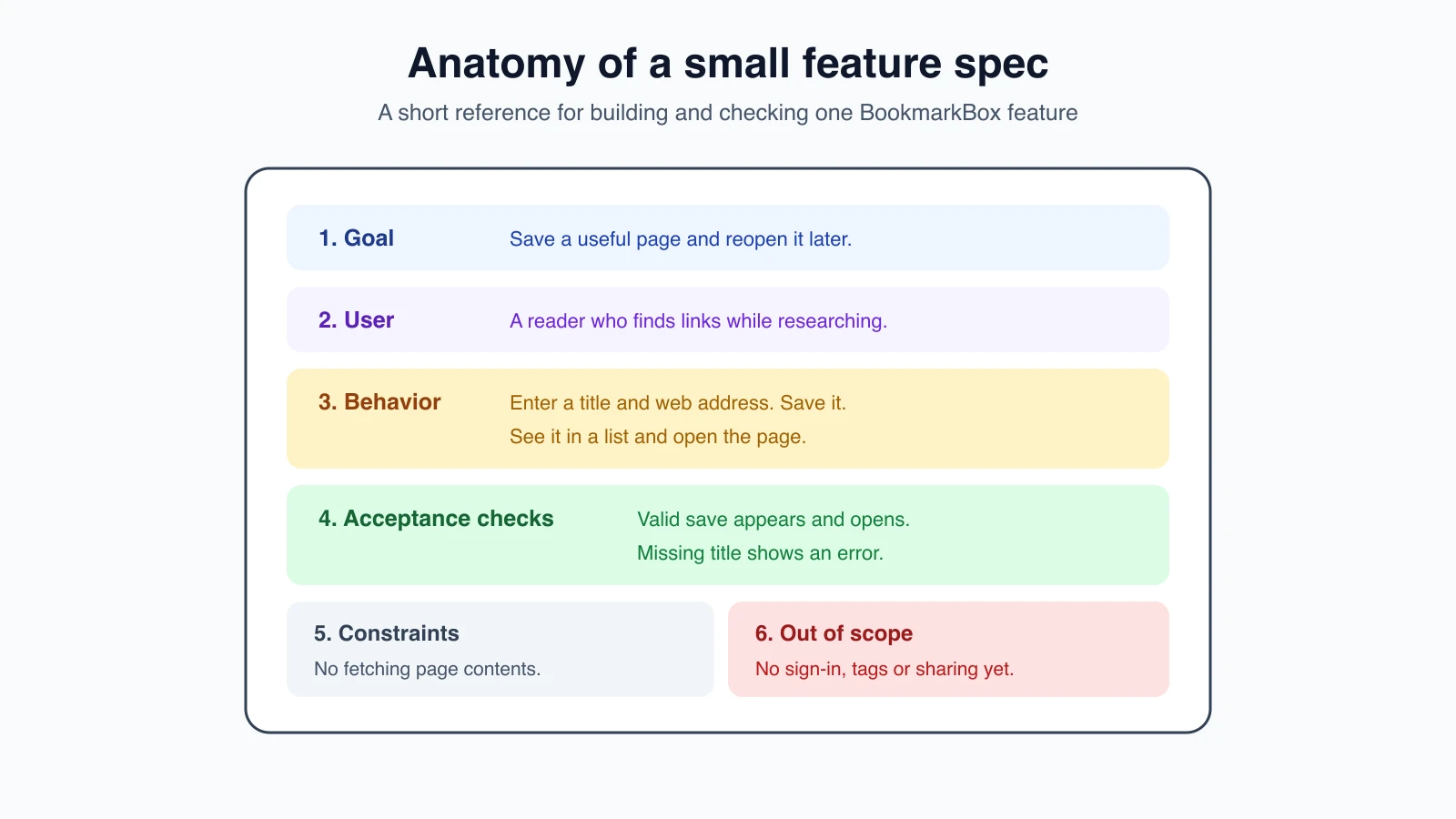
For a small feature, write down five things:
- Goal: What outcome should the feature provide?
- User: Who is using it, and what are they trying to do?
- Expected behavior: What should happen when they use it? Include important error or empty states.
- Acceptance criteria: What observable checks will show that it works? “Looks good” is hard to check; “the saved title appears in the list” is clearer.
- Constraints and out of scope: What must the feature respect, and what are you deliberately not building now?
These details describe the feature from the user's point of view. A spec may also point to an existing design, example or project rule. Save detailed implementation choices, such as the exact component names, until the AI has enough information about the current project to propose them.
A small BookmarkBox spec
Here is a first spec for adding a bookmark. It is intentionally short and focuses on behavior rather than prescribing code:
1Feature: Add and list a bookmark
2
3Goal
4Let a person save a useful web page and see it in their BookmarkBox list.
5
6User
7As someone who finds useful pages while researching, I want to save a link with a title so I can open it again later.
8
9Expected behavior
10- The form accepts a page title and web address.
11- After a valid save, the new title and address appear in the saved-links list.
12- The person can open the saved address from the list.
13- If the title or address is missing, show a clear message and do not add an incomplete bookmark.
14
15Acceptance criteria
16- Given a title and a valid web address, when the person saves the form, then that bookmark appears in the list and can be opened.
17- Given a missing title or address, when the person tries to save, then an error explains what is missing and no bookmark is added.
18
19Constraints
20- Keep this feature simple for the first BookmarkBox version.
21- Do not fetch page contents from the web.
22
23Out of scope for this feature
24- Sign-in, tags, search, sharing and a browser extension.
The acceptance criteria use “given, when, then” to make the check concrete: the starting situation, the action and the result. You do not need that exact format for every project. The important thing is that a person could follow the description and decide whether the behavior is correct.
Notice that the spec does not say which framework, database table or file to use. Those decisions belong in the implementation plan, after the AI has checked the existing project and the constraints. In Choose a tech stack, we will record BookmarkBox's stack choices.
Ask AI to draft, then review it
You can start with the decisions from the previous lesson and ask an AI to help fill gaps. Keep the request read-only until you agree with the behavior:
1Help me write a short spec for the BookmarkBox feature “Add and list a bookmark.”
2
3The user is someone who finds useful pages while researching and wants to reopen them later. For the first version, a person enters a title and web address, saves the link, sees it in a list and can open it. Do not include sign-in, tags, search, sharing or a browser extension.
4
5Do not write code or choose a tech stack. Ask me clarifying questions about unclear behavior first. Then draft these sections: Goal, User, Expected behavior, Acceptance criteria, Constraints and Out of scope. Make each acceptance criterion something I can check by using the app. Label any assumption you had to make.
Read the result line by line. Check that the AI did not add extra features, quietly change the user or define a behavior you did not intend. Decide what to do with its assumptions: answer the question, change the spec, or leave the detail for later. Then save the version you agree with in the project so you and the AI can refer to the same text.
You are still the decision-maker. A spec written by AI is only a draft until you have checked that it describes the product you mean.
Keep the spec as the source of truth
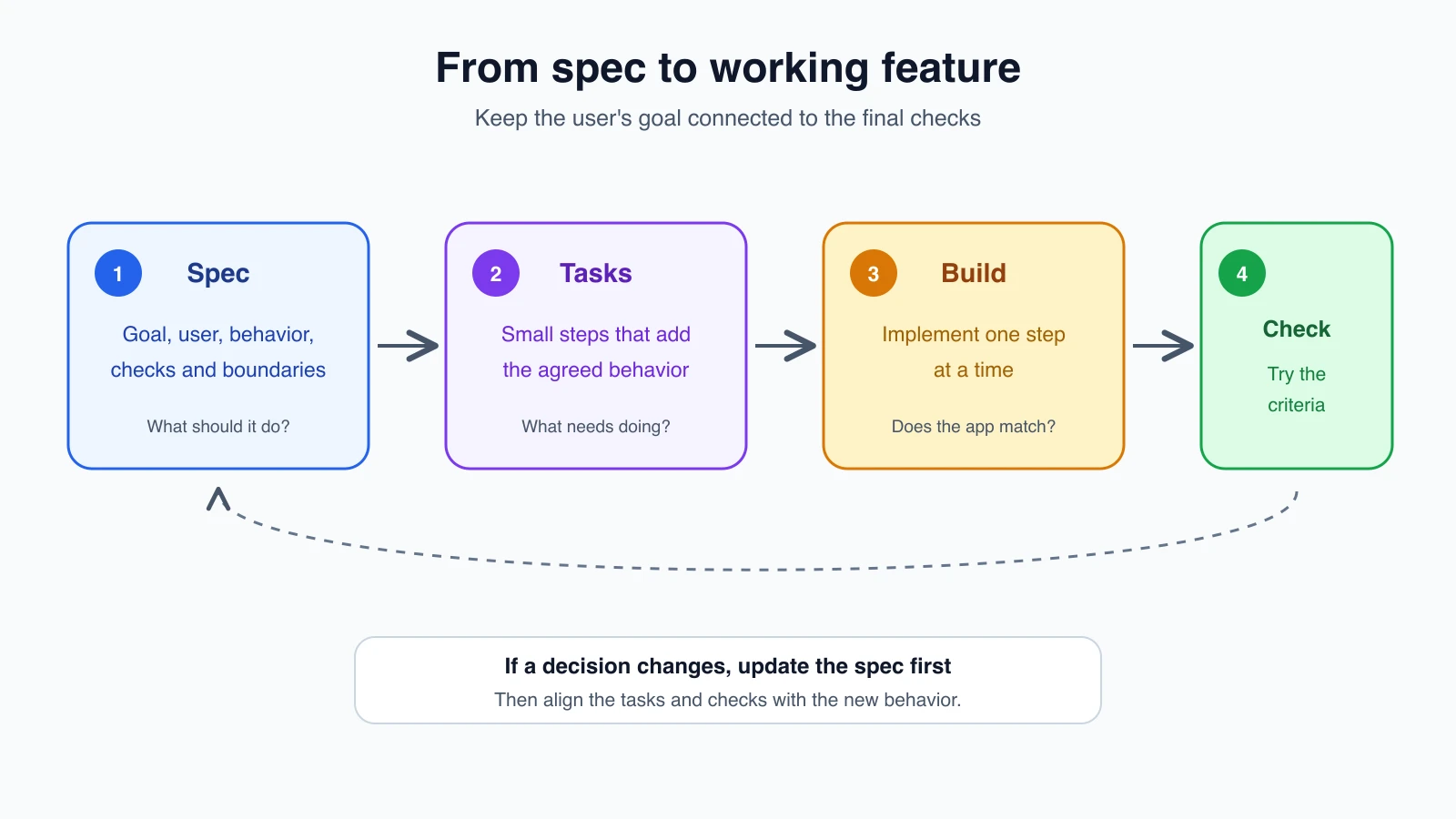
While you build, use the spec to resolve questions and check the result. If the AI suggests an extra feature, compare it with the scope. If it discovers that a requirement is unclear or impractical, pause and discuss the change. Update the spec when you decide to change the intended behavior, then make sure the task list and checks match the updated version.
This does not mean the spec can never change. New information often changes the plan. The spec is the current source of truth for the feature: when your decision changes, update it so the written version and the implementation do not drift apart.
For a large project, separate artifacts can help. A spec describes expected behavior, a plan describes the approach, and tasks break work into steps. For a small one-file experiment, a few paragraphs may be enough. Use structure that helps you think and review, not paperwork for its own sake.
Tools that support spec workflows
Several current tools support a structured path from requirements to implementation. These examples are based on official documentation checked on November 3, 2026. Product names and workflows change, so check current docs before installing or adopting one.
- Claude Code Plan mode lets you explore a codebase and prepare a plan before editing. It is useful for reviewing an approach, but the plan is not automatically a durable feature spec. You can learn the mode in Claude Code Plan mode.
- GitHub Spec Kit provides an open workflow that carries a specification through planning, tasks, implementation and convergence. Its docs describe integrations with multiple coding agents.
- Kiro Feature Specs guide a feature through requirements, technical design and implementation tasks, with a requirements-first or design-first workflow.
- OpenSpec provides a change workflow with a proposal, behavior specs, design and tasks. Its official docs list the current setup and supported tools.
You do not need a special tool to write a spec. A Markdown file in your project can work well. Use a structured tool when its workflow genuinely helps you keep decisions, tasks and checks aligned.
Mistakes beginners make
- Writing only a feature name. “Add bookmarks” does not say who uses it or what should happen.
- Using vague acceptance criteria. Replace “easy to use” with a behavior you can observe and check.
- Letting the AI add ideas without reviewing them. Keep your first version's boundaries visible.
- Mixing behavior with implementation choices too early. Decide what users need before you choose how the code will do it.
- Keeping an outdated spec after changing the plan. Update the written agreement when you change the intended behavior.
- Writing a document nobody will use. Keep the spec small enough to reread while you build.
Recap and try it yourself
A spec records the user, goal, expected behavior, acceptance criteria and boundaries for a feature. A prompt asks the AI to do something; a reviewed spec gives both of you a lasting reference for what should be built and how to check it.
Try it: choose one feature from your app idea and write a one-paragraph goal, two acceptance checks and one thing that is out of scope. Ask an AI to review it for unanswered questions, but do not let it write code yet. In Mockups and examples as input, you will learn how to add visual and sample-data references to your plan.