
Vibe Coding course · lesson 24 of 26
- 1What Is Vibe Coding? A Beginner's Guide
- 2The Vibe Coder Mindset: Build Small, Check Often
- 3Choosing Your Vibe Coding Tool: A Beginner's Guide
- 4Set Up Your Workspace for Vibe Coding
- 5Your First Vibe-Coded App in 30 Minutes
- 6From Idea to MVP: Plan a Small First Version
- 7Spec-Driven Development: Give AI a Clear Plan to Build From
- 8Mockups and Examples as Input: Show AI What You Mean
- 9Choose a Tech Stack: Pick Tools You Can Keep Using
- 10Prompts That Build Things: Give AI a Clear Task
- 11Context Documents: Give AI Lasting Project Instructions
- 12Managing Context and Sessions: Keep AI on the Right Task
- 13Set Standards Early and Review AI Output
- 14Build the Skeleton: Start the BookmarkBox App
- 15Add Data and a Database: Save Real Bookmarks
- 16Add Accounts Safely: Sign In and Protect Each User's Data
- 17Design and Polish: Improve the App One Pass at a Time
- 18Version Control with AI: Keep a Safe History of Your Work
- 19Debugging with AI: Find the Cause Before You Fix It
- 20Test by Default: Make Sure Each Feature Keeps Working
- 21Refactor and Keep Your Code Healthy
- 22Security for Vibe Coders: Protect Your App and Its Users
- 23Deploy Your App: Put BookmarkBox Online
- 24Monitor and Maintain Your App After Launch
- 25Where Vibe Coding Stops: Know When to Change Your Approach
- 26Capstone: Ship a Project from Idea to Production
Deployment is a milestone, not the end of the work. Once BookmarkBox is online, you need a simple way to notice when something breaks, recover data, keep dependencies current and understand what the app costs. You do not need a complicated operations setup for a small project. Start with a few signals that tell you whether the app is working for people.
In Deploy your app, you learned to check a production release and keep a rollback plan. This lesson turns those checks into an ongoing routine.
Watch a few useful signals
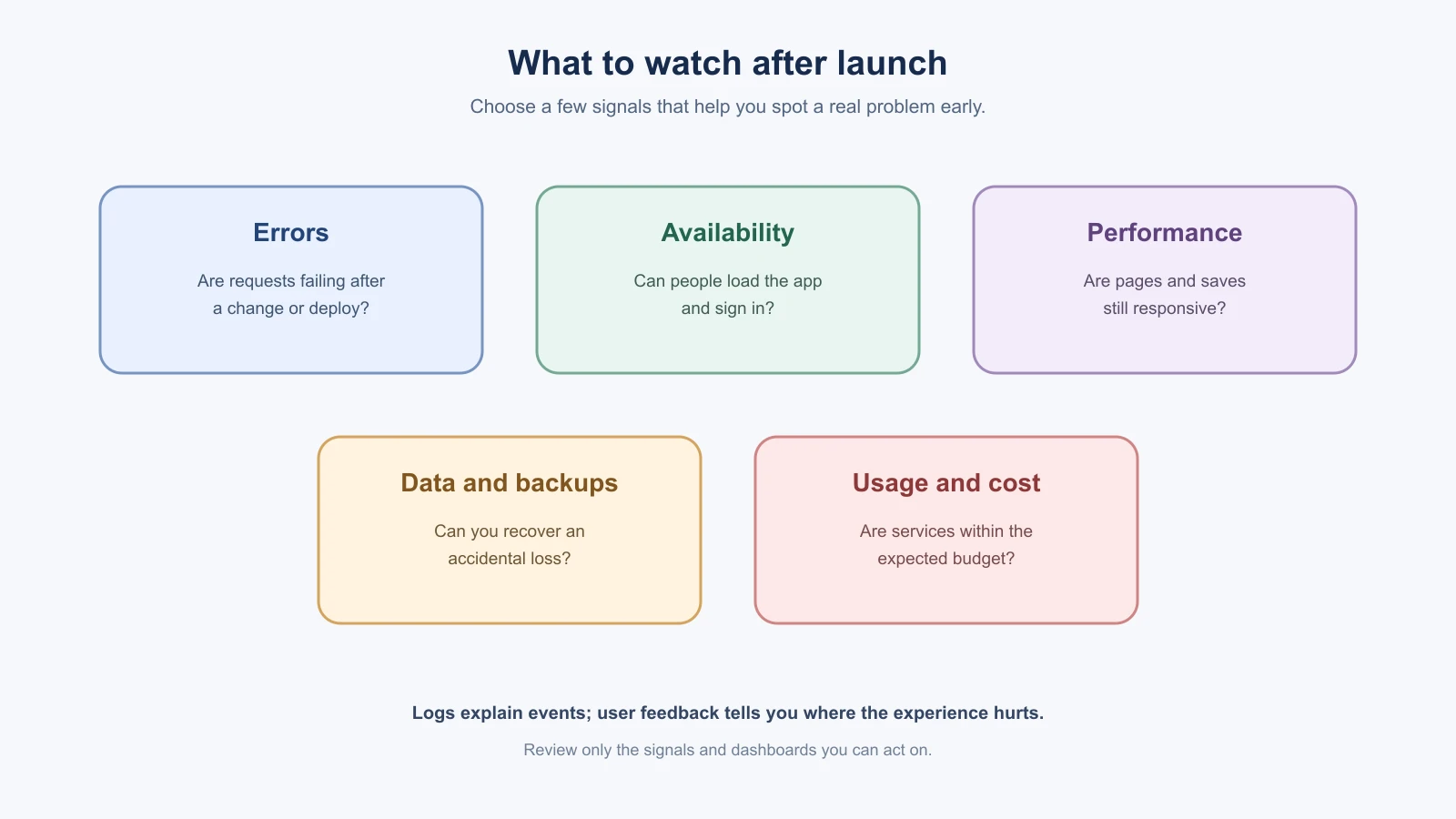
Start by knowing where the hosting and database providers show logs and service status. Then pay attention to signals that connect to real user experiences:
- Errors: Are server requests failing? Did a new deployment introduce an error?
- Availability: Can a person load the app and sign in?
- Performance: Are pages or saves becoming noticeably slow?
- Data: Are saves and removals working, and can you recover an accidental loss?
- Usage and cost: Are hosting, database, authentication and AI tool usage within what you expect?
For example, if a BookmarkBox user reports that Save spins forever, note when it happened, check the matching deployment's runtime logs, and see whether the request reached the server or database. Vercel's logs documentation describes build and runtime logs, while its Observability guide describes ways to inspect traffic and performance. The available detail and retention can depend on the provider and plan, so check the current settings for your project.
Logs are useful clues, but avoid putting passwords, session tokens, full private records or other sensitive values in them. A short message with a request ID, error type and time is often enough to find the relevant event. If you use an external error-tracking service, review what data it collects and who can access it.
Know how you would restore data
Your app code and database are different things. A deployment rollback may restore an earlier version of the app, but it does not necessarily restore rows someone deleted. Database backups are handled by your database provider, and coverage, retention, restore options and costs vary.
Find the provider's backup settings and answer three questions:
- How often is a backup made, and how long is it kept?
- How would you start a restore, and how much recent data could be lost?
- Have you tested restoring a copy somewhere safe?
A backup you have never restored is an assumption, not a recovery plan. Practice with a separate project or local copy, never by experimenting on the live database. If you choose Supabase for Postgres, its database backups guide explains that backup availability and retention depend on the project plan and describes restore options. Check the docs for whichever provider you use.
Also consider data that may live outside Postgres. Uploaded files, authentication settings and environment variables might have separate backup or recovery procedures. Keep a private note of where these settings live and who can access them. Do not put secret values in the note.
Update dependencies with a reason
Dependencies need maintenance, but updating everything at once makes it hard to understand a new failure. Periodically check which packages are outdated or have security advisories. Then review what an update changes, apply a small group of related updates, and run the project's tests and build before deploying.
For an npm project, npm outdated can show packages with available updates. The exact commands differ for other package managers. Read the official npm package update guide and use the process that matches your lockfile. Security warnings need prompt attention, but an update still deserves a reviewed diff and a verification run. Do not let an AI change a lockfile or replace dependencies without explaining why.
Keep app and AI service costs visible
List the services BookmarkBox depends on: hosting, Postgres, authentication, email, domain renewal, monitoring and the AI coding tool. Know where each provider shows usage, what triggers a charge, and whether you can set an alert or usage limit. Review bills and usage before adding a feature that sends more requests or stores more data.
For AI tools, compare usage to the work they helped with and your plan's current limits. For app services, check database size, storage, function requests and any metered add-ons. Avoid publishing a price table in your project notes because plans and rates change. The AI Agents lesson on cost and latency explains ways to reason about agent usage; consult each provider's live billing page for current prices.
Turn user feedback into small improvements
People may report confusion, missing behavior or errors you did not anticipate. Give them a clear way to share feedback, then record the problem in plain language: what they tried, what they expected, what happened, and how often it affects them. Do not collect more personal information than you need, and ask before including private reports in an AI prompt.
Look for patterns rather than immediately building every suggestion. If three people cannot tell whether a bookmark saved, clarify the loading and success states. If a request is rare or outside the app's purpose, keep it on a list for later. Share a short release note when you fix a meaningful issue so people know what changed.
A light maintenance routine
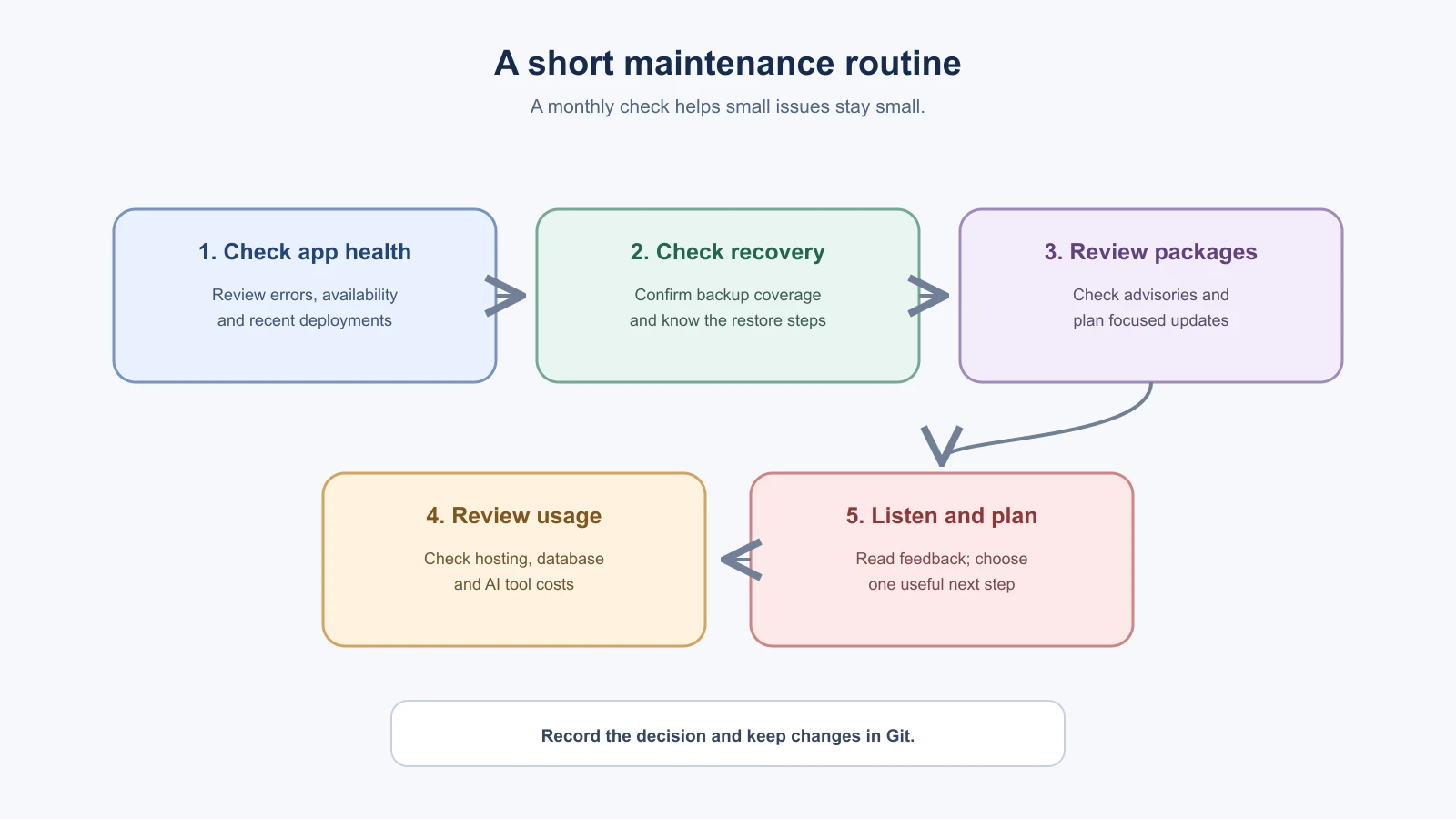
After each production deployment, open the live app and try its main user journey. Once a month, set aside a short review:
- Check recent error logs and the provider's service status.
- Confirm backups are enabled as expected and review the restore steps.
- Review dependency alerts and decide which updates are worth applying.
- Look at hosting, database and AI usage against your expected budget.
- Read user feedback and choose one useful improvement or follow-up.
- Save the findings and any maintenance changes in Git.
If you see an error spike, unexpected bill or possible data exposure, pause routine updates and investigate the incident first. Use the recovery plan from the previous lesson and involve the relevant provider or an experienced developer when the cause is unclear. For a small app, a written checklist and regular attention are more useful than collecting dashboards you never check.
A worked example: Save spins forever
This is an illustrative scenario. A person emails you: “I pasted a link into BookmarkBox and the Save button just spins.” Here is how a calm response might go.
- Write down what you know. Who reported it, roughly when, what they did and what they saw. Do not ask for their password.
- Try to reproduce it on the live app with a test account and a similar link. If you can see it, you have something to investigate. If you cannot, ask for more detail, such as the browser and the exact steps.
- Check the logs for that time. Look for an error from the save request in the hosting provider's runtime logs. Note the error type and the deployment it came from.
- Look at what changed. Did this start after a recent deployment? If so, the change is a strong suspect.
- Choose a safe action. If the problem is serious and started with the last deployment, rolling back to the previous deployment can restore service while you investigate. Remember that this does not undo changes to the database.
- Fix it on a branch, write a test that fails for the problem, check it in a preview and release it as you learned in the deployment lesson.
- Tell the person it is fixed, and thank them.
Write a short note afterward
After a real problem, a five-line note makes the next one easier to handle. Keep it factual and blame-free:
- What happened and when.
- Who was affected, roughly how many people.
- The cause, as far as you know.
- How you fixed it.
- One change that would help prevent it, such as a test or a check before release.
Save the note with the project, in Git or in your documentation. Do not include secrets or personal details.
Choose a few numbers to watch
It is easy to collect more charts than you will ever read. For a small app, a short list is enough:
- Whether the app loads and sign-in works, checked after each release.
- The number of errors in the logs over the last day or week.
- How long the slowest important action, such as saving, takes.
- Your hosting, database and AI tool usage compared with your budget.
- How many people reported a problem.
Pick the ones you will actually look at, write them in your maintenance note, and change the list when your needs change.
Mistakes beginners make
- Launching and never looking again. Open the live app after each deployment, and keep a short monthly review.
- Assuming backups work. Find your provider's backup settings, and practice a restore on a safe copy.
- Logging sensitive values. Keep passwords, tokens and private records out of logs.
- Updating every dependency at once. Update a small group for a reason, then run the tests and build.
- Ignoring costs until the bill arrives. List the services you depend on, and find where each one shows usage.
Recap and try it yourself
Watch a few signals that match real user experience, know how you would restore data, update dependencies deliberately, keep costs visible and turn user feedback into small improvements.
Try it: write a one-page maintenance note for a practice app. Include where the logs live, how backups work and how you would restore one, how often you will check dependencies, which services can charge you, and how people can send feedback. Leave out passwords and tokens. In Where vibe coding stops, you will learn how to tell when a project needs more than prompts.