
Vibe Coding course · lesson 20 of 26
- 1What Is Vibe Coding? A Beginner's Guide
- 2The Vibe Coder Mindset: Build Small, Check Often
- 3Choosing Your Vibe Coding Tool: A Beginner's Guide
- 4Set Up Your Workspace for Vibe Coding
- 5Your First Vibe-Coded App in 30 Minutes
- 6From Idea to MVP: Plan a Small First Version
- 7Spec-Driven Development: Give AI a Clear Plan to Build From
- 8Mockups and Examples as Input: Show AI What You Mean
- 9Choose a Tech Stack: Pick Tools You Can Keep Using
- 10Prompts That Build Things: Give AI a Clear Task
- 11Context Documents: Give AI Lasting Project Instructions
- 12Managing Context and Sessions: Keep AI on the Right Task
- 13Set Standards Early and Review AI Output
- 14Build the Skeleton: Start the BookmarkBox App
- 15Add Data and a Database: Save Real Bookmarks
- 16Add Accounts Safely: Sign In and Protect Each User's Data
- 17Design and Polish: Improve the App One Pass at a Time
- 18Version Control with AI: Keep a Safe History of Your Work
- 19Debugging with AI: Find the Cause Before You Fix It
- 20Test by Default: Make Sure Each Feature Keeps Working
- 21Refactor and Keep Your Code Healthy
- 22Security for Vibe Coders: Protect Your App and Its Users
- 23Deploy Your App: Put BookmarkBox Online
- 24Monitor and Maintain Your App After Launch
- 25Where Vibe Coding Stops: Know When to Change Your Approach
- 26Capstone: Ship a Project from Idea to Production
An AI can write code that looks convincing and still misses a requirement. It may handle the example you mentioned but fail on an empty value, a second record, or a page refresh. Tests make those expectations repeatable. They do not prove that an app has no bugs, but they help catch known mistakes before the next change builds on top of them.
In Debugging with AI, you practiced reproducing a bug and checking the fix. Now you will turn important expectations into checks the computer can repeat. We will use BookmarkBox as our example.
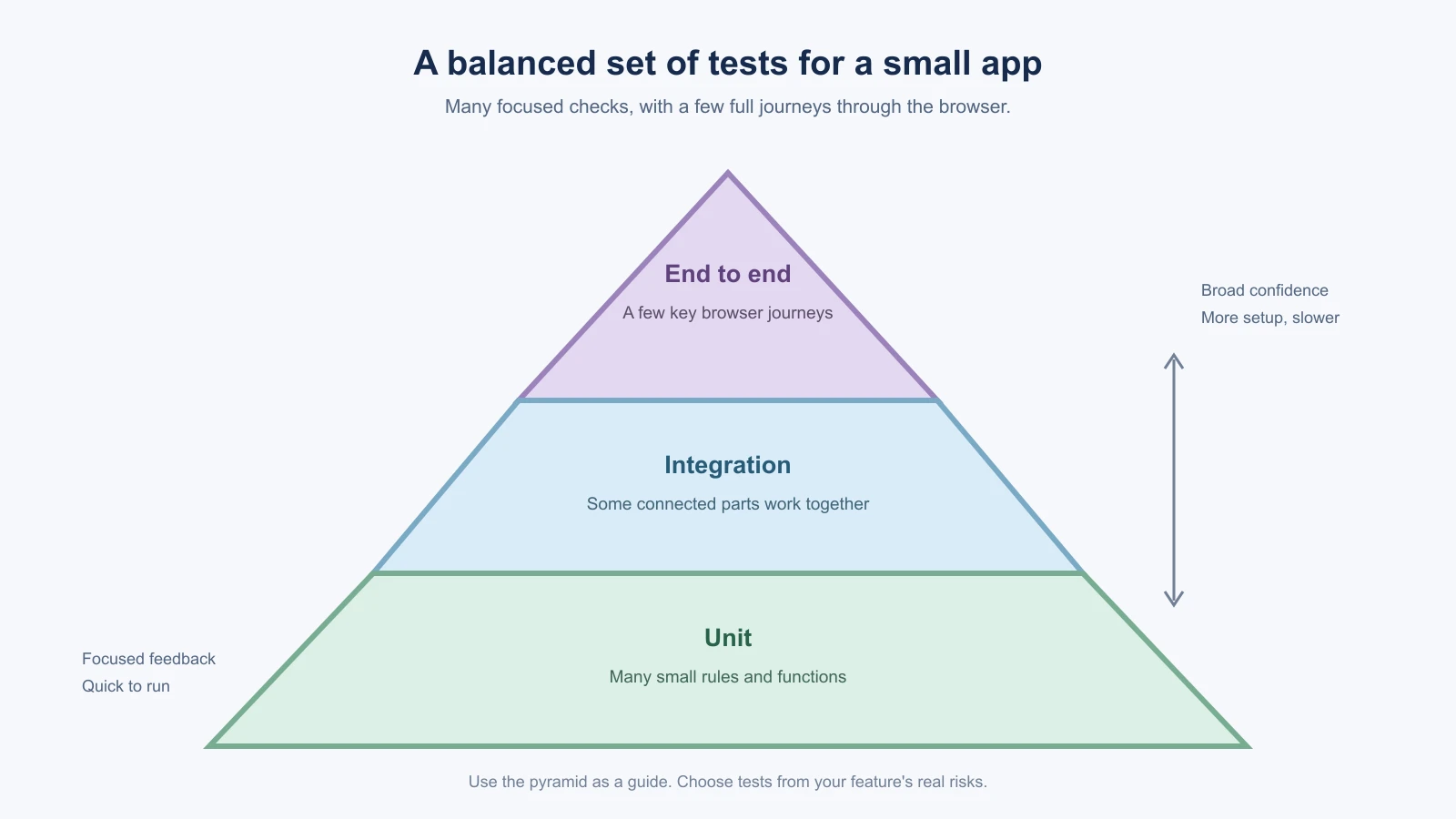
Three useful kinds of tests
Tests can check code at different sizes. Start with the behavior you need confidence in, not a target number of tests.
- Unit test: checks one small piece in isolation, such as a function that validates a bookmark URL. It is quick and helps pinpoint a mistake.
- Integration test: checks that a few pieces work together, such as a save handler validating input and asking the data layer to store a bookmark.
- End to end test: opens the app in a browser and follows a person's journey, such as signing in, saving a bookmark, seeing it in the list, and removing it.
The lower levels are usually faster and more focused, so a small project often has many unit tests, some integration tests, and a few end to end tests for the most important journeys. This is a guide for choosing what to check, not a rule that every project must match a shape. For example, an end to end test can catch a broken connection between the page and server that a unit test cannot see.
The Next.js testing guide describes these test types and lists tools such as Vitest for unit tests and Playwright for end to end tests. Choose tools that fit the project's existing setup. Do not add a new testing framework just because an AI suggests it; ask what it adds and what configuration it needs.
Turn the spec into checks
Your spec and acceptance criteria are a useful starting point. For BookmarkBox, the first data feature should let someone save a link and see it in the list. That suggests checks such as:
- A valid title and URL are accepted.
- An empty title or malformed URL gets a clear validation result.
- Saving a bookmark makes it appear in the list.
- Refreshing the page still shows the saved bookmark.
- Removing one bookmark leaves the other bookmarks in place.
Each test should state one behavior in plain language and check an observable result. For example, a unit test can check that the URL validator accepts https://example.com/guide and rejects a value that is not a web address. A browser test can save a bookmark, then check that its title appears on the page. Avoid tests that only repeat an implementation detail, such as checking that a private function was called, without confirming the behavior a person needs.
Try test first for a small change
Test driven development, often shortened to TDD, is a way to work in a short cycle:
- Write a test for one behavior that does not work yet.
- Run it and confirm it fails for the reason you expect.
- Make the smallest code change that makes it pass.
- Run the test again, then run related checks.
The first failing run matters. It shows that the test can detect the missing behavior. If it passes before the feature exists, the test may be checking the wrong thing or the behavior may already be present. Keep the loop small so you can connect the result to the change.
You do not need to force this workflow onto every line of a project. It is especially useful for a bug fix, a validation rule, or a new behavior with clear expected results. For a visual change, you might first describe a manual browser check, then automate a stable end to end flow if it is worth repeating.
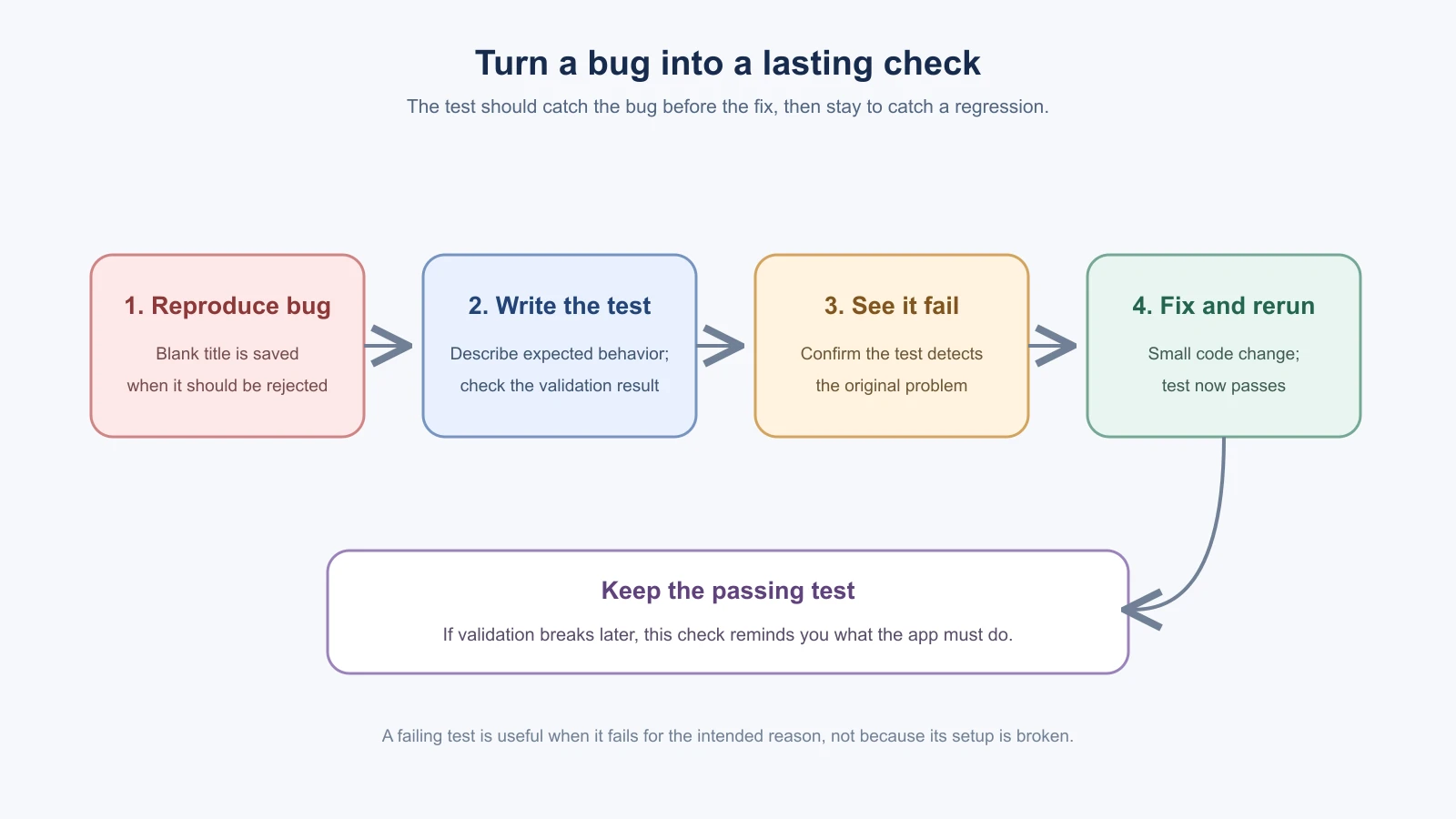
When you find a bug, keep a test for it
Suppose BookmarkBox allowed a bookmark with a blank title. After fixing it, add a test for that exact case. First check that the test fails against the old behavior, then keep it alongside the fix. Later, if another change breaks title validation, the test can catch the regression. A regression is a problem that returns after a change.
Ask the AI to add the test before changing the code, and tell it what should happen in plain language. Then review the test itself. A test can be wrong: it might assert the bug is acceptable, skip the failing case, or only verify that the page rendered. Confirm that it checks the behavior in your spec.
Keep the test set useful
Tests should help you make changes with more confidence. Too few checks leave important behavior uncovered; too many brittle checks can make ordinary changes frustrating. Prefer tests for rules, important data paths, and key user journeys. Avoid duplicating the same check at every level unless the extra confidence is worth the maintenance.
Some useful habits:
- Give each test a name that says what should happen.
- Use fictional data and a separate test database or isolated test setup.
- Keep tests independent so one does not rely on another's data.
- Do not rely on real paid services or production user accounts for routine runs.
- When a test fails, read its expected and actual result before asking AI to change code.
- If a test is flaky, investigate why rather than repeatedly rerunning it until it passes.
Testing tools evolve, and projects differ in how they configure databases, sign-in and browser tests. The Vitest guide to writing tests explains named tests and assertions. The Playwright assertions guide explains browser checks that wait for the expected page state. Follow the official setup guide for your project's current version.
Run checks before you save a checkpoint
Before committing a feature, ask the AI to show the exact test commands it plans to run. Check that they are the project's documented commands, then review the test changes and run the checks. If a command fails, read the failure and debug it. Do not ask the AI to delete or weaken a test simply to get a green result. If behavior intentionally changed, update the spec and test together, then make sure the new expectation is correct.
For each BookmarkBox feature, a simple routine is:
- Confirm the feature's acceptance criteria.
- Write or update the relevant test.
- Run it and inspect any failure.
- Make the implementation change and run related tests again.
- Try the main flow in the browser when it affects a person using the app.
- Review the diff and commit the working change, as described in Version control with AI.
You can ask your coding assistant:
1For this BookmarkBox change, first identify the acceptance criteria and the tests already in the project. Propose the smallest useful test for each behavior, including one failure or edge case. Do not add a new testing framework. Add the test first, show me why it should fail before the feature change, then implement the smallest fix. Explain each test and report the exact commands and results. Do not delete or weaken an existing test to make the run pass.Tests do not replace reading the code or trying the app. They give you repeatable checks for behavior you already understand. Keep a few strong checks close to each feature, run them before each commit, and use a failure as a clue to investigate. Next, Refactor and keep the code healthy covers how to improve the structure while preserving the behavior those tests protect.
A note on the examples
The tests and prompts in this lesson are illustrations. The course does not include a tested BookmarkBox code base, so write your tests against your own app, using the acceptance checks in your spec. If an example does not match the files your tool created, adapt the idea and not the exact text.
Mistakes beginners make
- Asking for tests only after the feature is finished. Ask for the test with the feature, and for a bug, before the fix.
- Never watching the test fail first. A test that has not failed for the expected reason may not be checking anything.
- Letting the AI weaken or delete a failing test. Read the expected and actual result. Change a test only when the intended behavior really changed.
- Testing implementation details instead of behavior. Check what a person can observe, such as a saved bookmark appearing in the list.
- Adding a new testing framework because an AI suggested it. Use the tools the project already has, and ask what a new one would add.
Recap and try it yourself
Unit, integration and end to end tests check behavior at different sizes. Turn your acceptance criteria into checks, keep a regression test for each bug you fix, and run the checks before every commit.
Try it: choose one acceptance criterion from your spec, such as "an empty title is rejected". Ask your assistant to write the test first, confirm that it fails for the right reason, then make the smallest change that makes it pass. Run the related checks and commit the working step. In Refactor and keep the code healthy, you will use checks like these to protect behavior while you improve the structure.