
Vibe Coding course · lesson 6 of 26
- 1What Is Vibe Coding? A Beginner's Guide
- 2The Vibe Coder Mindset: Build Small, Check Often
- 3Choosing Your Vibe Coding Tool: A Beginner's Guide
- 4Set Up Your Workspace for Vibe Coding
- 5Your First Vibe-Coded App in 30 Minutes
- 6From Idea to MVP: Plan a Small First Version
- 7Spec-Driven Development: Give AI a Clear Plan to Build From
- 8Mockups and Examples as Input: Show AI What You Mean
- 9Choose a Tech Stack: Pick Tools You Can Keep Using
- 10Prompts That Build Things: Give AI a Clear Task
- 11Context Documents: Give AI Lasting Project Instructions
- 12Managing Context and Sessions: Keep AI on the Right Task
- 13Set Standards Early and Review AI Output
- 14Build the Skeleton: Start the BookmarkBox App
- 15Add Data and a Database: Save Real Bookmarks
- 16Add Accounts Safely: Sign In and Protect Each User's Data
- 17Design and Polish: Improve the App One Pass at a Time
- 18Version Control with AI: Keep a Safe History of Your Work
- 19Debugging with AI: Find the Cause Before You Fix It
- 20Test by Default: Make Sure Each Feature Keeps Working
- 21Refactor and Keep Your Code Healthy
- 22Security for Vibe Coders: Protect Your App and Its Users
- 23Deploy Your App: Put BookmarkBox Online
- 24Monitor and Maintain Your App After Launch
- 25Where Vibe Coding Stops: Know When to Change Your Approach
- 26Capstone: Ship a Project from Idea to Production
After this lesson, you will be able to take a broad app idea and turn it into a small first version you can explain and build. You will choose who it is for, what one problem it solves, what belongs in version one and what can wait. We will use the plan to introduce BookmarkBox, the project that runs through the rest of this course.
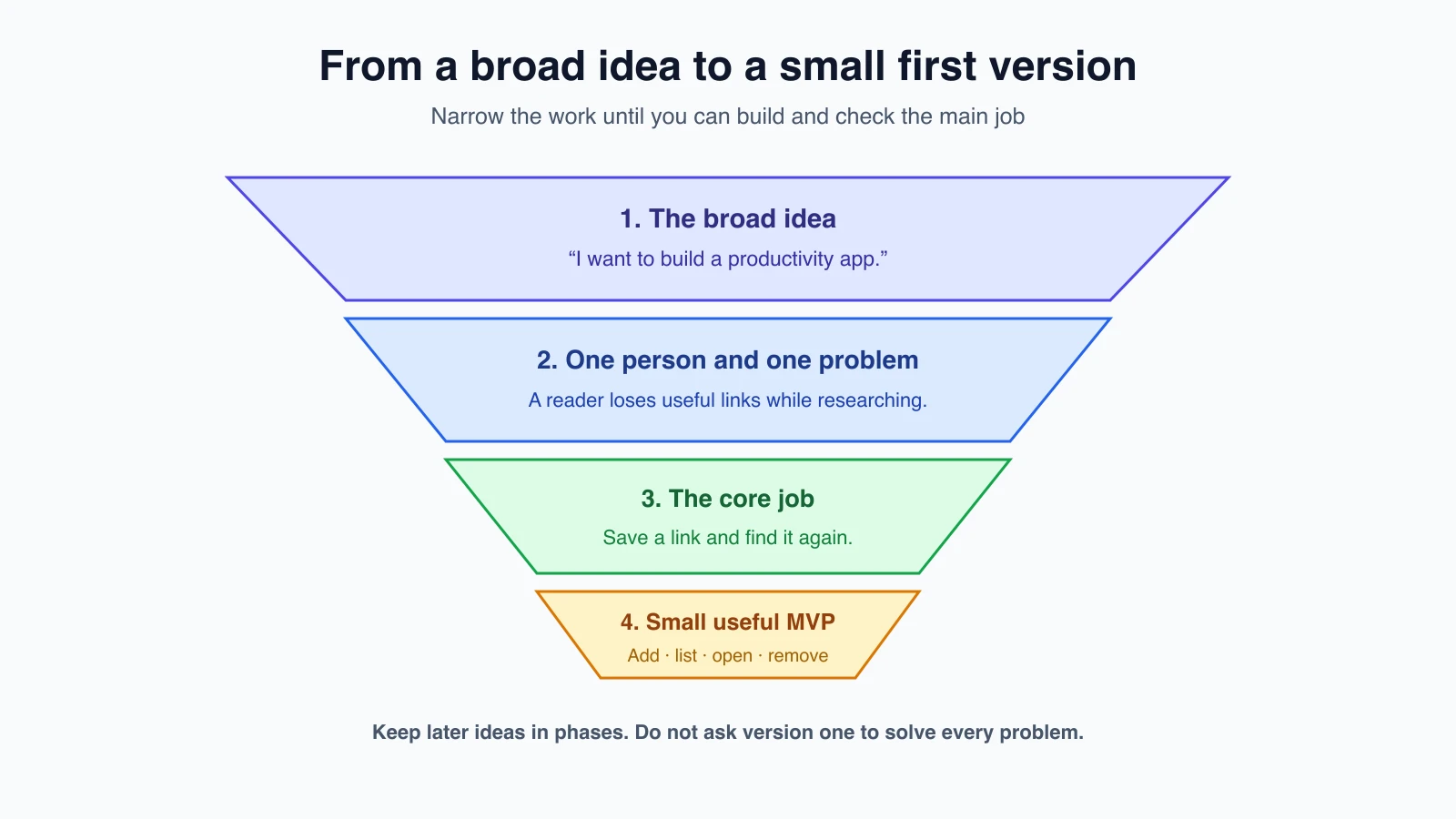
Why start with a smaller version?
“I want to build a productivity app” is an idea, but it does not tell you what to make first. It could mean a calendar, a task list, reminders, shared workspaces or something else entirely. If you ask an AI to build all of that, it has to guess what matters. The result may be large, confusing and hard to check.
An MVP, or minimum viable product, is a small first version that does one useful job well enough for you to try it with its intended users. “Minimum” does not mean sloppy or broken. It means leaving out features that are not needed to learn whether the main idea helps.
A plan is not a promise that every detail is right. It is a way to make the important choices visible before you spend time building. You can change it when you learn something new, but you will know what changed and why.
Start with a person and a problem
Answer two questions in plain language:
- Who is this for? Choose a real kind of person with a reason to use the app. “Everyone” is too broad to guide decisions.
- What is the one job they need done? Describe the problem they have, not a list of screens or technologies.
For example, BookmarkBox is for someone who finds useful web pages while reading or researching and wants to find them again later. Its first job is simple: save a link and retrieve it when needed.
This short sentence captures the idea:
BookmarkBox helps people save useful links and find them again.
If you need several sentences joined by “and then,” you may be mixing multiple jobs. Separate them and choose which one matters most for the first version.
Describe what a person wants to do
A user story is a short description of a person's goal in an app. It often starts with “As a … I want … so that …” This keeps the plan grounded in a person and a reason, rather than just naming a feature.
For BookmarkBox:
As someone who finds useful pages while researching, I want to save a link with a short title so I can reopen it later.
You can add a simple check that shows when the story works: “After I save a link, I can see its title in my list and open the saved page.” Detailed specifications come in Spec-driven development. For now, one or two user stories are enough to help choose the first features.
Decide what version one includes
Write down the smallest set of actions that completes the main job. For BookmarkBox, version one could let a person:
- Add a web address and a title.
- See saved links in a list.
- Open a saved link.
- Remove a link they no longer need.
Then choose what will wait. BookmarkBox does not need a browser extension, AI summaries, shared folders, notifications or a mobile app in its first version. Those ideas might be useful later. They are not required to check whether saving and reopening links solves the main problem.
This list is called out of scope: it names work you are deliberately not doing in the current version. Writing it down helps because AI tools tend to fill in gaps with their own assumptions. A clear “not now” gives the AI a boundary.
Put the rest into phases
Ideas that do not fit the MVP do not need to be discarded. Put them into later phases so the first version stays small while the project still has a direction.
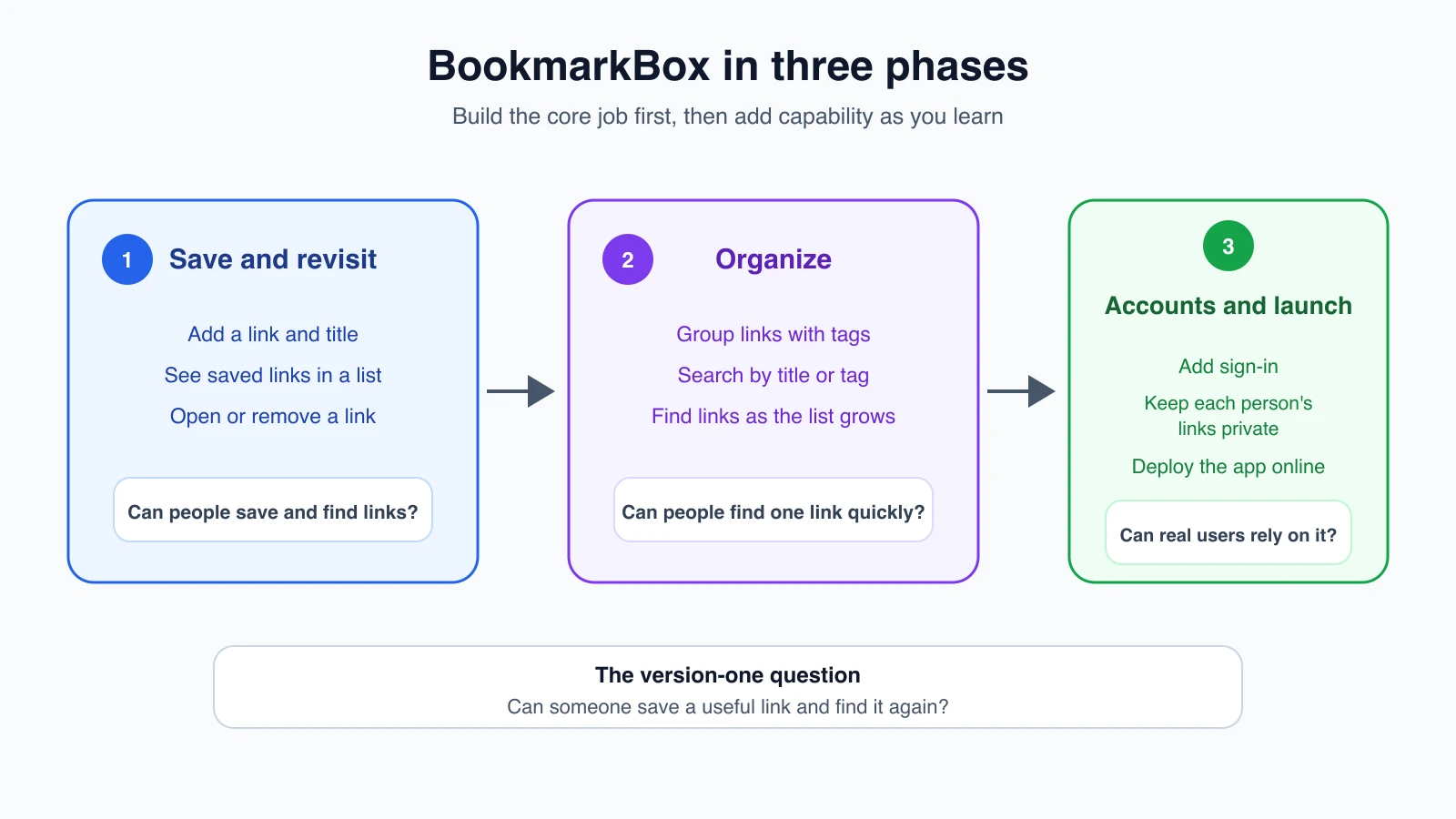
| Phase | What BookmarkBox does | What you will learn |
|---|---|---|
| 1. Save and revisit | Add a link, see it in a list, open it and remove it | Can someone save and find a link without confusion? |
| 2. Organize | Add tags and search saved links | Can people find a particular link as their list grows? |
| 3. Use across sessions and share responsibly | Add sign-in, keep each person's links private, and deploy the app | Can the app work for real users with accounts and a live website? |
Each phase builds on what came before. We will plan more details before the build lessons. In Choose a tech stack, we will pick the tools and services for BookmarkBox. The first real version starts with the app skeleton in lesson 14.
Ask AI to help you think, not decide for you
An AI can help you spot missing questions and sort possible features. Ask it to explore the idea before you ask it to write code. For example:
1I have an idea for BookmarkBox, an app for people who find useful web pages while reading or researching and want to find them again.
2
3Help me plan a small first version. Do not write code or choose a tech stack yet.
4
5First, ask me up to three questions if you need more detail. Then suggest:
61. The main user and the one problem this app should solve first.
72. Two or three short user stories.
83. The smallest useful feature list for version one.
94. A separate list of ideas that should wait until later.
105. Two or three possible phases after version one.
11
12Keep your suggestions specific. Point out any assumption you had to make. I will review and edit the plan before we build anything.
The tool might suggest a useful question, such as whether links should be private or whether users need tags immediately. You decide the answer. If it adds a browser extension, team features and AI summaries to version one, ask it to separate the core job from later ideas. The AI is helping you reason through options; it is not the owner of your product decisions.
Write down the plan you agree to
After you have reviewed the suggestions, save the plan somewhere you can find it again. A short note can contain:
- The user and their problem.
- The one job the first version handles.
- The version-one features.
- What is explicitly out of scope.
- The later phases and questions you have not answered yet.
This note becomes the starting point for the next lesson, where you will turn it into a more detailed spec. A specification, or spec, describes what a feature should do and how you can tell whether it works. You do not need to write a long document for every tiny experiment, but you do want a shared, written source of truth before a larger project begins.
How the BookmarkBox project works in this course
BookmarkBox is a guided project, not a copy-along tutorial. Each build lesson shows the decision to make, a prompt you can adapt and the checks that tell you whether the result is right. The lessons do not include a finished code listing, and the course does not come with a tested reference app.
There are two reasons. AI tools write different code each time, so your files will differ from anyone else's, including any example shown here. And the point of the course is to practice directing and checking the work, which you cannot do by pasting code you did not ask for.
Treat any code, file name or tool output in the lessons as an illustration of an idea. Your tool, your versions and your choices may produce something different. What stays the same is the spec, the acceptance checks and the habits: small steps, review the changes, try the feature and save a checkpoint. If you want a known-good copy to compare with later, build the app step by step using the checks in each lesson and keep it in Git.
Mistakes beginners make
- Starting with a list of features instead of a user problem. Decide who needs help and what they are trying to do.
- Treating the MVP as the cheapest-looking version. Keep it small, but make its main job work well enough to learn from.
- Letting “version one” include every exciting idea. Put useful extras into later phases.
- Asking the AI to code before agreeing on the plan. Use it to explore and organize first, then review the result yourself.
- Leaving out what you are not building. State boundaries so both you and the AI know what can wait.
Recap and try it yourself
To turn an idea into an MVP, choose one user, identify one problem, describe the first useful actions and move extra features into later phases. Ask AI to help you explore, then make and save the decisions yourself.
Try it: write one sentence describing a person and a problem your app idea could help with. Add three actions they must be able to complete in the first version, then write down two features that can wait. In Spec-driven development, you will turn those decisions into a plan the AI can build and you can check.