
OpenClaw course · lesson 13 of 22
- 1What Is OpenClaw, and Is It Right for You?
- 2OpenClaw vs Claude Code: Which Tool Fits the Task?
- 3How OpenClaw Works: Gateway, Sessions, and Agents
- 4OpenClaw Context and Memory: What Carries Forward?
- 5OpenClaw Workspace Files: Shape Your Agent Safely
- 6Where Should OpenClaw Run? Local, VPS, or Isolated
- 7Install OpenClaw and Start Its Gateway Safely
- 8Choose an OpenClaw Model and Provider
- 9Add Your First OpenClaw Channel Safely
- 10Choose Another OpenClaw Chat Channel Carefully
- 11Control OpenClaw Sessions and Commands
- 12Separate OpenClaw Agents and Route Messages
- 13Schedule OpenClaw Checks with Heartbeats and Automations
- 14Secure OpenClaw Hooks and Webhooks
- 15Use and Create OpenClaw Skills
- 16Vet OpenClaw Skills and Plugins Before Installing
- 17Extend OpenClaw with Plugins and MCP
- 18Understand the OpenClaw Security Model
- 19Secure an OpenClaw Gateway with Ten Checks
- 20Back Up, Update, and Troubleshoot OpenClaw
- 21Control OpenClaw Costs and Improve Reliability
- 22Capstone: Build a Safe OpenClaw Personal Assistant
Mira has a private assistant that can answer her Telegram messages. She would like it to check a short list of fictional follow-ups during the day and send her a morning summary on weekdays. Before scheduling anything, she needs to know which OpenClaw feature fits each job, when the model will run, where results may go, and how to stop a schedule if it behaves unexpectedly.
OpenClaw's current scheduler documentation was checked on 7 November 2026. Some names have changed: scheduled jobs are now generally called automations, and openclaw automations is the current CLI spelling. openclaw cron remains an alias. Older references to HEARTBEAT.md are outdated: OpenClaw no longer creates or reads that workspace file at runtime. This lesson explains the current behavior and calls out the migration path for older installations.
A heartbeat is a monitor, not a task list
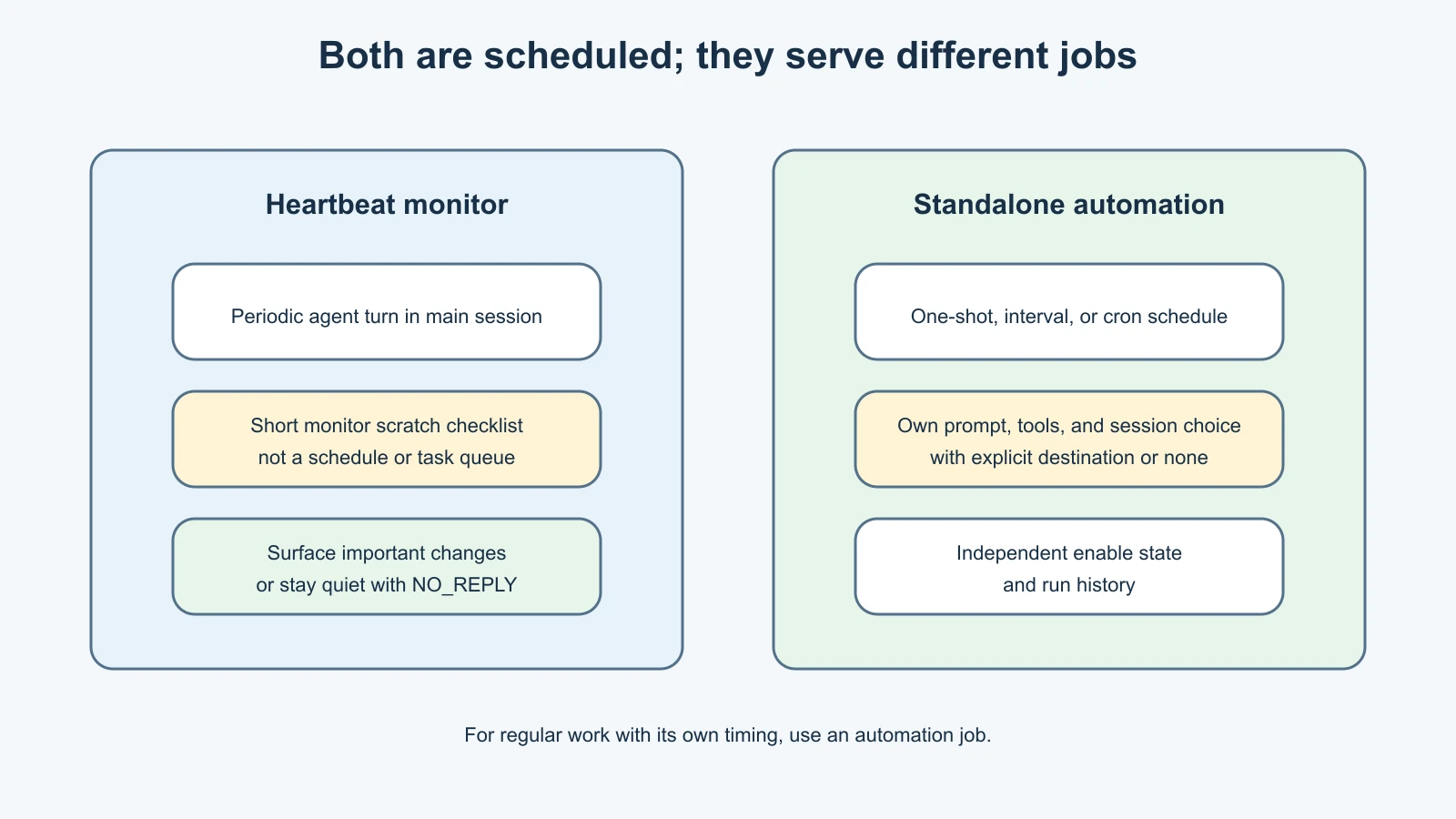
A heartbeat is a periodic agent turn that checks a small amount of monitor context and can surface something that needs attention. It runs in the agent's main session by default. The current default cadence is 30 minutes, unless the provider supplies a different initial cadence, so set the cadence explicitly if it matters. A heartbeat runs a model turn, so it can consume tokens even if it sends no visible message.
The default heartbeat prompt is deliberately restrained: follow the monitor scratch when provided, do not invent recurring work from old chats, and return NO_REPLY when nothing needs attention. That means enabling a heartbeat does not automatically make the agent check email, calendars, or reminders. Define what it should inspect and what counts as worth reporting, and grant only the tools needed for that check.
Monitor scratch is a short checklist stored with the system-owned heartbeat job. It is prompt context, not a schedule. Each recurring check that has its own cadence, delivery, and run history belongs in a separate automation. If the scratch contains only blank lines or headings, OpenClaw can skip a heartbeat run to save provider calls. Keep scratch short and free of passwords, tokens, phone numbers, or private message content.
A scheduled automation is a specific job
An automation is a persisted job owned by the Gateway scheduler. It can run once, at a recurring interval, or on a cron expression. It has a defined payload, execution settings, optional delivery route, enable state, and run history. The Gateway must be running for scheduled jobs to fire; job definitions persist across Gateway restarts.
Use a standalone automation when the task needs a specific schedule or should have its own records. Mira's weekday morning summary is a separate job because it has a clear time, a specific prompt, and a defined result. She can later inspect its run history or disable it without changing the general heartbeat.
In current OpenClaw, heartbeat cadence is also maintained by the automation scheduler, but the heartbeat monitor is a special system-owned job. Set heartbeat behavior through the heartbeat configuration, not by editing the underlying system job. Use ordinary automations for independent reminders and recurring tasks. This distinction helps avoid a common mistake: changing a monitor job manually and having Gateway configuration reconcile it later.
| Need | Better fit | Why |
|---|---|---|
| A low-frequency scan that can surface urgent items without a separate task record | Heartbeat | It checks the monitor context in the main session and can stay quiet when nothing needs attention |
| A weekday report at a particular time | Automation | It has its own schedule, payload, delivery, enable state, and history |
| A one-time reminder | One-shot automation | It fires at a defined time and can be deleted after a successful run |
| A check that needs a clean context and separate execution record | Isolated automation | It does not need to reuse the main conversation history |
| A response to a specific event rather than a timer | Event or hook | It avoids polling when the trigger itself can initiate work |
Choose the context and destination
An automation's session choice affects the context the agent receives. A main-session job can use the existing conversation history. An isolated job starts its own scheduled context, which makes recurring reports easier to inspect separately and reduces accidental reliance on old chat details. A heartbeat generally runs in the main session unless its settings specify an isolated session.
Next choose whether the result should be delivered. A result might be announced to a configured chat, posted to a webhook, or kept internal. A job with a recipient can send externally, so make the channel and destination explicit. Before enabling delivery, check whether that person or room should receive the content, whether the agent has messaging tools, and what happens if the schedule is retried.
Heartbeats default to the operator's direct message when a resolvable owner is configured. That is safer than routing an alert to whichever conversation happened to be used last. Setting a target to last can select a group or room, so do not use it without a deliberate reason. A none target keeps heartbeat output internal. Standalone jobs should likewise have an explicit delivery decision; do not let an unclear default become a surprise message.
Restrict the schedule to useful hours
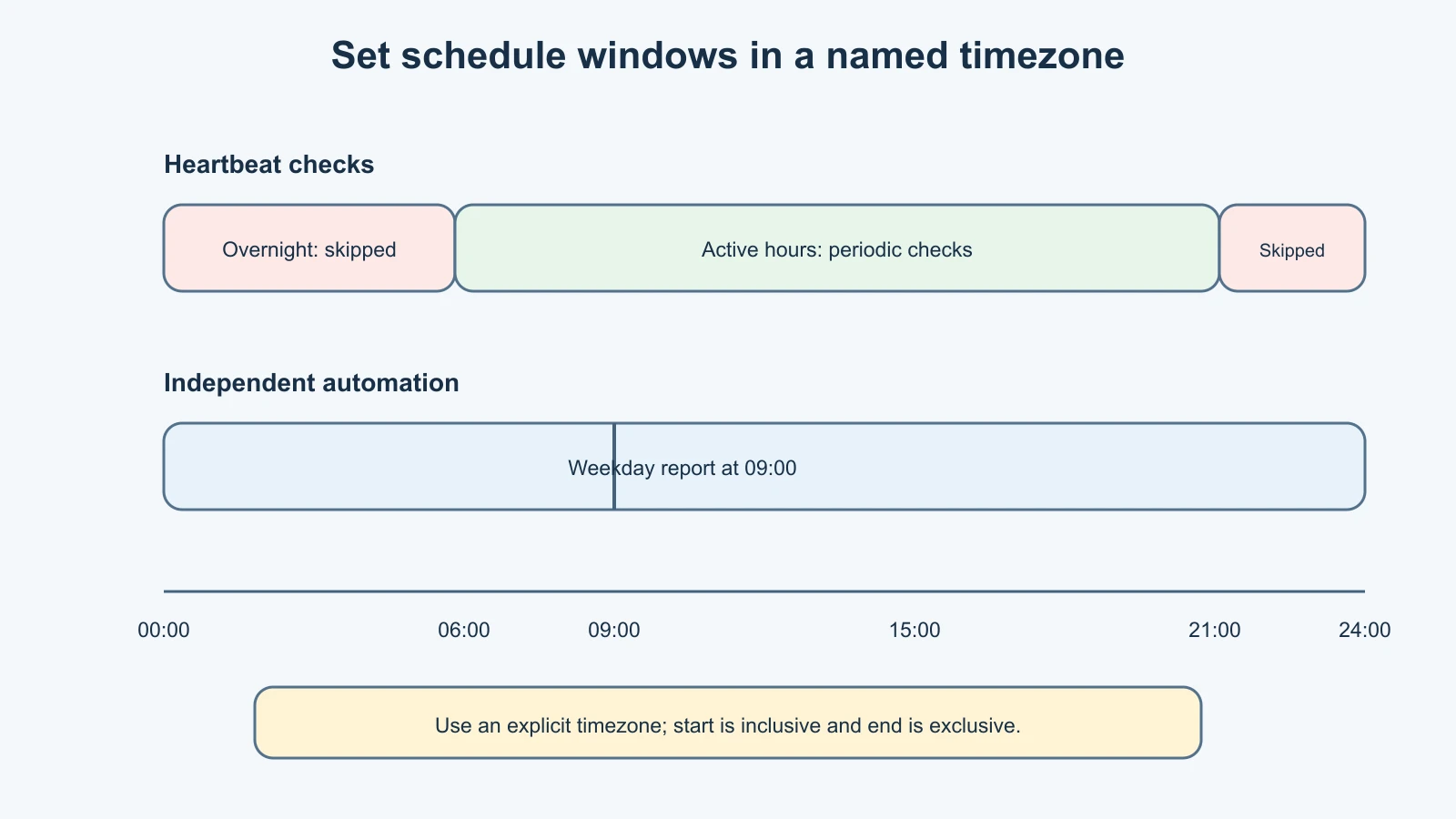
For heartbeats, activeHours defines a start time, an exclusive end time, and an optional timezone. Outside that window, scheduled ticks are skipped until the next tick inside it. For normal automations, the CLI supports active-hours start and end fields as well. A cron expression can have its own timezone too; schedule timezone and active-hours timezone are separate settings.
Mira lives in India and wants a weekday summary at 9:00 in her local time. She should make the schedule timezone explicit, because a cron expression without a timezone can be evaluated differently than expected when the Gateway host is elsewhere. She can also restrict an agent monitor to daytime so it does not wake repeatedly overnight.
Do not set the same start and end time for a heartbeat window. OpenClaw treats that as a zero-width window, so every tick is outside the allowed time. Check daylight-saving behavior if the schedule uses a timezone that observes it. Avoid words such as “tomorrow morning” in automation design notes; write down a concrete time, timezone, and recurrence rule.
Limit work and cost
Every scheduled agent turn can make model calls and may call tools. More frequent schedules mean more opportunities for cost, rate limits, and unexpected side effects. A heartbeat that checks every few minutes can make repeated provider requests even when there is nothing to report. Begin with the least frequent schedule that still helps, then check actual run history and provider usage.
Set a timeout for work that should not run indefinitely. Automation agent turns have a scheduler wall-clock limit; command and script jobs have their own limits. The scheduler aborts a run that exceeds its configured deadline and performs cleanup. A heartbeat also has a timeout, by default bounded by its cadence. A short timeout does not make a dangerous job safe, but it limits how long a stuck turn can occupy resources.
Keep tool permissions narrow. A morning briefing may need read-only access to a specific source, not shell access, write access, or permission to send arbitrary messages. If the source contains untrusted text, treat it as input rather than instruction. Require human review before actions that contact other people, modify files, purchase items, or change accounts.
OpenClaw includes scheduler safeguards, but they are not a replacement for careful design. Busy runs can be deferred, overdue work may be rescheduled rather than replayed at startup, and recurring jobs are auto-disabled after repeated consecutive execution failures. The current docs describe ten consecutive execution failures as the auto-disable threshold for a time-based recurring job. Inspect the stored reason and history before re-enabling it. Failed delivery and failed execution are not always the same thing, so read the run result instead of assuming a quiet chat means the job succeeded.
Plan before creating anything
Use this small worksheet for each proposed recurring task:
| Decision | Mira's fictional weekday briefing |
|---|---|
| Purpose | Summarize a short, approved test feed for Mira |
| Schedule and timezone | Weekdays at 09:00 Asia/Kolkata |
| Context | Isolated session, no old conversation history |
| Inputs | One read-only test source; no personal inbox |
| Tools | Read only; no shell, write, or outbound-message tool |
| Output | Brief summary with source links, no external actions |
| Delivery | Private test DM after owner and route are verified |
| Time limit | Short enough for a simple summary; inspect if it times out |
| Disable plan | Disable the job, then inspect its run history |
This plan is not a command and does not create a schedule. A real job should be tested once with harmless data and a known destination before a recurrence is enabled. Manual run commands execute real work and may send a real message; use a test target and confirm the job details first.
Inspect, disable, and remove jobs
Start with a read-only inventory. The current CLI supports:
1openclaw automations list --allThe --all option includes disabled jobs. Use the job detail and run-history views to check the name, payload, schedule, effective agent, session mode, destination, and recent outcome before changing it:
1openclaw automations show <job-id>
2openclaw automations runs <job-id>
To pause a normal automation without deleting its definition, disable it:
1openclaw automations disable <job-id>Re-enable it only after you understand why it was disabled and have checked the next run time and destination:
1openclaw automations enable <job-id>Removing a job deletes its schedule definition. It may also interrupt work already in progress, so inspect and confirm the ID before using the remove command. A heartbeat monitor is system-owned; change the heartbeat configuration to alter its cadence or behavior. Legacy system heartbeat enable/disable commands apply only to migrated/default monitor jobs, not to unrelated automations.
If you need to stop all scheduled work temporarily, the Gateway has a global scheduler switch. Treat it as an operations change: scheduled heartbeats also depend on the automation scheduler, and turning it off affects more than one job. Document who will re-enable it and when. Avoid changing global scheduler state as a way to silence a single misbehaving automation.
Important migration note: HEARTBEAT.md is retired
Older OpenClaw workspaces may contain a HEARTBEAT.md checklist. The current runtime no longer reads it. New workspaces no longer create it. Heartbeat instructions now live in the monitor's scratch data in shared state, while recurring tasks: entries should be separate automation jobs.
If you are upgrading an older setup, the official migration path is openclaw doctor --fix. That operation can import the old file into monitor scratch, convert supported legacy task entries into scheduled jobs, archive the original, and remove it from the workspace. It changes configuration and state; make a protected backup, read the migration guide, and review the proposed changes before accepting them. Do not assume a leftover file is still running just because it exists in the workspace.
Mistakes beginners make
Using a heartbeat as a recurring task list
Scratch is context for a monitor, not a scheduler. Give each recurring task its own schedule, enable state, delivery choice, and run history.
Assuming HEARTBEAT.md still runs
It is retired and ignored by the current runtime. Migrate old instructions through the documented Doctor workflow after protecting and reviewing the state.
Scheduling too often
Frequent model turns can add cost and produce repetitive alerts. Begin with a low cadence and increase it only after the value is clear.
Leaving delivery vague
A job can post to a chat or webhook. Confirm who receives the result and keep sensitive inputs out of destinations that include other people.
Re-enabling an auto-disabled job without inspecting it
Repeated failure may signal a provider outage, expired permission, broken tool, or incorrect target. Inspect details and history before restarting the schedule.
Thinking the Gateway can be offline
The scheduler runs in the Gateway process. A sleeping laptop or stopped service will not run a job at its intended time.
Recap and try it yourself
A heartbeat is a system-owned periodic monitor, while an automation is an independently defined one-shot or recurring job. Heartbeat scratch provides short prompt context; it does not define schedules. Use isolated sessions, explicit timezones, active hours, modest cadence, narrow tools, and a clear delivery target. Inspect details and run history, disable before deleting, and treat old HEARTBEAT.md files as migration input rather than live configuration.
Try this on paper: design one heartbeat check and one independent automation for Mira. Write each cadence, timezone, context, allowed inputs, tools, output destination, timeout, and disable step. Explain why the check belongs in heartbeat scratch or in its own automation. Keep the exercise fictional; do not enable a schedule.
For broader agent context and permissions, revisit Agents and routing rules. A later lesson in this course covers authenticated event hooks as another way to start work without polling.
Sources, checked 7 November 2026
- OpenClaw, Heartbeat
- OpenClaw, Automation
- OpenClaw, How automations work
- OpenClaw, Automation schedules
- OpenClaw, Manage automations
- OpenClaw, Automations CLI
- OpenClaw, System CLI
- OpenClaw, Retired HEARTBEAT.md workspace file
- OpenClaw, Cron versus heartbeat