
Prompt Engineering course · lesson 12 of 26
- 1What Is Prompt Engineering? A Practical Beginner's Guide
- 2How a Model Reads Your Prompt: Tokens and Context
- 3Choosing a Model and Reading Its Documentation
- 4Controlling Model Output: Sampling and Limits
- 5Your First Prompt Workflow: Test One Change at a Time
- 6Be Clear and Direct: Give the Model a Usable Task
- 7System, Role, and Context Prompts: Give Instructions Their Place
- 8Zero-Shot, One-Shot, and Few-Shot Prompting
- 9Structure Prompts with Delimiters, Tags, and Templates
- 10Structured Output: Get Answers You Can Parse and Check
- 11Prompting with Long Documents and Large Context
- 12Prompt Recipes for Ten Common Jobs
- 13Chain-of-Thought Prompts and Thinking Models
- 14Step-Back Prompting and Prompt Chaining
- 15Self-Consistency, Tree of Thoughts, and ReAct
- 16Self-Evaluation and Reliability Checks
- 17Define Success and Build Test Cases
- 18Compare Prompts with Graders
- 19Debug a Failing Prompt
- 20Automatic Prompt Engineering
- 21Version and Document Your Prompts
- 22Hallucinations and Grounding
- 23Bias and Debiasing Prompts
- 24Prompt Injection and Safe Prompting
- 25Prompts in Production
- 26Capstone: Build and Test a Prompt Library
A good prompt recipe gives you a useful first draft, not a guaranteed answer. The task still needs clear instructions, relevant context, and a way to judge the result. The recipes here cover ten everyday jobs. Each includes a prompt, why its parts are there, a test idea, and a common failure to watch for.
Replace the bracketed text with your own material. Keep only the details that matter, and test the prompt on examples that resemble the real task. The official guidance from OpenAI, Anthropic, and Google also treats prompt design as iterative: adapt instructions to your use case and check the observed responses.
1. Summarize a piece of text
Prompt
1Summarize the text below for [intended reader] in [one sentence / three bullets / other shape].
2Preserve [important facts or decisions]. Use only information in the text.
3If a detail is unclear, leave it out rather than guessing.
4
5Text:
6[Paste the source text]
Why it is written this way: It names the task, reader, answer shape, and details that must survive compression. The source boundary discourages the model from adding outside claims. For long documents, label the source and ask for supporting quotes as described in the long-document lesson.
Test idea: Use one ordinary passage, one with an exception, and one that does not contain a detail a reader might expect. Check whether the summary preserves the exception and avoids filling the gap.
Common failure: A short summary can omit a caveat that changes the meaning. If a particular clause, date, or number matters, ask for it explicitly and verify it against the original.
2. Classify an item into known labels
Prompt
1Choose the best label for this message: [label A], [label B], or [label C].
2Use these definitions: [brief rules for each label].
3If the message does not fit or lacks enough information, return "unclear".
4Return only the label.
5
6Message:
7[Insert one message]
Why it is written this way: Fixed labels reduce ambiguity, and definitions explain what separates them. The “unclear” option gives the model a way to handle missing or out-of-scope information. If software needs to consume the answer, use structured output and validate it as covered in Structured Output.
Test idea: Prepare examples for every label, two borderline cases, and an unrelated message. Check whether the label follows the definitions, not the writer’s tone or vocabulary.
Common failure: If the categories overlap, the model may choose inconsistently. Clarify the decision rule or add representative examples. Do not make a consequential decision from a label without appropriate review.
3. Extract fields from a note
Prompt
1Extract the following fields from the note:
2- date
3- location
4- requested action
5
6Use the exact information provided. Return null for a field that is not stated.
7Do not infer missing values.
8
9Note:
10[Insert the note]
Why it is written this way: The field list defines what to collect, while null sets a consistent missing-value convention. If another program will read the result, request a schema-based JSON object rather than relying on a loose text format.
Test idea: Include a complete note, one with a missing date, and one with two possible locations. Check that the model preserves what is stated and marks ambiguity instead of silently choosing.
Common failure: The model may turn a likely inference into an extracted fact. Verify dates and identifiers against the source, particularly before using them to update records.
4. Rewrite text for a reader or purpose
Prompt
1Rewrite the draft for [audience] so it is [desired tone or effect].
2Keep these facts unchanged: [facts that must be preserved].
3Do not add a reason or promise that the draft does not contain.
4Return one version under [length or shape].
5
6Draft:
7[Paste the text]
Why it is written this way: The audience and desired effect are more useful than a vague request to “make it better.” The preservation rule protects facts, and the length gives you something concrete to review. See Be Clear and Direct for more ways to state these requirements.
Test idea: Use a draft with dates, names, and a condition. Compare the rewritten version line by line to see whether those details stayed accurate.
Common failure: A rewrite can sound smoother while changing the commitment or removing an exception. Compare facts, not just tone.
5. Translate for a real audience
Prompt
1Translate the text into [target language] for [audience or region].
2Preserve the meaning, names, numbers, and formatting.
3Keep [product names / legal phrases / other terms] unchanged.
4If a phrase has no direct equivalent, use a natural translation and flag it for review.
5
6Text:
7[Paste the source]
Why it is written this way: The language variety and audience can affect vocabulary and formality. The instructions identify what should remain unchanged and what deserves a human check. If the text is for a particular region, say so rather than assuming one standard applies everywhere.
Test idea: Check a short passage containing a date, a measurement, a product name, and an idiom with a fluent speaker or trusted reference.
Common failure: The translation may preserve individual words but lose humor, politeness, or cultural meaning. High-stakes, public-facing, or legal translations need qualified human review.
6. Brainstorm options with useful variety
Prompt
1Suggest [number] ideas for [goal or topic], for [audience].
2Constraints: [budget, time, materials, or other limits].
3Make the ideas meaningfully different from one another.
4For each, add one sentence describing the main trade-off.
5Do not present unverified claims as facts.
Why it is written this way: A goal and audience narrow the space. Constraints make suggestions more usable, while asking for trade-offs helps compare options instead of collecting a list of near-duplicates.
Test idea: Ask whether at least three ideas differ in approach, not only in wording. Check that each respects the constraints and that factual claims can be verified.
Common failure: A long list can repeat familiar ideas or invent details to sound distinctive. Ask for fewer options with clear differences, then verify any factual assumptions.
7. Draft a routine email
Prompt
1Draft a [tone] email to [recipient or relationship] about [purpose].
2Include these confirmed details: [facts, dates, or requested action].
3Do not invent commitments, deadlines, or reasons.
4Use a subject line and a short body. Leave [unknown detail] as [a placeholder / a question].
Why it is written this way: The recipient and purpose shape the tone. Confirmed details give the draft substance, and the placeholder rule prevents the model from filling unknowns with plausible guesses.
Test idea: Remove one optional detail and check that the prompt leaves a placeholder or asks for it instead of inventing it. Review names, dates, and commitments before sending.
Common failure: The model may add a courteous promise such as “I’ll follow up tomorrow” even when no one agreed to do that. Treat every commitment as a fact to verify.
8. Explain a concept to a learner
Prompt
1Explain [concept] to [learner and what they already know].
2Use [analogy or example] if it helps, and define any necessary technical terms.
3Keep the explanation to [length or format].
4End with one question that checks understanding.
5Avoid stating uncertain details as facts.
Why it is written this way: The learner’s starting point helps set the level. A length and one check question provide a clear shape. The request for an example is optional because an analogy that does not fit can confuse more than it helps.
Test idea: Ask a beginner to read the explanation and identify what they would still need explained. Check that the analogy does not imply something false about the concept.
Common failure: “Explain simply” can lead to oversimplification or missing caveats. Ask for plain language while preserving the distinctions that matter.
9. Review a code change
Prompt
1Review this code change for correctness and likely regressions.
2Focus on bugs, missing edge cases, and behavior that differs from the stated requirement.
3Report only actionable findings. For each finding, include the file and line, impact, and a concrete example of when it occurs.
4If you find no issue, say so and note what you did not verify. Do not edit the code.
5
6Requirement:
7[Describe the intended behavior]
8
9Diff or relevant code:
10[Paste the change and necessary context]
Why it is written this way: The requirement gives the reviewer a target for comparison. Asking for actionable findings with locations makes the result easier to check. The instruction not to edit keeps review separate from implementation.
Test idea: Compare the findings with an existing test or a small reproducible case. Check that each reported issue can occur and that important paths were considered.
Common failure: The model may report speculative concerns or miss behavior that depends on code outside the pasted diff. Supply relevant context and verify findings in the repository. Do not treat a review prompt as a replacement for running appropriate checks.
10. Answer a question from a document
Prompt
1Answer the question using only the source below.
2Give the source section and a short exact quote that supports the answer.
3If the source does not answer the question, say "The source does not specify."
4Do not combine this source with outside knowledge.
5
6Source:
7[Paste the relevant passage and its title or section]
8
9Question:
10[Ask one focused question]
Why it is written this way: The prompt sets a source boundary, asks for evidence, and defines what to do when the answer is missing. Keeping the quote beside the conclusion makes it easier for a person to check the interpretation.
Test idea: Try one question answered directly, one answer that requires reading an exception, and one that the source cannot answer. Confirm that the model distinguishes all three.
Common failure: A quote can be real but fail to support the answer. Read it in context and check the source rather than accepting the citation automatically.
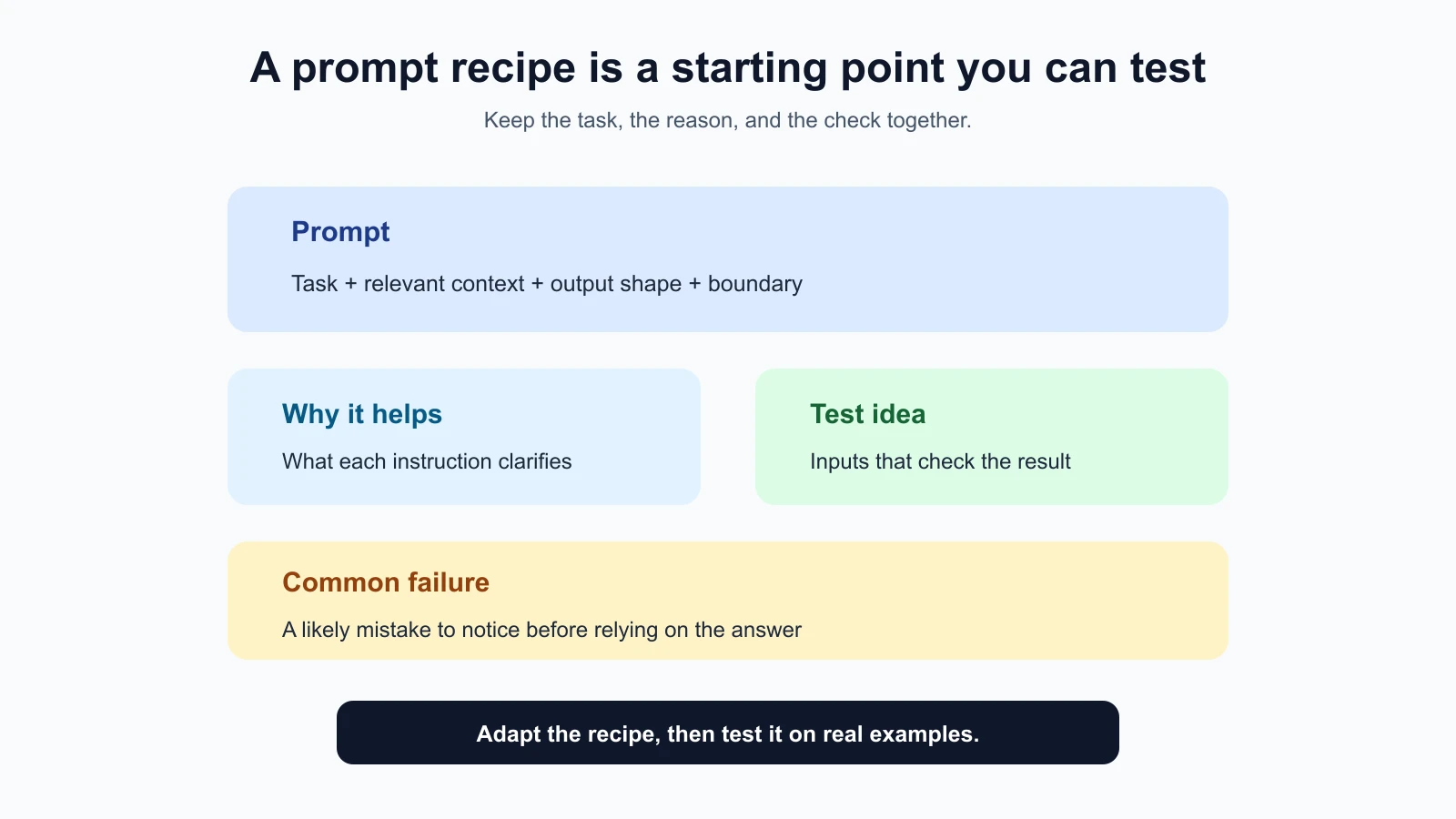
Adapt the recipe instead of copying it blindly
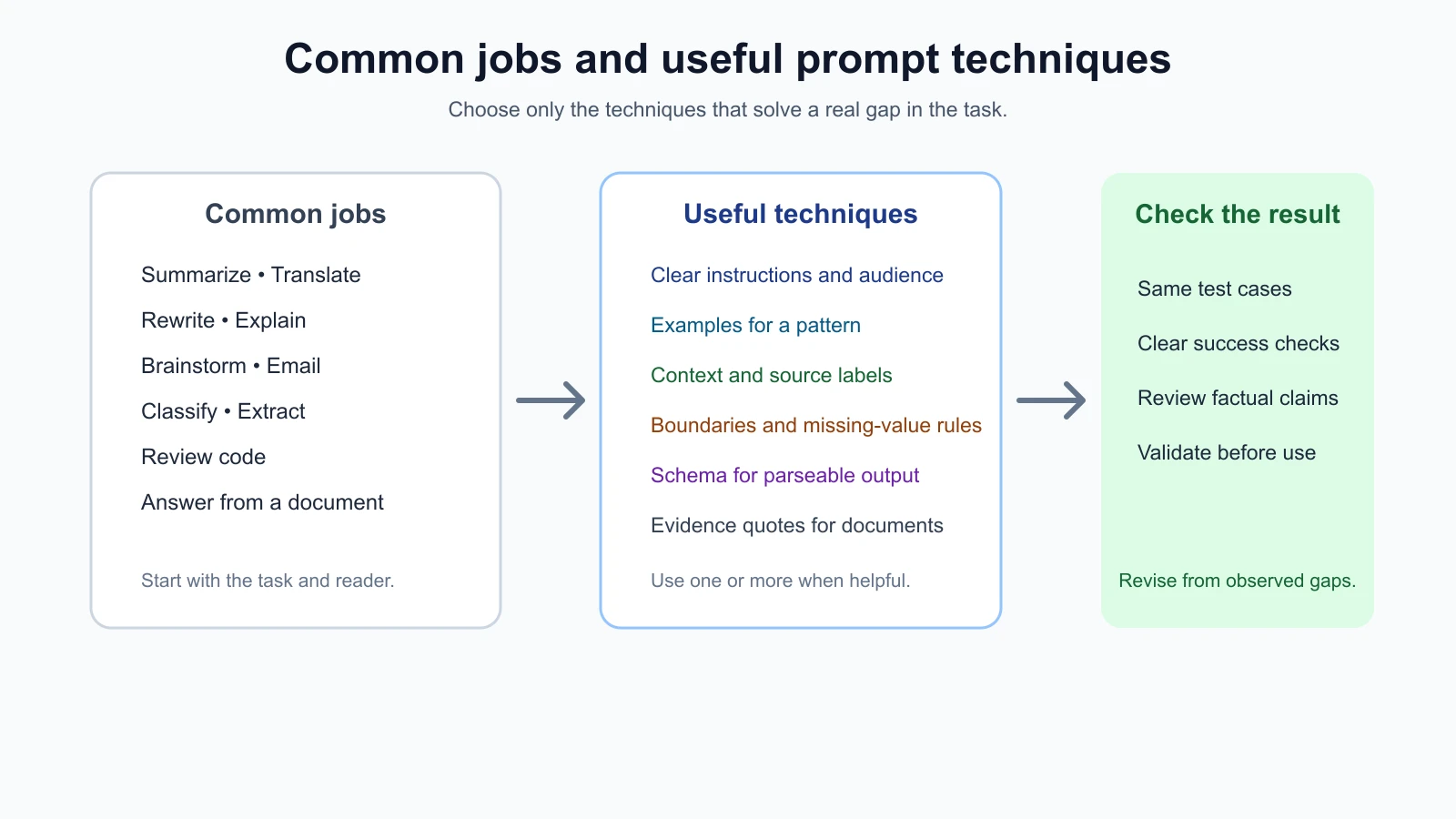
The recipes share a few useful habits: name the task, identify the reader or source when relevant, specify the output shape, and tell the model how to handle missing information. Use only the parts that change the result. A short translation request may not need a long list of constraints. A code review or document answer may need more context because errors are harder to spot from fluent wording alone.
Before adapting a recipe, decide who will use the answer and what happens if it is wrong. A brainstorming list for a personal project may need only a quick review. A label used to route a customer request needs a clear “unclear” path and someone to check borderline cases. A code review should be paired with repository context and normal engineering checks. The prompt can guide the model, but your workflow decides whether its output is safe to rely on.
Run the prompt on representative inputs, including at least one boundary case. Use the same success checks each time, and keep a record of what failed. If you make a change, alter one thing and compare against the earlier version. The workflow from your first prompt workflow gives a simple way to do that.
For repeated tasks, save a small set of inputs and expected behaviors. This is a fixture set: examples you can run again after changing the prompt or model. It does not need to cover every possibility. Include ordinary inputs and the edge cases that matter most, then add more when real use reveals a new failure. If the prompt changes, compare the new answers against the same set rather than relying on memory.
Do not treat a recipe as a validated system because it looks specific. A prompt that works on three examples may fail on an input with missing information, conflicting instructions, unusual formatting, or an audience you did not expect. Expand your test cases as you learn what appears in real use.
It also helps to keep each recipe as a small card: the prompt text, the reason for each instruction, two or three saved test inputs, and the failure you have seen most often. When a prompt misbehaves, add the failing input to the card before you change the wording, so the fix is checked against the case that exposed it. Over time the cards become your own library, tuned to your tasks instead of someone else’s. The lessons on defining success criteria and test cases and comparing prompts with graders show how to turn those cards into repeatable checks.
Mistakes beginners make
- Copying a recipe without replacing every placeholder. Review the final prompt and remove instructions that do not fit your task.
- Asking for a format without defining missing information. Decide whether to use
null, a placeholder, “unclear,” or a follow-up question. - Testing only on one easy example. Include boundaries and cases where the source lacks an answer.
- Trusting fluent results without checking facts. Match dates, commitments, labels, and quotes against their source.
- Packing in every possible instruction. Too many constraints can conflict or hide the main task.
- Treating recipes as provider-independent guarantees. Model behavior and API features vary; check the docs and test your chosen model.
- Using a text prompt where application validation is needed. If software consumes the answer, validate its structure and values before using them.
Recap and try it yourself
These ten recipes give you starting points for common jobs: summarizing, classifying, extracting, rewriting, translating, brainstorming, drafting email, explaining, reviewing code, and answering from a document. For each, the prompt states a task and useful boundaries, while the test idea and common failure help you check whether it fits your case.
Try it: pick one recipe and adapt it to a task you do regularly. Create three test inputs, including one edge case. Write down what a useful answer must contain, run the prompt, and record one failure or improvement. Keep the prompt version with the results. In the next lesson, we will look at chain-of-thought prompting and thinking models.