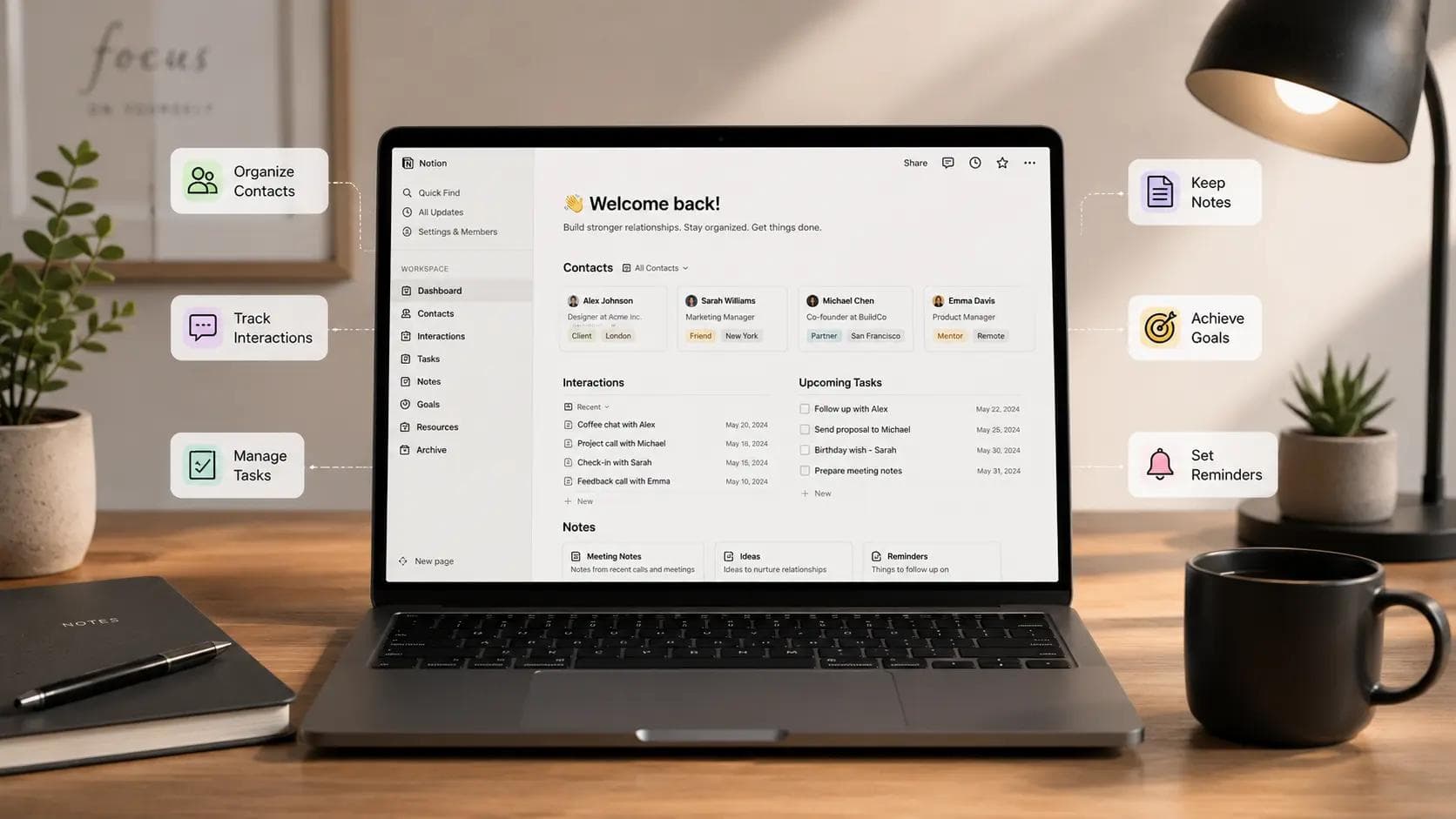
How to Set Up a Personal CRM With Notion
Most people lose track of their professional networks because human memory is an unreliable database. We meet brilliant creators, reliable freelance developers, or potential business partners, and then we let those relationships fade into buried email threads. You cannot run a business or grow a career on accidental interactions. Setting up a personal CRM with Notion ensures that your professional relationships are tracked with the same discipline you apply to your software deployments or marketing campaigns.
This build transforms a blank workspace into a centralized network engine. You will create a system that tracks your contacts, sets automated follow-up reminders, and logs interaction histories.
Why Off-the-Shelf CRMs Fail Single Creators
Traditional sales pipelines are built around deal sizes and conversion funnels. If you try to manage your network using Salesforce or HubSpot, you will quickly find yourself drowning in corporate bloat. Those platforms expect you to assign a monetary value to every connection, which ruins the organic nature of networking.
1+-------------------------------------------------------+
2|                 YOUR PERSONAL NETWORK                 |
3+--------------------------+----------------------------+
4                           |
5                           v
6+--------------------------+----------------------------+
7|             NOTION CENTRAL CONTACT DATABASE            |
8+--------------------------+----------------------------+
9                           |
10         +-----------------+-----------------+
11         |                                   |
12         v                                   v
13+--------+--------+                 +--------+--------+
14| Interaction Log |                 | Pipeline Views  |
15| (History/Notes) |                 | (Tags/Status)   |
16+-----------------+                 +-----------------+
When I built my first network database, I tried using strict enterprise pipelines. The rigid structures killed my motivation to update the system. A flexible workspace lets you build a personal CRM with Notion that adapts to how you naturally converse, not how a corporate sales department functions.
According to a study by the anchor group relationship index, professionals who track their network updates systematically see a 40% increase in inbound opportunities over a two-year period. Managing connections is about consistency, and a custom setup provides that without the overhead of heavy SaaS tools.
Step 1: Designing the Core Contacts Database
Your entire network hub rests on a single database. Do not make the mistake of creating separate tables for friends, clients, and industry peers. Keeping everyone in one master database allows you to link communications globally across your workspace.
To begin, create a new database page in your workspace and select the table layout. This central table houses the foundational data points for every person in your circle.
Essential Properties for Your Network Hub
Add these columns to your table immediately to establish the baseline metadata:
- Name: The main title column for your contact.
- Status: A select menu containing options like Warm, Cold, Active Partner, or Waiting on Reply.
- Category: A multi-select menu categorized by Freelancers, Founders, Editors, or Mentors.
- Last Contacted: A date property tracking your most recent interaction.
- Follow-Up Interval: A number property representing days, such as 30, 90, or 180.
Constructing the Next Action Date Formula
Manually checking when to email someone is inefficient. We can use a custom formula to calculate exactly when a relationship requires attention based on your custom interval.
Add a formula property named Next Contact and insert the following calculation logic:
1Code snippet
2dateAdd(prop("Last Contacted"), prop("Follow-Up Interval"), "days")
This simple formula looks at your last meeting date, adds your preferred waiting period, and drops a clear deadline into your view. If you met an engineer on June 1st and your interval is 30 days, your next action date automatically reads July 1st. You can combine this setup with a Second Brain architecture to store extensive personal knowledge management notes alongside your interaction schedules.
Step 2: Tracking Detailed Interaction Logs
A contact sheet is useless if you cannot remember what you discussed during your last coffee chat. You need a dedicated section to archive past conversations, shared resources, and agreed-upon next steps.
The most scalable method is using Notion sub-pages within each contact entry. Every row in your master sheet can open as a fully customizable page canvas.
1+-------------------------------------------------------+
2| CONTACT PAGE: Jane Doe                                |
3+-------------------------------------------------------+
4| Properties: Status [Warm] | Next Contact [July 1]     |
5+-------------------------------------------------------+
6|                                                       |
7|  ## Interaction History                               |
8|  - **June 20, 2026**: Discussed SaaS backend design.  |
9|    Sent link to our repository.                       |
10|                                                       |
11|  - **May 15, 2026**: Initial intro call via Twitter.   |
12|    Interested in vertical AI platforms.               |
13|                                                       |
14+-------------------------------------------------------+
Inside the page template for new contacts, build a simple inline log table or a bulleted list divided by header blocks. When you finish a call, open their profile and jot down three bullets: what they are working on, what problems they face, and when you intend to talk next.
I used to think I could remember these small details without writing them down. That assumption cost me a major consulting contract when I forgot a founder's specific database scaling problem during a follow-up call. Documenting these interactions takes two minutes but builds massive trust over time.
Step 3: Setting Up Custom Pipeline Views
A single, massive table quickly becomes overwhelming once you pass fifty profiles. You need specialized alternative layouts to surface critical tasks without scrolling through your entire network database.
The kanban board visualization is highly effective for monitoring relationship states. Add a board view to your database and group the columns by your Status property.
1+------------------+------------------+------------------+
2|      WARM        |  WAITING REPLY   |       COLD       |
3+------------------+------------------+------------------+
4| [ ] Jane Doe     | [ ] Alex Rivera  | [ ] Sarah Chen   |
5| [ ] Mark Miller  |                  |                  |
6+------------------+------------------+------------------+
Create another specialized layout called the Action List. Filter this table view to show rows where the Next Contact formula date is on or before the current day.
This layout serves as your daily networking dashboard. If the view is empty, your relationships are stable. If names appear, those individuals are due for a quick message, article share, or catch-up call. You can integrate this rhythm with a personal Kanban system to manage your networking outreach alongside your standard daily engineering or writing tasks.
Step 4: Automating Reminders and Maintenance
A tracking tool is only as good as your habit of looking at it. Instead of forcing yourself to open your workspace every morning, use native automation and connected apps to bring the data directly to your inbox.
You can establish native notifications inside the workspace by adding a reminder trigger directly inside your date fields. Click your Last Contacted property, select the remind option, and set it to alert you on the day of the event.
1+--------------------------------------------------------+
2| NOTION DATABASE AUTOMATION WINDOW                     |
3+--------------------------------------------------------+
4| TRIGGER: When `Status` changes to "Waiting on Reply"   |
5| ACTION:  Set `Follow-Up Interval` to "7 Days"          |
6+--------------------------------------------------------+
For advanced workflows, you can connect your database to automation platforms like Make or Zapier. For example, you can build a script that triggers an Slack ping or an email digest whenever a person lands on your Action List view.
If you enjoy custom scripts, you can even write a small tool using the official API to sync your interaction statuses with external developer tools. Building a personal system is great practice for understanding API logic, similar to how you would start learning how to make a Chrome extension or interact with custom data backends.
Common Pitfalls to Avoid with Digital CRMs
The biggest trap when constructing a custom network manager is over-engineering the properties before your tracking habit is fully formed. If your setup requires twenty fields of metadata every time you exchange messages with a developer, you will abandon the project within a month.
- Avoid data hoarding: Do not track phone numbers, physical addresses, and birthdays unless your workflow explicitly requires them.
- Do not automate authenticity: Never connect your database to mass-emailing software to send generic messages.
- Keep templates minimal: A complex page layout makes adding notes feel like manual data entry.
In my experience, keeping properties under seven columns ensures long-term consistency. The goal is clarity, not data saturation. Use the tool to remember who people are and what they need, then handle the outreach manually with genuine interest.
Recommended Tools to Extend Your Setup
While a manual database build covers core tracking, adding specialized utilities can streamline how you ingest data from across the web.
Here are three reliable utilities that integrate well with a modular workspace:
- Notion Web Clipper: Great for saving LinkedIn profiles directly into your core incoming database table with two clicks.
- Popclip: A handy Mac utility that lets you highlight text on any web page and instantly append it to a specific page canvas.
- Bardeen: An AI automation extension that can grab attendee lists from Google Calendar events and paste them straight into your contact columns.
Using these tools reduces the friction of manual copying and pasting. They let you focus on the actual conversation while your software handles the filing.
Frequently Asked Questions
What is the primary benefit of using a personal CRM with Notion over standard software?
Dedicated tools force you into rigid corporate pipelines designed for sales teams. Building your solution inside an agile workspace allows you to modify properties, switch between custom views, and link your network data directly to personal journals or project roadmaps without paying for heavy monthly software subscriptions.
How long does it take to set up this system from scratch?
A baseline system featuring a master table, core properties, and a follow-up formula takes roughly twenty minutes to build. The true investment is the daily maintenance, which should consume no more than two minutes after any notable call or meeting.
Can I share my networking database with a small team?
Yes, you can share pages or specific database views with partners or assistants. However, if your team scales past three people and requires shared email syncing or permission levels, you might eventually need to look at dedicated collaborative workspaces or specialized team software.
How do I handle backups of my personal contact data?
You can export your entire database workspace as an HTML, Markdown, or CSV file at any time through the workspace settings. Running a monthly export ensures your network data remains safe, portably formatted, and completely independent of any single platform ecosystem.
Will this automated setup sync directly with my smartphone contacts app?
Native two-way syncing with Apple Contacts or Google Contacts is not supported out of the box. You can achieve this behavior using integration tools like Zapier or Make, which can watch your database rows and generate matching phone directory updates automatically.
Key Takeaways
- A unified database layout keeps all personal and professional contacts organized without splitting your work into fragmented tables.
- Automated date formulas remove the cognitive load of calculating exactly when to check in with past partners.
- Kanban boards and filtered action lists surface urgent follow-ups while hiding inactive contacts from your primary workspace view.
- Limiting your metadata properties prevents data entry fatigue and ensures you maintain the system consistently over time.
Managing a professional network requires zero artificial charisma if you possess an organized system. Building a personal CRM with Notion shifts your professional networking from chaotic outreach to a reliable, routine habit. Open a clean page in your workspace today, map out your core columns, and input your top ten most critical professional connections.
About the Author

Madhu - WriterDock
Madhu is a writer and SEO Executive who is passionate about creating informative, engaging, and search-optimized content that helps readers find practical solutions. With expertise in content strategy and SEO, she transforms complex topics into easy-to-understand, valuable blog posts. She loves sharing knowledge through helpful blogs that educate, inspire, and empower audiences.



