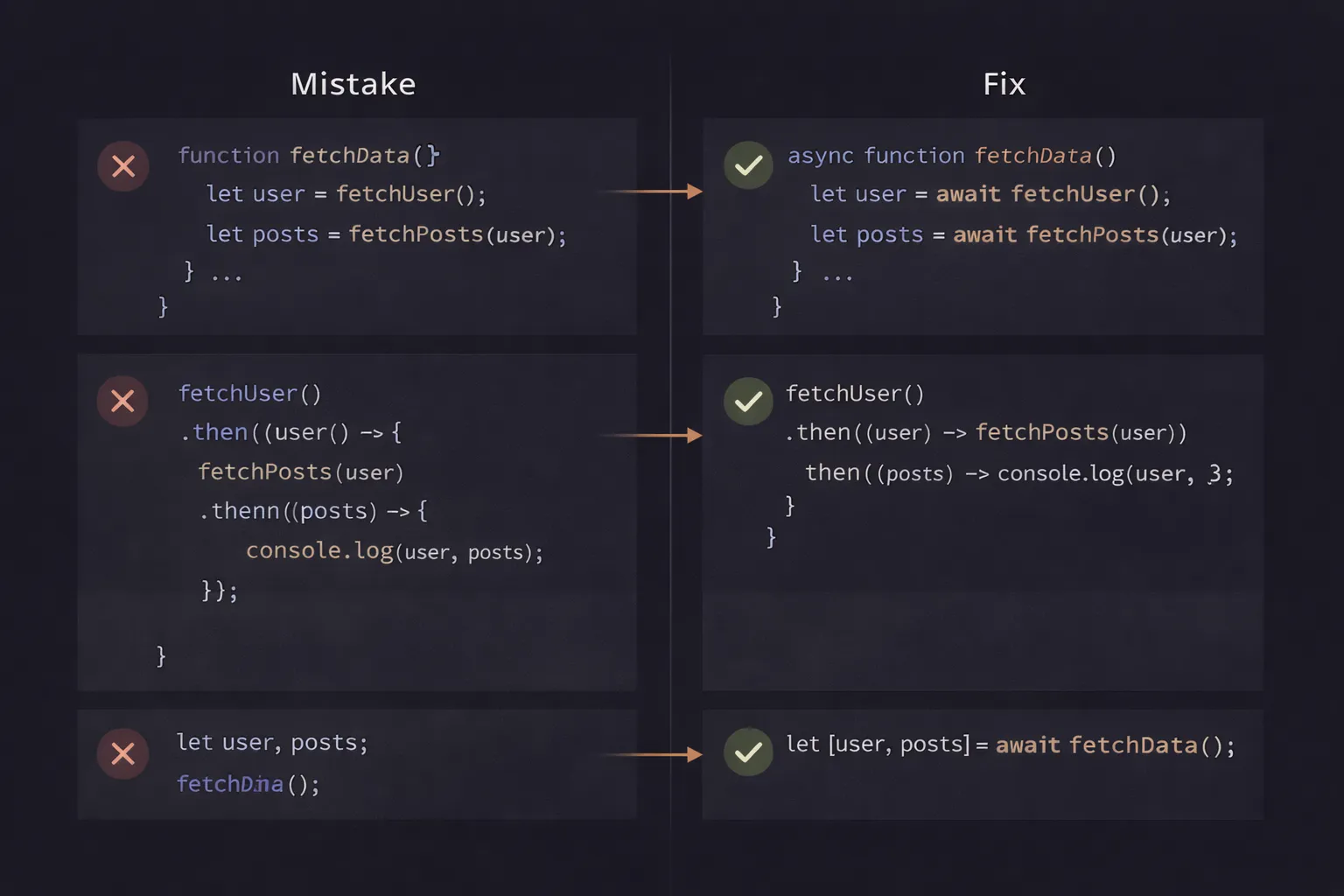
I once deleted a production database. Well, not the whole database, but about 500 user records that were supposed to be "archived," not deleted.
I had written a script to iterate through a list of users, check their status, and update them. I used a forEach loop with an async function inside. I ran the script. It finished instantly. "Wow, that was fast," I thought. I checked the logs. Empty. I checked the database. The users were gone.
Why? because the script finished execution and closed the database connection before the async operations inside the loop had even started processing. I didn't wait for them. I literally pulled the plug on my own code.
Async JavaScript is powerful, but it is also the biggest source of "silent failures" in our industry. It is easy to write code that looks correct but behaves completely differently than you expect.
In this article, we are going to look at the most dangerous async mistakes I see in code reviews. We will move beyond syntax errors and look at logical pitfalls that cause race conditions, memory leaks, and performance bottlenecks.
The Simple Explanation
Most async mistakes happen because developers treat asynchronous code (which happens later) as if it were synchronous code (which happens now).
It’s a timing mismatch. You try to eat the pizza before it has arrived. You try to sell the stock before you bought it. You try to loop through a list of tasks, but you don't tell the engine to wait for one task to finish before starting the next. Fixing these mistakes is mostly about learning how to tell JavaScript to "Pause" and "Wait" correctly.
The Mental Model: The Order Ticket
To visualize these mistakes, imagine a busy restaurant kitchen again.
- The Correct Way: You (the Manager) hand a ticket to the Chef. You wait. The Chef rings the bell. You take the food to the table. Then you handle the next ticket.
- The "Missing Await" Mistake: You hand the ticket to the Chef and immediately walk to the table with an empty tray. The customers look at you, confused. The food arrives 10 minutes later, but you’re already gone.
- The "forEach" Mistake: You have 10 tickets. You throw them all at the Chef simultaneously and scream "COOK!" The Chef is overwhelmed, drops half of them, and burns the rest. You assume they are all done instantly and close the kitchen.
In JavaScript, Promises represent the cooking time. Await represents you standing there waiting for the bell. If you forget to wait, or if you wait in the wrong way, the kitchen descends into chaos.
Step-by-Step Code Execution: The forEach Disaster
Let's look at the most common mistake I see: using async/await inside a forEach loop.
1const userIds = [1, 2, 3];
2
3async function saveUsers() {
4  console.log("1. Start");
5
6  // THE MISTAKE
7  userIds.forEach(async (id) => {
8    console.log(`2. Processing ${id}`);
9    await performHeavySave(id); // Waits for 1 second
10    console.log(`3. Finished ${id}`);
11  });
12
13  console.log("4. All Done");
14}
15
16saveUsers();
17
What you expect:
- Start -> Processing 1 -> Finished 1 -> Processing 2 -> Finished 2 -> ... -> All Done.
What actually happens:
- Start
- Processing 1
- Processing 2
- Processing 3
- All Done
- (1 second later) Finished 1
- Finished 2
- Finished 3
What is happening internally?
- Line 4: "1. Start" prints.
- Line 7 (
forEach): TheforEachmethod is a synchronous function. It takes your callback and executes it for item 1, then item 2, then item 3, immediately. - The Callback: Your callback is marked
async. WhenforEachcalls it, it returns a Promise. - The Problem:
forEachdoes not do anything with that returned Promise. It ignores it completely. It fires the function and moves to the next item without waiting. - Line 9 (
await): Inside the callback, the engine hitsawait. It pauses that specific callback execution and puts the rest of it in the microtask queue. - Line 13: The
forEachloop finishes instantly. The code moves to "4. All Done". - Later: The promises resolve, and the "Finished" logs appear.
By the time your "Finished" logs appear, your function has already returned. If this was a database transaction, the connection might already be closed.
Common Mistakes Developers Make
Here are the five specific patterns you need to ban from your codebase.
Mistake 1: The forEach Trap
As we just saw, forEach is incompatible with async/await if you need to wait for the results.
The Fix: Use for...of loop.
1// CORRECT
2async function saveUsers() {
3  for (const id of userIds) {
4    await performHeavySave(id); // Effectively pauses the loop!
5  }
6  console.log("All Done");
7}
8
The for...of loop respects the await keyword. It will pause the entire loop iteration until the promise resolves.
Mistake 2: Accidental Serial Execution (Performance Killer)
Sometimes, you don't want to wait for each item one by one. If you are fetching data for 3 unrelated users, waiting for User 1 before fetching User 2 is a waste of time.
1// SLOW (Serial)
2for (const id of userIds) {
3  await fetchUser(id); // Waits 1s... then next... then next. Total: 3s.
4}
5
6// FAST (Parallel)
7const promises = userIds.map(id => fetchUser(id)); // Fires all requests instantly
8await Promise.all(promises); // Waits for all to finish. Total: 1s.
9
The Rule: If the tasks depend on each other (e.g., Step 2 needs data from Step 1), use for...of. If they are independent, use Promise.all.
Mistake 3: The "Floating" Promise
This happens when you call an async function but forget to await it.
1function handleDelete() {
2  try {
3    deleteFromDatabase(); // Oops! Forgot 'await'
4    console.log("Deleted successfully");
5  } catch (error) {
6    console.error("Failed to delete");
7  }
8}
9
The Bug:
deleteFromDatabasestarts. It returns a Promise.- The code immediately moves to
console.log("Deleted successfully"). - The user sees "Success."
- 1 second later, the database deletion fails.
- Crucially: The
catchblock does not catch the error. Why? Because thetry/catchblock finished execution long before the Promise rejected. The error is "unhandled" and might crash your Node process.
The Fix: Always await async operations, or return the Promise so the caller can handle it.
Mistake 4: Mixing Callbacks and Promises
This is common in legacy codebases (Node.js callbacks mixed with modern code).
1// DON'T DO THIS
2function getUser(id, callback) {
3  User.findById(id).then(user => {
4    callback(null, user);
5  }).catch(err => {
6    callback(err);
7  });
8}
9
While this works, it creates "Zalgo"—code that is sometimes synchronous and sometimes asynchronous. It also makes error handling a nightmare.
The Fix: "Promisify" everything. Don't use callbacks for async logic anymore.
1async function getUser(id) {
2  return await User.findById(id);
3}
4
Mistake 5: Catching Errors Too Early
Developers often put try/catch blocks everywhere, swallow the error, and return null.
1async function getPrice() {
2  try {
3    return await api.getPrice();
4  } catch (e) {
5    console.log(e); // Error swallowed
6    return null;
7  }
8}
9
10async function calculateTotal() {
11  const price = await getPrice();
12  return price * 5; // CRASH! price is null.
13}
14
The Bug: calculateTotal expects a number. getPrice failed silently and returned null. Now calculateTotal is doing math on null, causing a confusing bug downstream.
The Fix: Only catch errors if you can actually handle them (e.g., show a default value). Otherwise, let the error bubble up to the top-level caller who knows what to do (e.g., show a 500 error page).
Real-World Use Cases
Where do these mistakes hurt the most?
1. React useEffect
You cannot make the useEffect callback async directly.
1// ERROR: React expects a cleanup function, not a Promise
2useEffect(async () => {
3  const data = await fetchData();
4  setData(data);
5}, []);
6
The Fix: Define the function inside.
1useEffect(() => {
2  const load = async () => {
3    const data = await fetchData();
4    setData(data);
5  };
6  load();
7}, []);
8
2. Express.js / Node Routes
In older versions of Express (v4), if you throw an error inside an async route handler without a try/catch or .catch(next), the server hangs forever.
1app.get('/user', async (req, res) => {
2  const user = await db.findUser(); // If this throws...
3  res.json(user);
4  // ... the request hangs. Express v4 doesn't catch async errors automatically.
5});
6
The Fix: Use a wrapper function or upgrade to Express v5 (which supports async).
Interview Perspective
I love asking candidates to spot the bug in an async snippet.
The "Loop" Question
"Convert this forEach loop to run sequentially."
This tests if you know for...of.
The "Output Order" Question
"What is the output of this code?"
1async function test() {
2  console.log(1);
3  new Promise(resolve => resolve()).then(() => console.log(2));
4  console.log(3);
5}
6test();
7console.log(4);
8
Breakdown:
1prints (Synchronous start of async function).- Promise resolves, schedules
2on Microtask queue. 3prints (Synchronous continuation).testfunction returns a promise (implied).4prints (Global scope continuation).- Stack empty. Microtasks run.
2prints.
Order: 1, 3, 4, 2.
TL;DR / Key Takeaways
- Avoid
forEachwith Async: It doesn't wait. Usefor...offor serial, orPromise.allwithmapfor parallel. - Await Everything: If you don't await a promise, you lose control of the timing and error handling.
- Don't Swallow Errors: Only catch if you have a backup plan. Otherwise, let it fail loud.
- Parallelize When Possible: Don't await items sequentially if they are independent. It's slow.
FAQ
Q: Can I use await inside a .map()?
A: Yes, but map will return an array of Promises, not the values. You must wrap that array in Promise.all() to wait for them. const results = await Promise.all(items.map(async i => ...)).
Q: How do I handle errors in Promise.all?
A: If one promise fails, Promise.all fails immediately. If you want the others to finish regardless, use Promise.allSettled().
Q: Is it bad to use return await?
A: Usually, yes. return await func() is redundant; you can just return func(). The only time return await is useful is inside a try/catch block, so that the error is caught locally before returning.
Conclusion
Async JavaScript is a superpower, but it requires discipline. The engine won't save you if you mess up the timing.
The next time you write a loop, pause. Ask yourself: "Do I need these to happen one by one, or all at once?" If you can answer that, you solve 90% of async bugs before they happen.
And please, for the sake of your database, stop using forEach with async.
Now, go check your catch blocks. Are you logging the error, or just burying it?