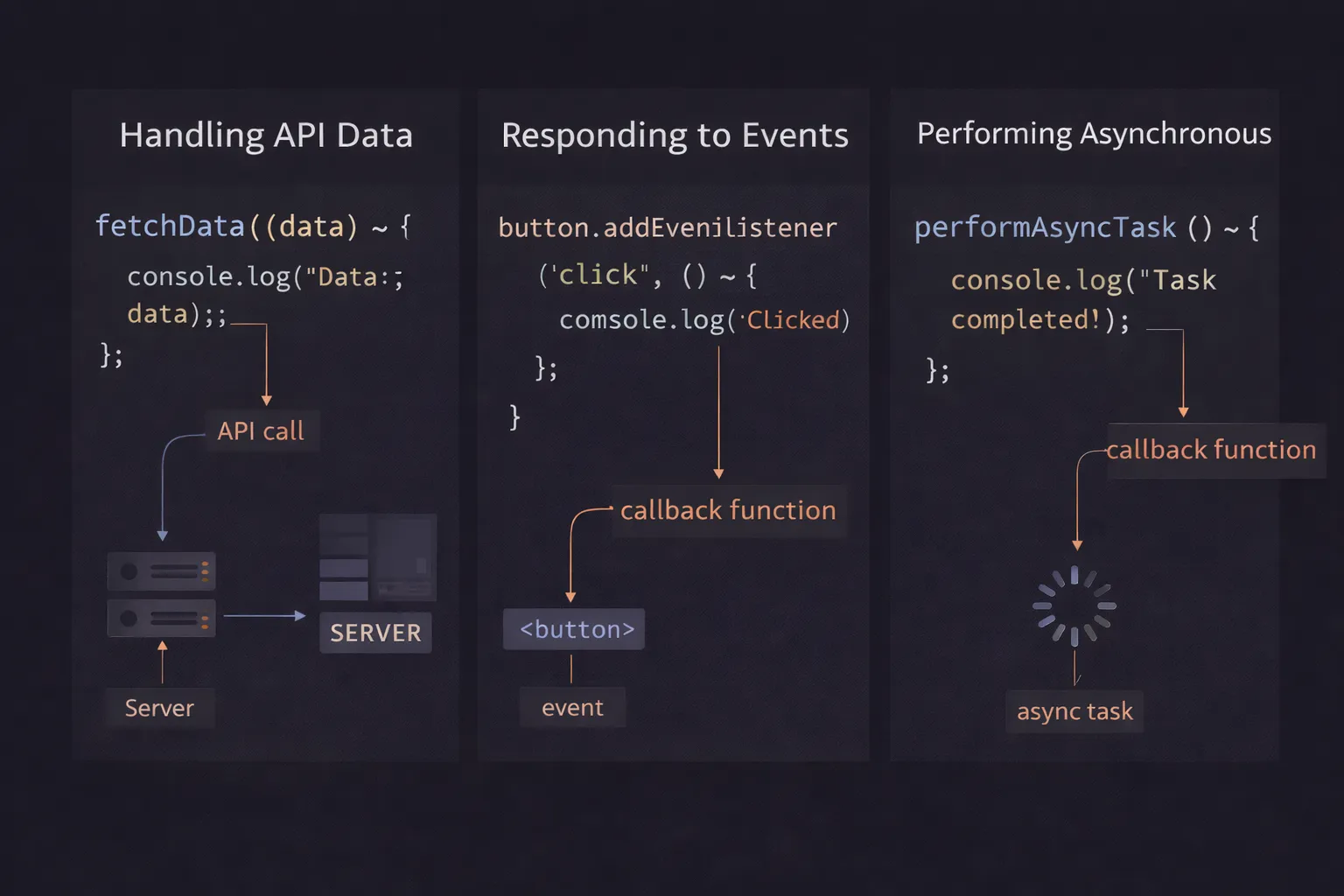
I vividly remember my first week as a paid developer. I was tasked with a simple job: "When the user clicks this button, fetch some data, and then show a popup."
It sounded easy. I wrote the code to fetch the data. I wrote the code to show the popup. But when I ran it, the popup appeared empty, and the data arrived three seconds later. I tried to fix it by copy-pasting code inside other code, and before I knew it, I had created a monster of nested brackets that looked like a sideways pyramid.
I was stuck in "Callback Hell," but I didn't even know what a callback was.
If you have ever passed a function into another function and wondered, "Wait, why am I not adding parentheses here?" or if you’ve struggled to understand why your code isn't running in the order you wrote it, you are in the right place.
In this article, we are going to demystify the Callback Function. It is the fundamental building block of asynchronous JavaScript. We will tear it down, look at the mechanics, and learn how to use it without creating a mess.
What is a Callback Function? (The Plain English Version)
A callback function is simply a function that you pass as an argument to another function, with the expectation that it will be executed ("called back") later.
That’s it. In JavaScript, functions are "first-class citizens." This is a fancy way of saying that a function is just a value, like a number or a string. Just like you can pass the number 5 into a function, you can pass the function doSomething into another function. You are effectively handing over a piece of logic and saying, "Here, hold this for me, and run it when you are ready."
The Mental Model: The Restaurant Pager
To visualize this, forget about code for a moment. Imagine you are at a busy fast-food restaurant.
- The Order (The Main Function): You walk up to the counter and order a burger. This is the main operation.
- The Wait (Asynchronous Gap): The burger isn't ready. The cashier doesn't lock the door and stop serving everyone else until your burger is cooked (that would be "blocking" or synchronous).
- The Pager (The Callback): instead, the cashier hands you a blinking buzzer/pager.
- The Agreement: You don't know how to cook the burger. You just provide the instruction: "When the burger is done, buzz this device."
- The Execution: You go sit down. Ten minutes later, the kitchen finishes the task. They activate your pager.
In this scenario, you defined what happens next (you go to the counter), but the kitchen decided when to execute that action. You gave them the "callback" (the pager), and they "called you back" when the task was complete.
Step-by-Step Code Execution
Let’s look at a synchronous callback first, because it’s easier to trace. We will create a simple calculator that doesn't know how to display its own results.
1// 1. Define the Callback Function (The Pager)
2function displayResult(result) {
3  console.log(`The answer is: ${result}`);
4}
5
6// 2. Define the Main Function (The Kitchen)
7// It accepts two numbers AND a function as the third argument
8function calculate(num1, num2, myCallback) {
9  const sum = num1 + num2;
10  // We execute the function that was passed in
11  myCallback(sum);
12}
13
14// 3. Execution
15console.log("Starting calculation...");
16// Notice we pass 'displayResult', NOT 'displayResult()'
17calculate(5, 10, displayResult);
18console.log("Finished.");
19
What is happening here?
Line 15: The engine prints "Starting calculation...".
Line 17: We call calculate. We pass 5, 10, and the definition of the function displayResult.
- Crucially, we do not add parentheses
()afterdisplayResult. If we did, we would be running the function immediately and passing its return value (undefined) to the calculator. We want to pass the function itself.
Line 9: Inside calculate, the variable myCallback becomes a reference to displayResult. They are now two names for the same piece of code.
Line 10: We perform the math. sum is 15.
Line 12: We run myCallback(sum). This jumps the code execution up to Line 2.
Line 2: displayResult runs. It prints "The answer is: 15".
Line 18: The engine prints "Finished.".
How It Works Internally
To be a senior developer, you need to understand Higher-Order Functions.
A function that accepts another function as an argument (like calculate above) is called a Higher-Order Function.
When you pass a function as an argument, you are passing a reference (a memory pointer).
The Synchronous vs. Asynchronous Distinction
This confuses almost everyone at first.
- Synchronous Callbacks: In the calculator example above, the callback ran immediately. The
calculatefunction didn't finish until the callback finished. This is "blocking." The Call Stack looked like this:Global->calculate->displayResult - Asynchronous Callbacks: What if we used
setTimeout?
1console.log("Start");
2setTimeout(function() {
3  console.log("Callback running");
4}, 1000);
5console.log("End");
6
Here, JavaScript hands the callback off to the browser's Web APIs (the timer). The main function continues running. The callback sits in the Callback Queue until the main stack is empty.
Output: Start -> End -> Callback running.
This distinction is vital. Just because you see a callback doesn't automatically mean the code is asynchronous. Array methods like .map() and .filter() use synchronous callbacks. Timers and API calls use asynchronous ones.
Common Mistakes Developers Make
I have done code reviews for years, and I see the same callback errors repeatedly.
1. The "Invocation" Trap
This is the most common typo in JavaScript history.
1const button = document.querySelector('button');
2
3function handleClick() {
4  console.log("Clicked!");
5}
6
7// WRONG: This runs immediately when the page loads!
8button.addEventListener('click', handleClick());
9
10// CORRECT: This passes the function to be run LATER.
11button.addEventListener('click', handleClick);
12
Why it happens: We are so used to calling functions with () that we do it automatically.
The Fix: Remember the mental model. You want to give the pager to the cashier. You don't want to beep the pager yourself right now. Remove the parentheses.
2. Losing this Context
This mistake usually happens in Class-based components or older code.
1const user = {
2  name: "Alice",
3  greet: function() {
4    console.log(`Hello, ${this.name}`);
5  },
6  delayGreeting: function() {
7    // When setTimeout runs this callback later, 'this' refers to the Window!
8    setTimeout(this.greet, 1000);
9  }
10};
11
12user.delayGreeting(); // Output: "Hello, undefined"
13
The Fix: Use an Arrow Function or .bind(). Arrow functions preserve the this context of the parent scope.
1setTimeout(() => this.greet(), 1000); // Works!
2
3. Callback Hell (The Pyramid of Doom)
This happens when you need to do operations in a sequence. "Do A, then B, then C."
1getData(function(a) {
2    getMoreData(a, function(b) {
3        getMoreData(b, function(c) {
4            getMoreData(c, function(d) {
5                console.log(d);
6            });
7        });
8    });
9});
10
This is unreadable and hard to debug. If getMoreData(b) fails, handling that error inside this nest is a nightmare.
The Fix: This is why Promises and Async/Await were invented. They flatten this structure.
Real-World Use Cases
You will use callbacks every single day. Here are the three most common scenarios.
1. Event Listeners (DOM Interaction)
The entire web is driven by user events. You can't predict when a user will click a button or scroll a page.
1document.getElementById('save-btn').addEventListener('click', (event) => {
2  console.log("Button clicked!");
3  saveData();
4});
5
Here, the anonymous arrow function is the callback. The browser holds onto it and executes it only when the "click" event fires.
2. Array Methods (Functional Programming)
Modern JavaScript relies heavily on functional patterns. Methods like .map, .filter, and .reduce iterate over arrays for you. They ask you for a callback to define what to do with each item.
1const prices = [10, 20, 30];
2
3// We pass a callback that defines the transformation logic
4const doubled = prices.map(price => price * 2);
5
6console.log(doubled); // [20, 40, 60]
7
You don't write the loop. map handles the loop. You just provide the logic for a single item via the callback.
3. Timers and Delays
Whenever you need to wait, you need a callback.
1// Execute this logic after 2000 milliseconds
2setTimeout(() => {
3  showNotification("Welcome back!");
4}, 2000);
5
Interview Perspective
If I am interviewing you for a Junior or Mid-level role, I will ask about callbacks to test your understanding of the JavaScript runtime.
Common Question: "What is a Higher-Order Function?"
Answer: It is a function that either takes another function as an argument or returns a function. Array.map and addEventListener are prime examples.
The Tricky Question: "Callback vs Promise"
"Why do we use Promises if Callbacks work fine?"
The Answer: Callbacks work fine for simple tasks (like a button click). However, for sequential asynchronous operations (Do A, wait, then Do B), callbacks lead to deep nesting ("Callback Hell") and make error handling difficult (Inversion of Control). Promises provide a standard, cleaner syntax (.then) for chaining asynchronous steps and a centralized way to handle errors (.catch).
TL;DR / Key Takeaways
If you are skimming, memorize this list:
- Definition: A callback is a function passed into another function to be executed later.
- Syntax: Pass the function name without parentheses
(). - Synchronous:
.map,.filterrun the callback immediately (blocking). - Asynchronous:
setTimeout,addEventListenerrun the callback later (non-blocking). - The Trap: Avoid nesting callbacks too deeply. Use Promises for complex sequences.
FAQ
Q: Can a callback accept arguments?
A: Yes! When the main function executes your callback, it can pass data to it. For example, addEventListener passes the event object to your callback automatically.
Q: Is async/await a callback?
A: No. async/await is syntax sugar for Promises. However, under the hood, the engine treats the code after the await keyword similarly to a callback (it puts it in the microtask queue), but you write it as if it were synchronous code.
Q: Are callbacks bad? A: No! They are essential. Array methods and Event Listeners are impossible without them. "Callback Hell" is bad, but Callbacks themselves are a powerful feature of the language.
Conclusion
Callbacks are the glue that holds JavaScript applications together. They allow us to write flexible, reusable code and handle the unpredictable nature of user interactions and network requests.
The next time you write function(x) { ... } inside another function's parentheses, pause for a second. Visualize the Restaurant Pager. You are handing off a packet of instructions to be run at a specific time.
Once you master this flow—handing over control and trusting the engine to call you back—you have mastered the heart of JavaScript.
Now, go check your event listeners and make sure you didn't add those extra parentheses!