I remember the exact day my brain officially went on strike. I was juggling a freelance project, a full-time job, a home renovation, and a vague promise to my partner that I would plan our vacation. I had sticky notes on my monitor, reminders on my phone, and a mental to-do list that kept me awake at 3 AM.
One afternoon, I missed a critical client deadline. It wasn't because I couldn't do the work. It was because I simply forgot it existed amidst the chaos. I felt overwhelmed, unreliable, and constantly anxious that I was dropping the ball.
Most people struggle with productivity not because they are lazy, but because they are trying to use their brain as a hard drive. We try to remember every task, idea, and appointment. But the human brain is designed for having ideas, not holding them.
That failure led me to David Allen’s book, Getting Things Done. It promised "stress-free productivity." At first, the system looked complicated. But once I implemented the core workflow, the mental fog lifted.
If you feel like you are constantly reacting to emergencies instead of planning your life, GTD is the operating system you need. Let’s walk through how to build a trusted system that captures everything so you can focus on what matters.
What Is the GTD Method?
Getting Things Done (GTD) is a productivity framework that separates the act of remembering tasks from the act of doing them.
The core philosophy is simple: You cannot focus on the task at hand if you are worried about the ten other things you aren't doing.
To solve this, GTD asks you to move every single task, idea, and project out of your head and into an external system (like a notebook or an app). Once your brain trusts that the system will remind you of what needs to be done, your anxiety drops, and your focus skyrockets.
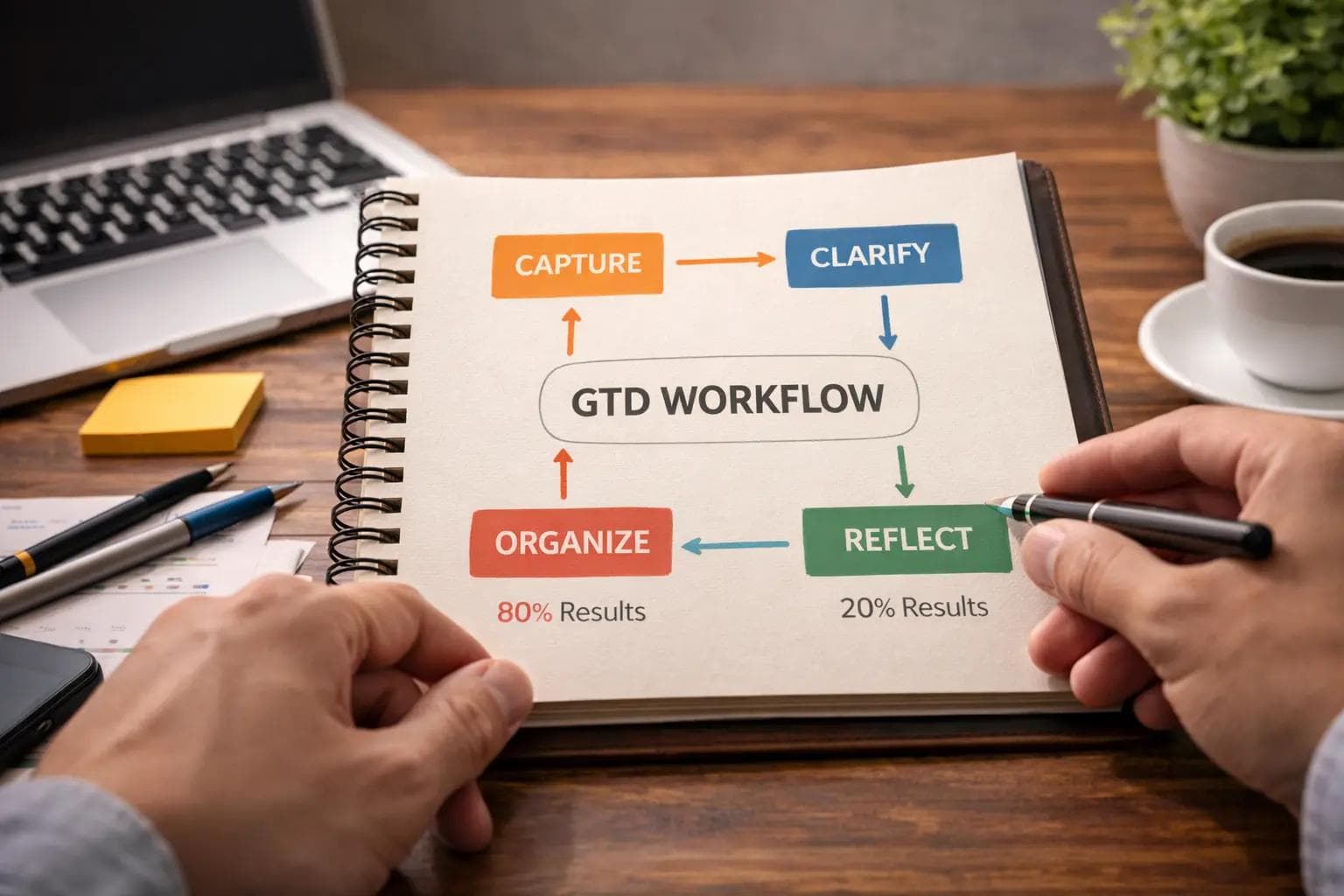
It operates on a five-step workflow:
- Capture: Collect everything that has your attention.
- Clarify: Process what each item means and what to do about it.
- Organize: Put it where it belongs.
- Reflect: Review your lists frequently.
- Engage: Do the work.
Step 1: Capture (The Brain Dump)
The first step is often the most therapeutic. You need to gather every "open loop" in your life. An open loop is anything pulling at your attention that doesn't belong where it is.
This includes:
- Emails in your inbox.
- The broken lightbulb in the hallway.
- The vague idea for a blog post.
- The tax form you need to mail.
- The birthday gift you need to buy.
In Practice: I use a physical "Inbox" tray on my desk for papers and a digital "Inbox" in my to-do app (like Todoist or Things 3) for thoughts. When a thought strikes me—"I need to call the dentist"—I write it down immediately and throw it in the inbox. I do not analyze it. I just capture it.
If you don't capture it, your brain will keep spinning it in the background, wasting mental energy.
Step 2: Clarify (The Processing Phase)
Capturing is easy. Clarifying is where the magic happens. This is the step most people skip, and it is why their to-do lists fail.
You go through your inbox item by item. For each item, you ask: "Is this actionable?"
If the answer is NO:
- Trash it: It’s useless trash.
- Reference it: It’s useful information (like a receipt), but not a task. File it away.
- Someday/Maybe: It’s a cool idea (like "Learn Japanese"), but you aren't going to do it now. Put it on a "Someday/Maybe" list.
If the answer is YES:
You must determine the Next Action. A Next Action is the very next physical thing you need to do to move the ball forward.
The Most Common Mistake: Writing "Plan Vacation" on your to-do list. That is not a task; that is a project. You cannot "do" a project.
- Bad: Plan Vacation.
- Good (Next Action): Google "best hotels in Kyoto."
If the Next Action takes less than two minutes (e.g., replying to a short email), do it immediately. Do not write it down. Just get it done. This is the 2-Minute Rule, and it clears 30% of your clutter instantly.
Step 3: Organize (Putting Things in Place)
Once you have clarified the item, you need to put it in the right container. In GTD, you don't just have one long "To-Do" list. You have context-based lists.
1. Project Lists
Any outcome that requires more than one step is a Project. "Fix the car" is a project. You need a list of all your active projects so you can review them and ensure they are moving.
2. Context Lists
This is unique to GTD. You organize tasks by where you need to be or what tool you need to use.
- @Calls: Calls to make when you have your phone.
- @Computer: Deep work to do at your desk.
- @Errands: Things to buy when you are out.
- @Agenda: Things to talk about when you meet a specific person (e.g., "Agenda: Boss").
In Practice: When I am at the grocery store, I don't want to see "Write quarterly report" on my list. I only want to see my @Errands list. This keeps your mind clear because you only see what you can actually do right now.
3. The Waiting-For List
This is a game-changer for freelancers and managers. Whenever you delegate a task or send an email that needs a reply, put it on the "Waiting For" list.
- "Waiting for Tom to send the design draft."
Now, you never lose track of work you assigned to others.
Step 4: Reflect (The Weekly Review)
This is the heartbeat of the system. If you don't review your system, you will stop trusting it. If you stop trusting it, you will go back to keeping things in your head, and the stress will return.
Once a week (I do mine on Sunday mornings), you must do a Weekly Review.
My Sunday Routine:
- Clear the decks: Process all loose scraps of paper, receipts, and digital notes into the system.
- Review the Calendar: Look at the past week (did I miss anything?) and the upcoming week (what do I need to prepare for?).
- Review "Waiting For": Send nudges to people who haven't replied.
- Review Projects: Look at every active project. Does it have a concrete "Next Action" on my active lists? If not, create one.
Without the Weekly Review, GTD is just a messy list. The review is what keeps the system "clean" and functional.
Step 5: Engage (Doing the Work)
Now that everything is captured, clarified, organized, and reviewed, how do you decide what to do at 2:00 PM on a Tuesday?
GTD suggests choosing tasks based on four criteria, in this order:
- Context: What can I do right now? (I am at my computer).
- Time Available: Do I have 5 minutes or an hour?
- Energy Available: Am I fresh and creative, or tired and brain-dead?
- Priority: Of the remaining options, which is the most important?
This is where I often combine GTD with the Eisenhower Matrix. GTD provides the menu of options; the Eisenhower Matrix helps me choose the "Important" meal over the "Urgent" snack.
When GTD Works Best (And When It Fails)
I have used GTD for five years, but I have also abandoned it twice. It is powerful, but it requires maintenance.
Where It Shines
- Complex Roles: If you are a project manager, a developer, or a parent juggling fifty different small responsibilities, GTD is a lifesaver. It handles high volume beautifully.
- Anxiety Reduction: If you wake up at night worrying about things you forgot, GTD cures that. You know everything is written down.
- Creative Freedom: Because your brain isn't trying to remember a grocery list, it has space to be creative and solve hard problems.
Where It Struggles
- Simplicity: If you only have three things to do today, GTD is overkill. Setting up contexts and projects for a simple day is procrastination.
- The "Doing" Part: GTD is great at organizing, but it doesn't force you to do the work. You can have a perfectly organized list and still procrastinate. This is why I use the Pomodoro Technique (25-minute work sprints) to actually execute the tasks GTD organizes.
- Rigidity: Beginners often get obsessed with the perfect folder structure. If the system becomes too complex to maintain, you will stop using it.
Comparison: GTD vs. Bullet Journaling
Many people ask me if they should use GTD or a Bullet Journal (BuJo). The truth is, they serve different purposes, but they can work together.
Bullet Journaling is visual and analog. It is great for mindfulness, habit tracking, and daily logging. It focuses on the now.
GTD is a complete inventory of your life. It manages the future and the complex.
My Hybrid Approach: I use digital apps (Todoist) for the "Database" of my tasks (GTD). I use a physical notebook for my daily focus plan (Bullet Journal style). The app holds the 500 things I could do; the notebook holds the 3 things I will do today.
Real-World Workflow: Managing a Project
Let’s look at a concrete example. Suppose my boss tells me, "We need to launch a new marketing website."
Without GTD: I write "Website Launch" on a sticky note. I stare at it for three weeks. I feel guilty. I do nothing until the deadline looms, then I panic.
With GTD:
- Capture: I write "Website Launch" in my inbox.
- Clarify: Is it actionable? Yes. Is it one step? No, it's a project.
- Organize:
- I create a Project called "Marketing Website Launch."
- I ask, "What is the very first physical action?"
- Answer: "Email Sarah to ask for the server credentials."
- I put "Email Sarah" on my @Computer list.
- I add "Draft Homepage Copy" to my @Computer list.
- I add "Call Designer" to my @Calls list.
- Reflect: In my Weekly Review, I check the project status. I see Sarah replied. Now I add a new Next Action: "Log in to server."
- Engage: It's Tuesday morning. I check my @Computer list. I see "Email Sarah." It takes two minutes. I do it.
By breaking the scary project into tiny, boring physical actions, the resistance disappears.
Common Mistakes Beginners Make
I see people fail at GTD for the same three reasons.
1. The "Someday" Trap
They put tasks like "Clean the Garage" on their active Next Action list. But they don't really intend to do it this week. The Fix: Be honest. If you aren't going to do it soon, move it to the "Someday/Maybe" list. Keep your active list sacred. If your brain sees tasks you never do, it stops trusting the list.
2. Vague Tasks
They write "Mom" or "Report" on their list. When they look at it later, they have to think, "What about Mom?" "Which report?" The Fix: Always use a verb. "Call Mom for birthday," "Draft Q3 Report," "Buy milk." The list should do the thinking for you.
3. Skipping the Weekly Review
This is the fatal error. If you don't clean up your system weekly, it becomes a junkyard of old, irrelevant tasks. The Fix: Schedule a recurring appointment with yourself. Friday afternoon or Sunday morning works best. Treat it like a meeting with your boss.
FAQ Section
Do I need a specific app for GTD?
No. You can do GTD with a stack of index cards or a simple notebook. However, apps like Todoist, Things 3, OmniFocus, or NirvanaHQ are built specifically for this and make managing recurring tasks much easier.
How do I handle tasks with deadlines?
GTD discourages putting tasks on your calendar unless they must be done on that specific day (like a meeting). If a task is just "due soon," put it on your Next Actions list with a due date tag. Keep your calendar for the "hard landscape" of your day.
What if I have too many Next Actions?
If your list has 200 items, it's overwhelming. Use the "Contexts" (like @Office, @Home) to filter them. Also, use the Weekly Review to move stagnant tasks back to "Someday/Maybe." You can't do everything.
Does GTD kill spontaneity?
I found the opposite. Because I know exactly what I need to do, I can make a conscious choice to take the afternoon off without that nagging feeling that I'm forgetting something. Structure creates freedom.
Conclusion: Build Your External Brain
The Getting Things Done method is not about doing more work. It is about being engaged with your work. It’s about having a mind like water—calm, clear, and ready to react to whatever drops in.
When I started, I thought the goal was to have an empty to-do list. I realized later that the list will never be empty. The goal is to have an empty head.
Key Takeaways:
- Your brain is for having ideas, not holding them. Capture everything.
- If it takes less than 2 minutes, do it now.
- Never write "Project" names on your to-do list; write the "Next Action."
- Review your system weekly, or it will die.
Your Immediate Next Step: Don't try to reorganize your whole life today. Start with Step 1: The Brain Dump. Grab a pen and paper. Spend 20 minutes writing down every single thing that is currently on your mind—from "Update Resume" to "Buy Cat Food." Do not stop until your head feels empty.
Once you see it all on paper, you will realize two things: First, it's a lot. Second, it's manageable. That feeling of control is the first step toward stress-free productivity.
About the Author

Suraj - Writer Dock
Suraj Kumar is a writer, entrepreneur, and the CEO and founder of this website, sharing simple and practical insights on business, creativity, and personal growth. With experience building digital projects, they enjoy helping others learn, grow, and succeed online.


