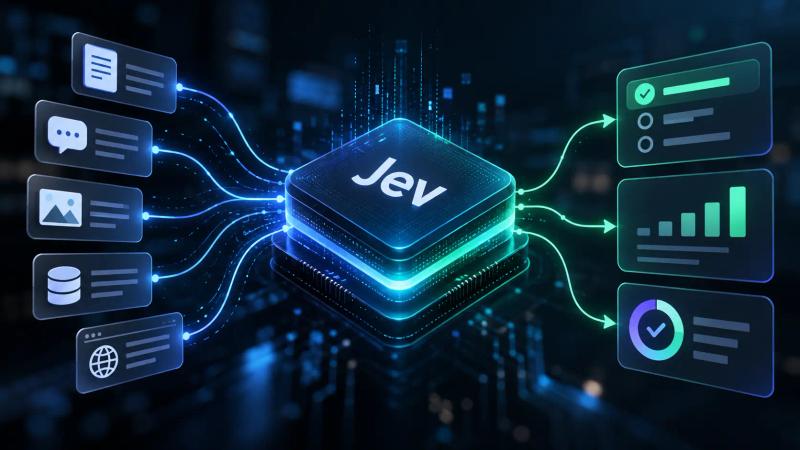
Gemini 4 Hydrogen is Google’s latest model designed for speed and efficiency, making it a critical component for building effective AI agent systems. As the new default model for AI Mode in Google Search, it shifts the focus from deep, long-horizon reasoning to rapid execution across diverse agentic workflows. This guide explains how to leverage Gemini 4 Hydrogen for large language model (LLM) orchestration, detailing its capabilities, its role in multi-model architectures, and practical strategies for integrating it into your development stack.
Understanding Gemini 4 Hydrogen Capabilities
Gemini 4 Hydrogen is purpose-built for high-volume, high-speed tasks where latency and token cost are primary constraints. It is not a general-purpose replacement for Google’s frontier models like Gemini 4 Carbon or Gemini 4 Argon, which excel at deep, long-horizon reasoning. Instead, according to Google, Hydrogen is designed for rapid execution across diverse agentic workflows, including everyday coding, iterative debugging, and open-ended agentic execution.
A key differentiator for Hydrogen is its speed and efficiency. Google states that Hydrogen often completes tasks faster than other models in its class. On the Artificial Analysis Intelligence Index, it scores 51 at its default high thinking level, surpassing Gemini 4 Argon which scores 50. When pushed to its highest "xhigh" thinking setting, Hydrogen reaches a score of 54. This positions it as a capable standalone model for many tasks that previously required heavier, slower models.
For developers, the technical specifications are crucial. Gemini 4 Hydrogen supports a 1 million-token context window for both input and output. This is significant for agentic workflows that involve processing large code repositories, dense documents, or extensive data. The pricing is flat across its entire 1 million-token context window: $1.50 per million input tokens and $7.50 per million output tokens. This flat rate simplifies cost prediction for agents that might ingest large amounts of context, unlike models that charge progressively more for larger contexts.
Key Technical Strengths
- Rapid Execution: Hydrogen is optimized for fast response times, making it suitable for interactive coding assistants, real-time user-facing agents, and other latency-sensitive applications.
- Efficient Tool Calling: The model is designed to handle tool calls efficiently. When an agent needs to interact with external systems or retrieve information, Hydrogen can process these requests quickly, contributing to faster overall task completion.
- Robustness in Execution: For reliable agent loops, a model must adapt when a tool call fails or a search returns empty results. Hydrogen is engineered to handle such scenarios effectively, allowing agents to adjust their strategy rather than failing outright or fabricating success.
Dynamic Model Orchestration with Orchestrator
The most significant architectural shift introduced alongside Gemini 4 Hydrogen is the concept of dynamic orchestration. Traditional AI agent setups often rely on a static "model router" that attempts to guess the difficulty of a task based on the initial prompt and then routes the entire task to a single model. While simple, this approach can break down as agents become longer-running and tasks evolve, requiring different levels of complexity at various stages. A task might start as a simple query but require deep architectural reasoning halfway through; a static router cannot handle this mid-task complexity shift.
Google’s solution to this challenge is Orchestrator, available in Google Antigravity. This system dynamically switches between frontier models (like Gemini 4 Carbon) and execution models (like Gemini 4 Hydrogen) within the same session. It uses a bidirectional approach where models can hand off control based on the current state and evolving requirements of the task.
How the Handoff Works
The Orchestrator operates on a "plan-execute-repair" cycle, optimizing for both quality and efficiency:
- Exploration and Planning (Carbon): A frontier model, such as Gemini 4 Carbon, typically starts in a read-only phase. Its role is to explore dependencies, resolve ambiguities, and build a concrete plan with explicit re-planning triggers. This ensures a robust initial strategy for complex problems.
- Execution (Hydrogen): Once the plan is established, Gemini 4 Hydrogen takes over for the execution phase. It performs specific actions like writing code edits, updating packages, or running tests. Because Hydrogen is fast and efficient, it can execute these steps quickly without consuming the more expensive quota of a frontier model.
- Repair and Re-planning (Carbon): If Hydrogen encounters friction—for example, a test fails, a dependency conflict arises, or an unexpected error occurs—it hands the context back to Carbon. Carbon then inspects the current state, repairs the plan, and resumes execution. This dynamic escalation ensures that complex problems are addressed by the most capable model when needed.
This dynamic switching allows the system to reach near-Carbon task success rates while, on average, consuming 24% less quota and completing tasks 19% faster, according to results on Terminal-Bench 4.1. For developers, this means achieving the reliability and depth of a frontier model with the cost efficiency and speed of a specialized execution model.
Integrating Hydrogen into AI Agent Architectures
You don’t need to use Google Antigravity to implement this multi-model orchestration pattern. You can build similar logic into your own AI agent development workflows using the Gemini API. The core principle is to decouple the "thinking" (planning, complex reasoning) phase from the "doing" (execution, verification) phase.
Conceptual Framework for Multi-Model Agents
A robust multi-agent architecture using Gemini 4 Hydrogen typically involves distinct roles for different models:
- Coordinator (Gemini 4 Carbon/Argon): This model handles high-level strategy, complex reasoning, and final verification. It defines the overall task, breaks it down into sub-tasks, and makes critical decisions.
- Worker (Gemini 4 Hydrogen): This model executes specific sub-tasks. Examples include writing code blocks, retrieving data from tools, generating summaries, or performing routine data transformations. Its speed and efficiency are crucial here.
- Verifier (Gemini 4 Hydrogen): This model checks the output of the Worker against the Coordinator’s plan or predefined criteria. It ensures that executed steps meet the required standards before proceeding.
Here is a conceptual Python example illustrating how you might structure this orchestration logic. This example demonstrates the control flow and model routing, not a production-ready library.
1import json
2from typing import List, Dict, Any
3
4# Illustrative example of dynamic model routing logic
5# Requires an LLM client that supports model selection and API calls
6
7class LLMClient:
8    """A placeholder LLM client for demonstration purposes."""
9    def generate(self, prompt: str, model: str) -> str:
10        # In a real application, this would call the Gemini API
11        # with the specified model and return its response.
12        print(f"Calling model: {model} with prompt: {prompt[:50]}...")
13        if "gemini-4-carbon" in model:
14            # Simulate a more thoughtful, detailed response
15            if "Break down this task" in prompt:
16                return json.dumps({"plan": "Explore, Execute, Verify", "steps": [{"id": 1, "action": "explore_dependencies"}, {"id": 2, "action": "write_code"}, {"id": 3, "action": "run_tests"}]})
17            elif "repair the plan" in prompt:
18                return json.dumps({"plan": "Revised Plan", "steps": [{"id": 1, "action": "explore_dependencies"}, {"id": 2, "action": "debug_code"}, {"id": 3, "action": "run_tests"}]})
19        elif "gemini-4-hydrogen" in model:
20            # Simulate a faster, execution-focused response
21            if "Execute this step" in prompt:
22                step_data = json.loads(prompt.split("Execute this step: ")[1])
23                if step_data.get("action") == "write_code":
24                    return json.dumps({"status": "success", "output": "Code written."})
25                elif step_data.get("action") == "run_tests":
26                    # Simulate a potential failure for demonstration
27                    if step_data.get("id") == 3: # Assuming step 3 is tests
28                        return json.dumps({"status": "failure", "error": "Tests failed."})
29                    return json.dumps({"status": "success", "output": "Tests passed."})
30                elif step_data.get("action") == "debug_code":
31                    return json.dumps({"status": "success", "output": "Code debugged."})
32            elif "Does this result satisfy" in prompt:
33                if "Tests failed." in prompt:
34                    return "FALSE"
35                return "TRUE"
36        return "Default response."
37
38class AgentOrchestrator:
39    def __init__(self, llm_client: LLMClient):
40        self.llm = llm_client
41        self.models = {
42            "coordinator": "gemini-4-carbon", # Frontier model for planning
43            "worker": "gemini-4-hydrogen",    # Efficient model for execution
44            "verifier": "gemini-4-hydrogen"   # Efficient model for checking
45        }
46
47    def execute_task(self, task_description: str) -> Dict[str, Any]:
48        print(f"\n--- Starting task: {task_description} ---")
49        # Phase 1: Planning with Frontier Model
50        plan_response = self.llm.generate(f"Break down this task into executable steps: {task_description}", model=self.models["coordinator"])
51        plan = json.loads(plan_response)
52
53        # Phase 2: Execution Loop
54        results = []
55        for step in plan["steps"]:
56            print(f"\nExecuting step: {step['action']}")
57            # Route to Worker (Hydrogen) for execution
58            execution_response = self.llm.generate(f"Execute this step: {json.dumps(step)}", model=self.models["worker"])
59            execution_result = json.loads(execution_response)
60
61            # Phase 3: Verification
62            is_valid_response = self.llm.generate(f"Does this result satisfy the step? Step: {json.dumps(step)}, Result: {json.dumps(execution_result)}", model=self.models["verifier"])
63            is_valid = "TRUE" in is_valid_response
64
65            if not is_valid:
66                print(f"Verification failed for step {step['action']}. Escalating to Coordinator for re-planning.")
67                # If verification fails, escalate to Coordinator for re-planning
68                replan_prompt = f"Step {step['action']} failed with result {json.dumps(execution_result)}. Inspect the state and repair the plan for task: {task_description}"
69                revised_plan_response = self.llm.generate(replan_prompt, model=self.models["coordinator"])
70                revised_plan = json.loads(revised_plan_response)
71
72                # For simplicity, we'll just retry the current step with a "debug" action
73                # In a real system, the coordinator would provide a new sequence of steps
74                print(f"Coordinator revised plan. Retrying step with debug action.")
75                debug_step = {"id": step["id"], "action": "debug_code"} # Simplified retry
76                execution_response = self.llm.generate(f"Execute this step: {json.dumps(debug_step)}", model=self.models["worker"])
77                execution_result = json.loads(execution_response)
78
79                is_valid_response = self.llm.generate(f"Does this result satisfy the step? Step: {json.dumps(debug_step)}, Result: {json.dumps(execution_result)}", model=self.models["verifier"])
80                is_valid = "TRUE" in is_valid_response
81
82                if not is_valid:
83                    print(f"Retry failed for step {step['action']}. Task aborted.")
84                    return {"status": "failed", "reason": f"Step {step['action']} failed after retry."}
85
86            results.append(execution_result)
87
88        print("\n--- Task completed successfully ---")
89        return {"status": "success", "results": results}
90
91# Example usage:
92# llm_client = LLMClient() # Replace with your actual Gemini API client
93# orchestrator = AgentOrchestrator(llm_client)
94# final_output = orchestrator.execute_task("Develop a new feature that requires writing code and running tests.")
95# print(final_output)1# To run the example above, uncomment the following lines:
2llm_client = LLMClient()
3orchestrator = AgentOrchestrator(llm_client)
4final_output = orchestrator.execute_task("Develop a new feature that requires writing code and running tests.")
5print(final_output)In this setup, the more capable (and typically more expensive) Carbon model is invoked only when necessary for high-level planning or when errors occur that require deeper reasoning. The bulk of the work—writing code, fetching data, and basic validation—is handled by Hydrogen, mirroring the behavior of the built-in Orchestrator in Google Antigravity.
Pitfalls and When Not to Use Hydrogen
While Gemini 4 Hydrogen is powerful for execution, it has specific limitations. Understanding when not to use it is as important as knowing when to use it effectively.
1. Deep, Long-Horizon Reasoning
If your task requires extensive backtracking, complex logical deduction, or navigating highly ambiguous problem spaces, Hydrogen may struggle. These are the domains where frontier models like Gemini 4 Carbon and Gemini 4 Argon excel. For example, designing a new microservices architecture from scratch involves deep architectural judgment calls that a fast execution model might miss. Use Hydrogen to implement a design, not to create it from first principles.
2. Static Routing Failures
Avoid static model routing where a task is assigned to a single model for its entire lifecycle. If you route a task to Hydrogen because the initial prompt appears simple, but the task evolves to require complex debugging or re-planning, the agent will likely fail or produce suboptimal results. It is crucial to implement dynamic escalation logic, as described in the orchestration section. If Hydrogen fails a test or hits a dead end, it must have a mechanism to pass control to a more capable model for intervention.
3. Context Window Saturation
Although Hydrogen supports a substantial 1 million-token context window, filling the entire window with irrelevant or redundant data can degrade performance. The model’s ability to focus on relevant information tends to decrease as the context grows excessively large. Instead, employ retrieval-augmented generation (RAG) techniques to inject only the necessary and most pertinent context at each step. Avoid dumping entire codebases or large documents into the prompt unless the task specifically requires whole-repository analysis.
4. Cost vs. Quality Trade-offs
While Gemini 4 Hydrogen is designed to be more cost-efficient per token than frontier models, running it inefficiently can still lead to high costs. If your agent loops excessively due to poor prompt engineering, inadequate error handling, or unclear instructions, it will consume tokens rapidly. Continuously monitor your token usage per task and per agent. If you observe high token counts coupled with low success rates, the issue is likely in your agent’s logic or prompt design, rather than the model’s inherent capability. Optimize your agent’s decision-making and tool use to minimize unnecessary calls.
Key Takeaways
- Hydrogen is for Execution, Not Just Chat: Gemini 4 Hydrogen is designed for high-speed, high-volume agentic tasks, coding, and efficient tool calling, rather than deep philosophical or architectural reasoning.
- Dynamic Orchestration is Key: The most effective architectures dynamically switch between frontier models (like Carbon) for planning and complex problem-solving, and Hydrogen for efficient execution. Static routing can lead to failures on evolving tasks.
- Leverage Efficiency: Hydrogen’s strength lies in its speed and cost-effectiveness for execution. Design your agents to utilize this by offloading routine operations to Hydrogen.
- Implement Robust Handoffs: Ensure your agent system has clear mechanisms for models to hand off control and context, especially when a task escalates in complexity or encounters errors.
- Monitor Efficiency: Track token usage and task success rates. If Hydrogen is consistently failing, escalate to a frontier model; if it is succeeding efficiently, keep it there to optimize costs.
FAQ
Is Gemini 4 Hydrogen better than previous Gemini models? Yes. According to Google, Gemini 4 Hydrogen is designed for greater speed and efficiency compared to previous default models like Gemini 3.5 Flash. It offers improved intelligence and reliability for agentic tasks, making it a significant upgrade for execution-focused workflows.
Can I use Hydrogen for all my agent tasks? No. Gemini 4 Hydrogen is not a replacement for frontier models like Gemini 4 Carbon or Gemini 4 Argon. It lacks the deep reasoning capabilities required for complex, long-horizon planning or highly ambiguous problem-solving. Use it for execution, testing, and straightforward coding tasks, and pair it with a frontier model for strategic oversight.
How does the Orchestrator reduce costs? By dynamically switching models, the Orchestrator uses more expensive frontier models only for critical planning and error repair. The bulk of the execution work, which is often repetitive and high-volume, is done by the cheaper, faster Gemini 4 Hydrogen model. This results in significant quota savings, with Google reporting 24% less quota consumption on average.
What is the context window size for Hydrogen? Gemini 4 Hydrogen supports a 1 million-token context window for both input and output. This allows it to process large documents, codebases, and multimedia files in a single pass, providing extensive context for agent operations.
About the Author

Suraj Kumar is a writer, entrepreneur, and the CEO and founder of this website, sharing simple and practical insights on business, creativity, and personal growth. With experience building digital projects, they enjoy helping others learn, grow, and succeed online.