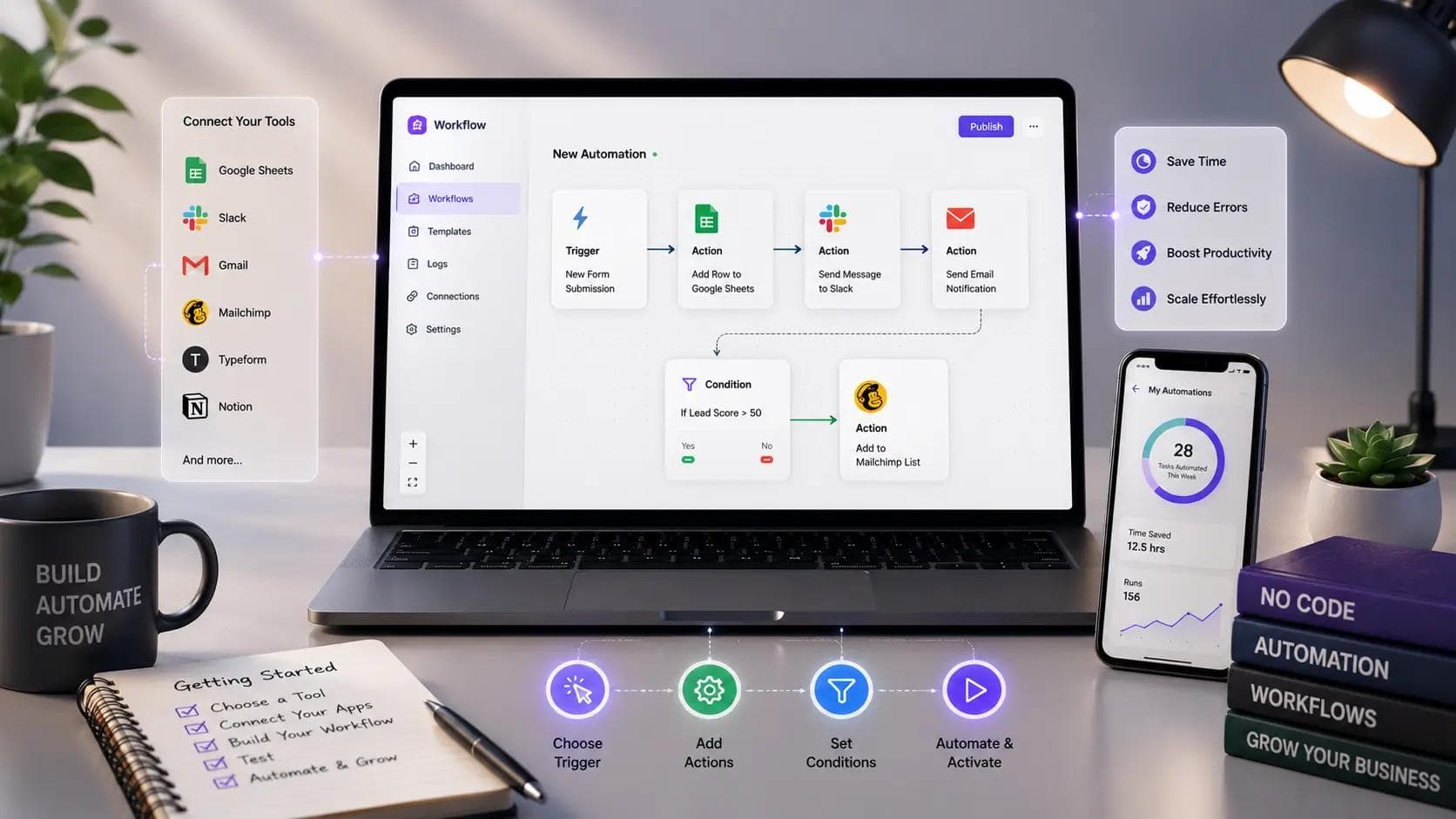
Somewhere in your business right now, someone is manually copying data from one spreadsheet into another app, every single day, because nobody had time to build a proper integration. No-code automation exists specifically to kill that kind of work, and you don't need a developer or a budget for one to make it happen. It lets you connect the tools you already use and automate the repetitive steps between them, using visual builders instead of code.
I've set up automations for a couple of small teams that were drowning in manual data entry, and the honest truth is that most of them could have saved twenty hours a month with one afternoon of setup. This guide covers what no-code automation actually means, the tools worth using, and a real starting process you can follow this week.
You'll walk away knowing exactly where to begin, which mistakes waste the most time, and how to tell when a task is actually worth automating.
What No-Code Automation Actually Means
No-code automation refers to building automated workflows between apps and systems using visual, drag-and-drop interfaces instead of writing code. You set up a trigger — something happens in one app — and a series of actions that follow automatically in another.
A simple example: someone fills out a form on your website, and instead of you manually adding their details to a spreadsheet and sending a welcome email, the automation does both instantly. No developer involved, no custom code, just a workflow you configured once.
Why This Matters Beyond Saving Time
The real value isn't just speed — it's consistency. A human copying data between systems will eventually make a typo, forget a step, or fall behind during a busy week. An automation runs the same way every single time, which matters more than people usually expect until something breaks because a manual step got skipped.
No-Code Automation vs Traditional Development
Traditional automation usually means a developer writing custom scripts or building an integration through an API, which takes real engineering time and ongoing maintenance. No-code automation trades some flexibility for speed: you can build and launch a working automation in under an hour, often without involving your technical team at all.
That doesn't mean no-code replaces custom development entirely. Complex logic, high-volume data processing, or anything involving sensitive data handling at scale often still needs proper engineering. In my experience, the right approach is starting with no-code for anything under a few hundred operations a month, and only bringing in developers once volume or complexity genuinely demands it.
Popular No-Code Automation Tools
A handful of platforms dominate this space, and each fits a slightly different need.
Zapier connects thousands of apps and is the easiest starting point for beginners. It's reliable and well-documented, though costs climb quickly once you're running high volumes of tasks each month.
Make (formerly Integromat) offers more visual control over complex, multi-branch workflows and tends to be cheaper at scale than Zapier. The tradeoff is a steeper learning curve if you're setting up anything beyond a simple trigger-action flow.
n8n is open-source and can be self-hosted, which appeals to teams with technical comfort who want more control and lower long-term cost. It requires more setup effort upfront than the fully managed options.
Airtable Automations work well if your data already lives in Airtable, since triggers and actions stay tightly connected to your existing records without needing a separate platform.
None of these tools are universally "the best." The right pick depends on your existing stack, your budget, and how comfortable your team is with a bit of technical complexity.
How to Get Started With No-Code Automation
- Find one genuinely repetitive task. Look for something you or your team does the same way, multiple times a week, with no real decision-making involved — that's your first candidate.
- Map the exact steps by hand first. Write out every single step of the manual process before building anything, since automations fail most often when a hidden step gets missed.
- Pick one tool and build a single workflow. Don't try to automate five processes on day one. Get one working reliably before expanding further.
- Test with real data, not sample data. Run your automation against actual records from your business to catch edge cases that clean sample data never reveals.
- Set up basic error notifications. Most platforms can alert you when a step fails. Turn this on immediately, since a silent failure is worse than the manual process it replaced.
- Review after two weeks. Check whether the automation actually saved time and ran correctly, then decide if it's worth expanding to a second workflow.
One actionable tip you can use today: pick the task that annoys you the most this week, not the one that seems most technically impressive to automate. The annoying, boring tasks are usually the highest-value place to start.
Common Mistakes to Avoid With No-Code Automation
The most common mistake is automating a broken process instead of fixing it first. If your manual workflow has confusing extra steps or unclear ownership, automating it just makes the mess run faster and harder to untangle later.
Skipping error handling causes real damage. When I first set up an automation connecting a signup form to a CRM, I didn't add a failure notification, and a silent API error meant three weeks of new leads never made it into the system before anyone noticed. Always build in a way to know when something breaks.
Another trap is trying to automate everything at once. Teams get excited, build ten workflows in a week, and then can't remember which one does what when something eventually goes wrong. Start with one, confirm it works reliably, and build outward from there.
The goal of no-code automation isn't to remove humans from every process — it's to remove humans from the repetitive parts so they can focus on the parts that actually need judgment.
When No-Code Automation Isn't the Right Fit
Not every task belongs in a no-code tool. Workflows involving sensitive financial data, complex conditional logic with dozens of branches, or anything processing thousands of records per hour usually need proper engineering and testing that no-code platforms weren't built for.
If your automation needs change constantly, week to week, the setup and maintenance overhead of a no-code tool can eventually outweigh its benefit. In those cases, a simpler manual process with a clear checklist sometimes actually serves you better than a fragile automation nobody fully understands.
Key Takeaways
- No-code automation connects apps and automates repetitive workflows using visual builders instead of custom code.
- Zapier, Make, n8n, and Airtable Automations each fit different needs depending on budget and technical comfort.
- Start with one genuinely repetitive task, map it by hand first, and build a single reliable workflow before expanding.
- Error notifications matter as much as the automation itself — a silent failure can cause more damage than the manual process it replaced.
- Automating a broken process just makes the mess move faster, so fix the workflow before you automate it.
- Complex, high-volume, or sensitive workflows often still need custom development rather than a no-code tool.
Final Thoughts
No-code automation earns its place by removing the repetitive, error-prone work that eats real hours out of your week, without requiring a developer or a big budget to get started. Pick one task, map it honestly, build it in a tool that fits your stack, and watch what it actually saves before expanding further. That disciplined start matters more than how many workflows you eventually build.
Open whatever app you use most this week and find the one task you repeat without thinking. That's where your first no-code automation should start, today, not on some future to-do list.
Frequently Asked Questions
What is the difference between no-code automation and low-code automation? No-code automation requires zero coding knowledge and relies entirely on visual interfaces for both logic and configuration. Low-code platforms offer similar visual builders but allow custom code snippets for more complex logic, giving technical users more flexibility while still speeding up development compared to fully custom builds.
How much does no-code automation typically cost? Most platforms offer free tiers covering a limited number of monthly tasks, with paid plans starting around $20 to $30 a month for small teams. Costs scale with task volume and complexity, so it's worth estimating your actual monthly automation runs before committing to a plan.
Can no-code automation replace a developer entirely? Not for every use case. It handles a large share of repetitive, well-defined workflows effectively, but complex business logic, custom software features, and high-volume data processing usually still require a developer. Think of no-code automation as removing routine work from a developer's plate, not replacing their role.
Is no-code automation secure enough for business data? Reputable platforms like Zapier and Make maintain solid security practices and compliance certifications, but security ultimately depends on how you configure access and permissions. Review each connected app's data-sharing settings carefully, especially for anything touching customer or financial information.
How long does it take to learn no-code automation? Most people can build a basic working automation within an hour of first opening a tool like Zapier, since the interfaces are designed for beginners. Comfort with more complex, multi-branch workflows typically develops within a few weeks of regular hands-on use.
Does no-code automation work for non-technical small business owners? Yes, that's largely who these tools are built for. Most no-code platforms assume no technical background and rely on plain-language triggers and actions, making automation accessible to solo founders and small teams without any development resources on staff.
About the Author

Madhu - WriterDock
Madhu is a writer and SEO Executive who is passionate about creating informative, engaging, and search-optimized content that helps readers find practical solutions. With expertise in content strategy and SEO, she transforms complex topics into easy-to-understand, valuable blog posts. She loves sharing knowledge through helpful blogs that educate, inspire, and empower audiences.