
In 2026, the promise of the cloud—"pay only for what you use"—often feels like a myth. For many engineering teams, the reality is paying for idle resources, over-provisioned memory, and inefficient architectures that bleed budget month over month.
But here is the good news: Serverless remains the most cost-efficient way to run code in the cloud, if you tune it correctly.
Reducing your AWS bill isn’t about slashing features or slowing down development. It is about architectural hygiene. By leveraging the latest features of AWS Lambda and adopting a "FinOps" mindset, you can realistically cut your serverless compute costs by 40% or more.
This guide moves beyond basic advice like "turn off unused instances." We will dive into the specific, actionable strategies that production teams are using right now to optimize their serverless spend.
1. The "Free" Upgrade: Switch to Graviton (ARM64)
If you do only one thing from this article, do this. It is the lowest-hanging fruit in the AWS ecosystem.
AWS developed its own custom processors called Graviton, based on the ARM64 architecture (similar to the chips in modern MacBooks). For years, x86 was the standard, but Graviton has flipped the script.
Why It Saves Money
AWS prices Graviton-based Lambda functions 20% lower than their x86 counterparts.
But the savings are actually double-dipped. Because Graviton processors are often more performant for many workloads (especially web services and data processing), your functions execute faster. Since Lambda bills by the millisecond, faster code means a smaller bill.
- Cost Reduction: ~20% on unit price + ~10–15% on execution duration.
- Effort: Low. For most interpreted languages (Node.js, Python), it is literally a single toggle in the AWS Console or one line of code in Terraform/CDK.
Note: If you are using compiled languages like Go, Rust, or C++, you will need to recompile your binary for ARM64. This adds a small step to your CI/CD pipeline but is a one-time setup.
2. Stop Guessing: Right-Size with Power Tuning
Developers are notoriously bad at guessing how much memory a function needs. We often default to 1024MB "just to be safe," not realizing that we are paying for capacity we never touch.
However, Lambda is tricky: CPU power is tied to Memory. A function with 2GB of RAM gets 2x the CPU share of a function with 1GB. Sometimes, increasing memory makes the function run so much faster that the total cost actually decreases.
The Strategy: AWS Lambda Power Tuning
Do not guess—measure. The AWS Lambda Power Tuning tool (an open-source state machine) runs your function with various memory configurations (e.g., 128MB, 256MB, 512MB, 1GB) and generates a visualization of Cost vs. Performance.
Real-World Example: An image processing function running at 512MB takes 4 seconds to complete.
- Cost: $0.000033
- Upgrade: Bump memory to 1024MB.
- Result: It now finishes in 1.8 seconds.
- New Cost: $0.000030
You just made your user experience 2x faster and reduced your bill by 10% simply by allocating more memory.
3. The Silent Killer: Over-Provisioned Concurrency
"Cold starts" (the delay when a new Lambda environment spins up) are the enemy of latency. To fight this, AWS offers Provisioned Concurrency, which keeps a set number of execution environments warm and ready.
The problem? It is expensive. You pay for Provisioned Concurrency every hour, 24/7, whether you use it or not. It essentially turns your "serverless" function back into a "server" cost model.
How to Fix It
- Analyze Metrics: Check CloudWatch for ProvisionedConcurrencySpilloverInvocations. If this is zero, you are likely over-paying.
- Use Application Auto Scaling: Don't keep concurrency high at 3 AM. Configure scheduled scaling actions to ramp up concurrency only during business hours or expected traffic spikes.
- Switch to SnapStart (Java only): If you are running Java, enable Lambda SnapStart. It significantly reduces cold starts for free, potentially eliminating the need for Provisioned Concurrency entirely.
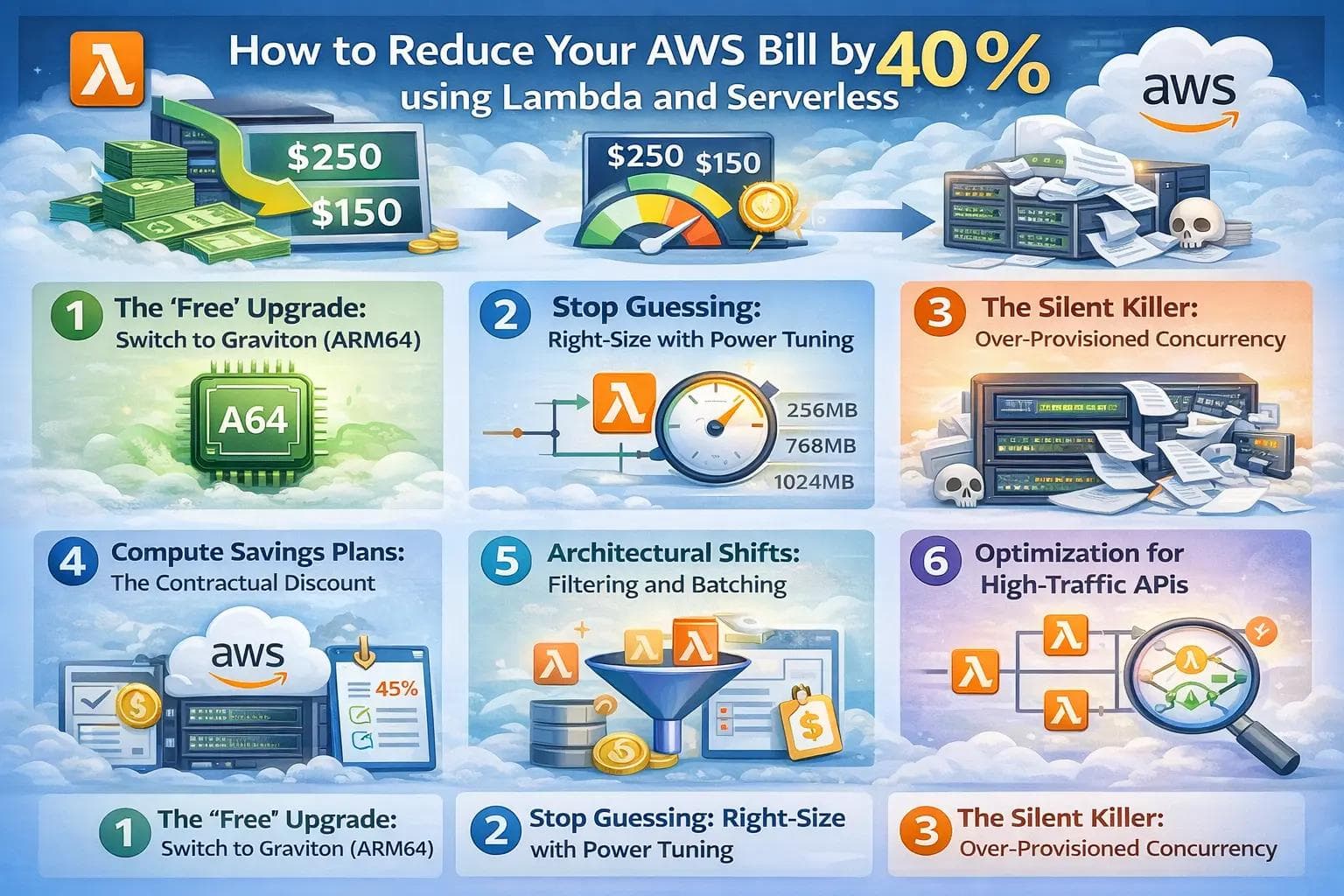
4. Compute Savings Plans: The Contractual Discount
If you are spending more than $500/month on Lambda, Fargate, or EC2, you should be using a Compute Savings Plan.
Unlike the old "Reserved Instances" which locked you into specific instance types, Compute Savings Plans are flexible. You commit to a specific dollar amount per hour (e.g., $5/hour) for a 1 or 3-year term.
The Math
- On-Demand: You pay full price for every millisecond.
- Savings Plan (1 Year, No Upfront): You save ~12–15%.
- Savings Plan (3 Year, Partial Upfront): You save up to 17% on Lambda.
This applies automatically across your entire organization. It is essentially free money for checking a box, assuming you plan to stay in business for the next year.
5. Architectural Shifts: Filtering and Batching
The cheapest Lambda invocation is the one that never happens.
A common anti-pattern is connecting a Lambda to a DynamoDB stream or SQS queue and processing every single event. If your Lambda wakes up 100 times just to see "oh, this event isn't relevant to me," you are burning cash.
Event Filtering
AWS now supports Event Filtering natively at the trigger level for SQS, Kinesis, and DynamoDB.
- Old Way: Lambda wakes up, checks the payload, sees status: "pending, and exits. You pay for the invocation and the init time.
- New Way: You tell AWS "Only trigger this function if status is complete." The filtering happens before your function is invoked. Cost: $0.
Batch Windows
If you process high-volume events (like clickstream data), do not trigger a Lambda for every single message. Configure a Batch Window (e.g., 30 seconds) on your SQS trigger. AWS will wait up to 30 seconds to gather a bundle of messages and send them to a single Lambda execution.
- Result: You replace 50 invocations (running 100ms each) with 1 invocation (running 200ms). The overhead savings are massive.
6. Optimization for High-Traffic APIs
For REST APIs serving millions of requests, the costs lie not just in Compute, but in Data Transfer and API Gateway fees.
API Gateway is Expensive
Amazon API Gateway is a powerful, enterprise-grade tool, but it charges ~$3.50 per million requests. If you are building a high-volume internal microservice, this adds up fast.
The Alternative: Application Load Balancer (ALB) or Lambda Function URLs.
- Function URLs: A dedicated HTTPS endpoint for your function. It’s free (included in the Lambda request cost). For simple webhooks or public APIs that don't need complex throttling/auth management, this cuts the $3.50/million fee to zero.
Review Your Logging
CloudWatch Logs is one of the most common "surprise" costs.
- Avoid debug logging in prod: Printing entire JSON objects to logs in a high-throughput loop can cost more than the compute itself.
- Set Retention Policies: Default log retention is "Forever." Change this to 30 days or 7 days for non-critical environments.
Case Study: "StreamLine" Logistics
Let’s look at a realistic optimization scenario for a logistics company processing tracking updates.
Before Optimization:
- Architecture: Node.js (x86) on Lambda.
- Trigger: SQS Queue (1 message per invocation).
- Memory: 1024MB (guessed).
- Monthly Bill: $4,200.
The Optimization Steps:
- Graviton Migration: Re-deployed as ARM64. Saved $840 (20%).
- Batching: Configured SQS batch size to 10 with a 10-second window. Invocations dropped by 80%. Saved $1,500.
- Power Tuning: Discovered 1024MB was overkill; 512MB handled the batched load with same latency. Saved $400.
- Savings Plan: Purchased a 1-year Compute Savings Plan. Saved $300.
After Optimization:
- New Monthly Bill: ~$1,160.
- Total Reduction: ~72%
FAQ: Serverless Cost Management
Q: Does Lambda always cost less than EC2? A: No. If you have a workload with consistent, flat traffic 24/7 (like a heavy number-crunching engine), a reserved EC2 instance or Fargate task might be cheaper. Lambda is cheapest for variable, spikey, or low-to-medium throughput traffic.
Q: How do I track which function is costing the most? A: Use AWS Cost Explorer and enable "Cost Allocation Tags." Tag your functions by project, team, or environment (e.g., Project: Checkout, Env: Prod). You can then group costs by tag to see exactly who the heavy spenders are.
Q: Is switching to Graviton risky? A: It is very low risk. The only "gotcha" is if you use binary dependencies (like a specific image processing library in Python) that doesn't have an ARM version. However, in 2026, almost all major libraries support ARM64.
Conclusion
Reducing your AWS bill doesn't require a total rewrite of your application. It requires a shift in how you view resources. In the serverless world, efficiency is not just about writing clean code; it is about configuration.
Start small. This week, try enabling Graviton on your non-production environments. Next week, run the Power Tuning tool on your top three most expensive functions.
The goal isn't just to save money—it is to build a leaner, faster, and more resilient architecture. The 40% savings are just the bonus that gets you a high-five from the CFO.
About the Author

Suraj - Writer Dock
Suraj Kumar is a writer, entrepreneur, and the CEO and founder of this website, sharing simple and practical insights on business, creativity, and personal growth. With experience building digital projects, they enjoy helping others learn, grow, and succeed online.


