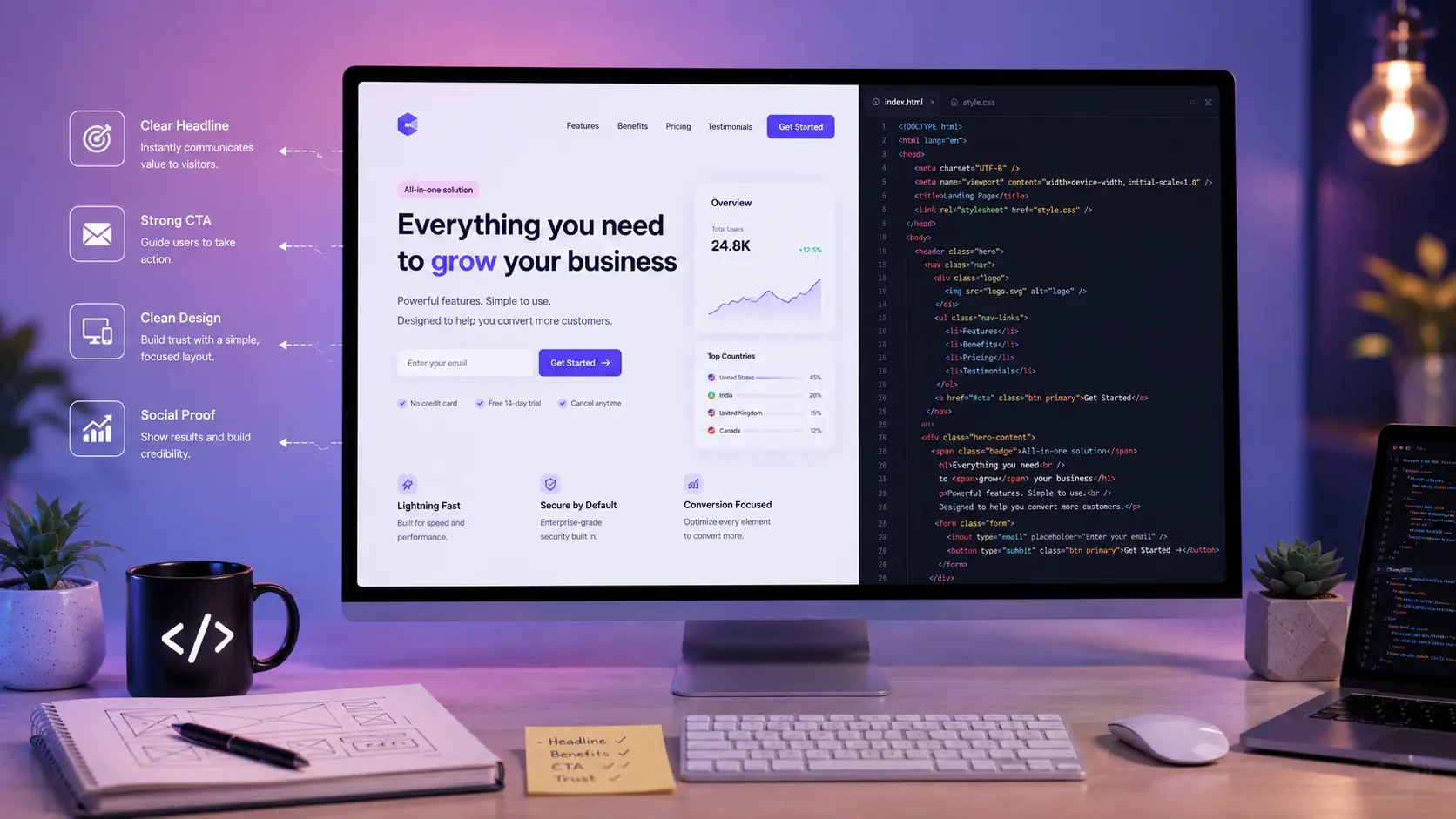
Most landing pages fail because they treat visual design as an aesthetic exercise rather than an information hierarchy puzzle. You spend weeks tweaking drop shadows and custom fonts, only to launch to a dismal 1% conversion rate that leaves you wondering where your ad spend actually went.
I learned this lesson the hard way while launching my first web product, spending three weeks polishing CSS animations only to get zero signups on day one. After rebuilding the layout to prioritize low-friction code and clear positioning, conversions jumped overnight.
Building a high-converting page requires clean, semantically sound code paired with a psychology-driven structure. If you want to lower your bounce rates and turn cold traffic into actual users, you need a precise blueprint that blends frontend performance with conversion science.
The Core Blueprint of a High-Converting Landing Page
Every visitor who lands on your website arrives with a default state of skepticism. They give you roughly three seconds to answer three basic questions: what is this, why should I care, and what should I do next? If your page structure does not answer those questions immediately, users bounce back to search results.
A high-performing layout strictly follows a top-to-bottom psychological progression:
- The Hero Section: Answers what you build and who it helps, offering a single primary call to action.
- Social Proof: Shows immediate validation from actual customers, logos, or figures to lower perceived risk.
- The Value Stack: Explains features in terms of concrete outcomes rather than technical specifications.
- Interactive Demo or Code: Gives users a tactile sense of how the product operates in real scenarios.
- Objection Handling: Addresses technical, security, or pricing concerns before they become dealbreakers.
- Final CTA: Captures users who scrolled through to verify your claims.
According to research by Unbounce analyzing thousands of conversion actions, landing pages with a single clear goal yield a median conversion rate of 13.5%, whereas pages with multiple competing offers struggle to reach 3%. Eliminating header menus, extraneous social icons, and secondary buttons is the fastest way to boost your conversion metrics.
Building a Zero-Dependency Hero Section in HTML and Tailwind CSS
Your hero section sets the baseline for your technical performance and messaging clarity. To maintain lightning-fast load times, avoid heavy JavaScript frameworks for simple marketing pages; standard Semantic HTML combined with Tailwind CSS delivers exceptional performance without bloat.
Here is a clean, production-ready implementation of a high-converting hero layout:
1HTML
2<section class="relative bg-slate-900 text-white py-20 px-6 sm:px-12 max-w-7xl mx-auto">
3  <div class="text-center max-w-3xl mx-auto space-y-6">
4    <!-- Trust Badge -->
5    <span class="inline-flex items-center px-3 py-1 text-xs font-medium bg-indigo-500/10 text-indigo-400 rounded-full ring-1 ring-indigo-500/20">
6      Engineered for Developer Speed
7    </span>
8
9    <!-- Main Headline -->
10    <h1 class="text-4xl sm:text-6xl font-extrabold tracking-tight leading-tight">
11      Ship your SaaS faster with production-ready architecture
12    </h1>
13
14    <!-- Subheadline -->
15    <p class="text-lg sm:text-xl text-slate-300 font-normal leading-relaxed">
16      Stop wasting cycles configuring auth, database migrations, and billing pipelines. Our lightweight starter kit gets your product live in hours.
17    </p>
18
19    <!-- Call To Action Form -->
20    <form class="flex flex-col sm:flex-row items-center justify-center gap-3 pt-4" action="/api/signup" method="POST">
21      <input
22        type="email"
23        name="email"
24        required
25        placeholder="Enter your work email"
26        class="w-full sm:w-80 px-4 py-3 rounded-lg bg-slate-800 border border-slate-700 text-white placeholder-slate-400 focus:outline-none focus:ring-2 focus:ring-indigo-500"
27      />
28      <button
29        type="submit"
30        class="w-full sm:w-auto px-6 py-3 bg-indigo-600 hover:bg-indigo-500 text-white font-semibold rounded-lg shadow-lg transition-all duration-150"
31      >
32        Get Early Access
33      </button>
34    </form>
35
36    <!-- Micro Microcopy -->
37    <p class="text-xs text-slate-400">No credit card required • Free 14-day trial • 5-minute setup</p>
38  </div>
39</section>
Notice how this hero avoids unnecessary navigation items. Keeping the focus on the email input ensures visitors focus on taking action without getting distracted by links to off-page resources like blog posts or documentation.
Optimizing Page Speed and Core Web Vitals for Lower Bounce Rates
A beautifully designed layout means nothing if your JavaScript bundle takes four seconds to parse over mobile connections. Google's Core Web Vitals directly tie page speed to search rankings and user retention, meaning performance optimization is an essential marketing strategy.
When audit logs indicated a 40% drop in mobile conversions on a client site last year, we discovered render-blocking web fonts and uncompressed hero images were delaying Largest Contentful Paint (LCP) by over three seconds. Fixing those assets immediately recovered lost traffic.
1<!-- Preconnect to critical third-party domains -->
2<link rel="preconnect" href="https://fonts.googleapis.com">
3<link rel="preconnect" href="https://fonts.gstatic.com" crossorigin>
4
5<!-- Preload critical hero images -->
6<link rel="preload" as="image" href="/images/hero-preview.webp" type="image/webp">
7
8<!-- Efficient Web Font Loading -->
9<link href="https://fonts.googleapis.com/css2?family=Inter:wght@400;600;800&display=swap" rel="stylesheet">
To maximize your performance scores across desktop and mobile browsers, implement these three core technical standards:
- Use Modern Image Formats: Convert standard PNGs and JPEGs to .webp or .avif. These formats deliver comparable image quality at a fraction of the file size.
- Inline Critical CSS: Render the hero section styling immediately while deferring secondary external stylesheets to prevent layout shifts.
- Eliminate Unnecessary Scripts: Skip analytics suites that require massive runtime scripts. Lightweight platforms like Plausible or Minimal Google Tag Manager script snippets keep Interaction to Next Paint (INP) low.
If you are using modern JavaScript frameworks to build static marketing assets, review our breakdown on ISR vs SSG vs SSR in Next.js explained to pick a rendering strategy that guarantees instant server response times.
Writing High-Converting Copy That Solves Pain Points
The primary reason visitors do not convert is not price—it is a lack of clarity. Developers and founders often focus heavily on technical features rather than explaining how those features solve immediate problems.
When structuring feature blocks, frame every capability as a direct solution to a common frustration.
Bad Feature Copy (Feature-Focused)
High-Converting Copy (Outcome-Focused)
"Built on top of a global distributed Redis caching network."
"Sub-10ms response times globally so your users never see loading spinners."
"Includes automated schema migrations and rollbacks."
"Deploy database changes safely without risking downtime or breaking live customer apps."
"Comprehensive API logging dashboard with customizable filters."
"Identify and resolve integration errors in seconds using real-time request logs."
When writing technical copy, explain the underlying architecture without drowning the user in jargon. If you want to understand how modern architecture choices impact overall site reliability and performance, read our guide on clean code best practices explained simply.
Capturing Micro-Conversions with vanilla JavaScript Async Forms
Traditional HTML form submissions trigger full page reloads, breaking user flow and decreasing conversion momentum. Building a smooth, asynchronous form handler directly in client-side JavaScript lets you handle user submissions gracefully while providing instant visual feedback.
Here is a lightweight snippet that handles form submission without relying on external libraries:
1document.addEventListener('DOMContentLoaded', () => {
2  const signupForm = document.querySelector('form[action="/api/signup"]');
3
4  if (!signupForm) return;
5
6  signupForm.addEventListener('submit', async (event) => {
7    event.preventDefault();
8
9    const submitBtn = signupForm.querySelector('button[type="submit"]');
10    const emailInput = signupForm.querySelector('input[name="email"]');
11    const originalBtnText = submitBtn.innerText;
12
13    // Set loading state
14    submitBtn.disabled = true;
15    submitBtn.innerText = 'Processing...';
16
17    try {
18      const response = await fetch(signupForm.action, {
19        method: 'POST',
20        headers: {
21          'Content-Type': 'application/json',
22          'Accept': 'application/json',
23        },
24        body: JSON.stringify({ email: emailInput.value }),
25      });
26
27      if (response.ok) {
28        // Success State UI
29        signupForm.innerHTML = ` <div class="p-4 bg-emerald-500/10 border border-emerald-500/20 text-emerald-400 rounded-lg text-center"> <p class="font-semibold">You're on the list!</p> <p class="text-sm">Check your inbox to verify your account.</p> </div> `;
30      } else {
31        throw new Error('Server returned an error status.');
32      }
33    } catch (error) {
34      // Reset button state and display error
35      submitBtn.disabled = false;
36      submitBtn.innerText = originalBtnText;
37      alert('Something went wrong. Please check your email and try again.');
38    }
39  });
40});
Providing immediate inline visual updates reassures users that their input was received, boosting signups over standard multi-page forms.
Structuring High-Converting Social Proof and Testimonials
Cold traffic needs external validation before handing over contact details or payment info. Generic testimonials like "Great service!" fail to persuade potential buyers because they lack context and detail.
To make social proof effective, include specific metrics, full names, job titles, and headshots wherever possible.
1<div class="grid grid-cols-1 md:grid-cols-2 gap-6 my-12">
2  <div class="p-6 bg-slate-800 rounded-xl border border-slate-700">
3    <p class="text-slate-300 text-sm mb-4">
4      "We cut our backend build times from three weeks down to two days using this architecture. It completely transformed our launch timeline."
5    </p>
6    <div class="flex items-center gap-3">
7      <div class="w-10 h-10 rounded-full bg-indigo-500 flex items-center justify-center font-bold text-white">
8        SK
9      </div>
10      <div>
11        <h4 class="text-sm font-semibold text-white">Suraj Kumar</h4>
12        <p class="text-xs text-slate-400">Founder, WriterDock</p>
13      </div>
14    </div>
15  </div>
16</div>
If you are just launching a product and lack customer quotes, use concrete platform numbers or deployment statistics instead—for example, "Built to support 100,000 concurrent API requests with zero latency penalty."
Common Landing Page Mistakes That Destroy Conversions
Even experienced developers make simple structural errors that unintentionally depress their conversion metrics. Review this checklist to fix hidden conversion bottlenecks before running paid traffic:
- Including Full Header Navigation: Including links to external pages gives visitors multiple ways to exit your page without converting.
- Uncompressed Asset Delivery: Large hero background assets consume mobile bandwidth, frustrating visitors before the main headline loads.
- Overcomplicating the Primary Form: Asking for first names, phone numbers, and company sizes on initial touchpoints drops submission rates significantly. Request only an email address upfront.
- Vague Call-To-Action Language: Generic buttons that say "Submit" or "Learn More" do not encourage action. Use action-oriented phrases like "Claim Your Free API Key" or "Build My First Page."
If your bounce rates remain high after resolving design bottlenecks, your underlying traffic acquisition strategy might be off. Learn how to diagnose underlying audience issues by reviewing why your blog is not getting traffic.
The highest-converting landing pages are not built by adding more elements—they succeed by removing every obstacle between the visitor's pain point and your product's solution.
Key Takeaways
- Place your value proposition and primary call to action in the initial viewport to immediately capture incoming traffic.
- Minimize page assets and defer non-critical scripts to pass Google Core Web Vitals benchmarks.
- Focus copy on clear user outcomes rather than uncontextualized technical specifications.
- Handle form submissions asynchronously using JavaScript to deliver instant feedback without page reloads.
- Replace generic testimonials with detailed, metric-backed social proof.
Frequently Asked Questions
What is a good conversion rate for a tech landing page?
Average conversion rates typically hover between 2% and 5% across most industries. However, well-optimized SaaS landing pages targeting specific search intent often achieve conversion rates between 10% and 15%.
Should I use CSS frameworks like Tailwind for landing pages?
Yes, utility-first CSS frameworks like Tailwind let you rapidly style responsive layouts while keeping stylesheet bundles minimal through automated purging tools.
Is it better to build custom landing pages or use page builders?
Custom-coded landing pages deliver better performance control, faster load times, and custom integration flexibility compared to bloated drag-and-drop landing page tools.
How many calls to action should I include on one landing page?
You should focus on one primary goal throughout the entire page. While you can repeat the CTA button down the page, every button should point to the exact same conversion step.
How does page load speed impact landing page conversions?
Portent data indicates that conversion rates drop by roughly 4.42% with every additional second of loading time between zero and five seconds. Fast pages directly drive higher revenue.
Conclusion
Building a high-converting landing page requires balancing technical performance with simple, outcome-focused messaging. By trimming unused framework dependencies, serving optimized media assets, and keeping visitor attention centered on a single call to action, you build an effective platform for turning cold visitors into engaged users.
Start by streamlining your hero section today: remove distraction-heavy navigation menus, optimize headline clarity, and convert your main form into a lightweight API request. Once your baseline conversion pipeline is stable, test headlines and secondary copy to continuously improve performance over time.
About the Author

Madhu - WriterDock
Madhu is a writer and SEO Executive who is passionate about creating informative, engaging, and search-optimized content that helps readers find practical solutions. With expertise in content strategy and SEO, she transforms complex topics into easy-to-understand, valuable blog posts. She loves sharing knowledge through helpful blogs that educate, inspire, and empower audiences.