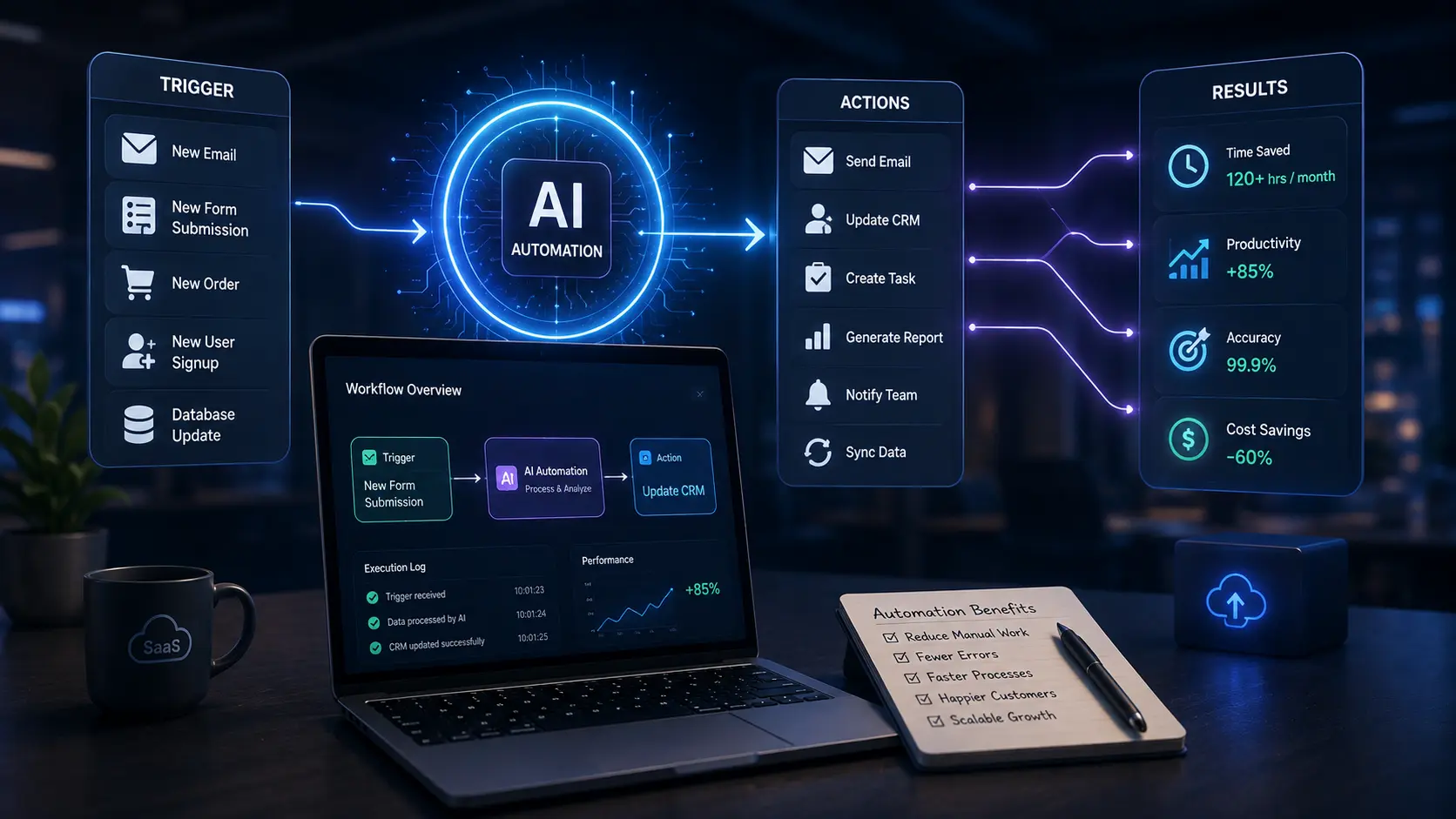
SaaS businesses have changed the way companies work, communicate, and serve customers. From project management and customer support to sales, marketing, and data analysis, modern teams rely on software to complete a growing number of daily tasks. However, as businesses scale, managing these workflows can become increasingly complicated. Employees may spend valuable time moving information between tools, responding to repetitive requests, analyzing large amounts of data, or completing routine administrative work.
AI automation is helping solve this problem by making SaaS workflows more intelligent and efficient. Instead of simply following predefined rules, AI-powered systems can analyze information, recognize patterns, generate content, make recommendations, and assist employees with repetitive processes.
The result is not necessarily a workplace where people are replaced by machines. Instead, effective AI automation allows people to spend less time on repetitive work and more time on activities that require creativity, judgment, communication, and strategic thinking.
What Is AI Automation in SaaS?
AI automation combines artificial intelligence with automated workflows to perform tasks that traditionally required manual effort.
Traditional automation usually follows fixed instructions. For example, a workflow might automatically send an email whenever a customer submits a form. AI automation can go further by analyzing the customer's message, identifying its intent, summarizing the request, and directing it to the appropriate team.
This difference makes AI automation particularly useful for SaaS companies because modern business processes often involve large amounts of unstructured information, including emails, customer conversations, documents, feedback, and support tickets.
A well-designed AI workflow can collect information from different sources, interpret it, and trigger the next appropriate action.
1. Automating Customer Support Workflows
Customer support is one of the clearest areas where AI automation can improve SaaS operations.
Support teams often receive similar questions repeatedly. Manually reading every ticket, identifying its category, searching for relevant information, and assigning it to an agent can consume significant time.
AI can help automate several parts of this process. A system can classify incoming tickets, summarize conversations, identify urgent requests, suggest responses, and route tickets to the appropriate department.
For example, imagine a customer reports that a software feature is not working correctly. An AI-assisted workflow can identify the issue, check relevant information from the knowledge base, suggest troubleshooting steps, and send the ticket to a technical specialist if human intervention is required.
The human support agent remains responsible for the final interaction, while AI reduces the amount of repetitive preparation involved.
2. Improving Sales Workflows
Sales teams also handle many repetitive tasks, including lead qualification, follow-ups, data entry, and meeting preparation.
AI automation can help sales teams organize these processes more efficiently.
For example, an AI system can analyze information submitted through a website form and identify whether a lead appears relevant to a company's target market. It can summarize previous interactions, organize important customer information, and prepare a personalized follow-up draft for a salesperson to review.
AI can also help sales representatives prepare for meetings by summarizing previous conversations and highlighting important customer questions.
This does not eliminate the need for sales professionals. Instead, it gives them more time to focus on understanding customer needs and building relationships.
3. Making Marketing Workflows More Efficient
Marketing teams frequently manage content calendars, customer research, campaign reporting, email campaigns, and social media activities.
AI automation can reduce the manual work involved in many of these processes.
For example, customer feedback can be collected from multiple channels and automatically grouped into common themes. A marketing team can then identify frequently mentioned problems, interests, or requests without manually reviewing every individual comment.
AI can also assist with creating content outlines, summarizing research, analyzing campaign performance, and identifying potential improvements.
However, human review remains important. AI-generated content should be checked for accuracy, tone, originality, and relevance before publication.
4. Turning Business Data Into Useful Insights
SaaS businesses generate large amounts of data. Customer activity, subscription information, product usage, support interactions, and marketing results can all provide valuable insights.
The challenge is turning this information into something useful.
AI automation can help identify patterns and unusual changes in business data. For example, if customer usage decreases significantly, an automated system could flag the change for a customer success team to investigate.
Similarly, an organization could use automated reporting to summarize important performance indicators on a regular basis.
Instead of spending hours collecting information from different dashboards, employees can receive a concise summary that highlights important developments.
The important point is that AI should support decision-making rather than automatically make every important business decision.
5. Automating Internal Administrative Tasks
Not every useful AI workflow is customer-facing.
Internal teams also spend substantial time on administrative work. Employees may need to summarize meetings, organize documents, update records, create reports, or extract information from large files.
AI automation can reduce this workload.
For example, after a team meeting, an AI system can help produce a summary containing key discussion points, decisions, and action items. Employees can then review the summary and make corrections before sharing it.
Similarly, information from documents can be extracted and organized into structured records, reducing repetitive data-entry work.
These small improvements can become significant when applied across a growing organization.
6. Connecting Different SaaS Tools
Many companies use several SaaS applications at the same time. A business might use one platform for customer relationship management, another for communication, another for project management, and another for accounting.
Without automation, employees may repeatedly copy information between these systems.
AI-enhanced workflows can help connect these tools and determine what should happen next based on available information.
For example, when a new customer completes an onboarding form, a workflow could organize the information, notify the appropriate team, create a project task, and prepare relevant onboarding materials.
The goal is to create a smoother flow of information without requiring employees to perform the same steps manually.
7. Creating More Personalized Customer Experiences
Customers increasingly expect businesses to understand their individual needs.
AI automation can help SaaS companies personalize interactions by analyzing customer behavior and previous interactions.
For example, different customers may receive different onboarding guidance depending on the features they use or the stage of their customer journey.
AI can also help identify customers who may need additional assistance. If a customer repeatedly encounters the same problem or stops using an important feature, an automated workflow can alert the customer success team.
Personalization works best when it is useful rather than intrusive. Companies should use customer data responsibly and provide clear value in exchange for collecting and analyzing information.
8. Practical Steps for Implementing AI Automation
Businesses do not need to automate everything at once. A better approach is to start with a specific workflow where automation can provide measurable value.
Step 1: Identify Repetitive Work
Begin by listing tasks that employees perform frequently. Look for activities involving repeated data entry, sorting, summarizing, notifications, or basic classification.
Step 2: Choose a Suitable Workflow
Select one process that is relatively simple and has clear inputs and outputs. Starting small makes it easier to identify problems before expanding automation.
Step 3: Define Human Review Points
Not every AI-generated result should be sent directly to customers or used for important decisions. Decide where a person should review, approve, or correct the output.
Step 4: Protect Business and Customer Data
AI workflows may process sensitive business information. Companies should carefully consider permissions, data handling, security, and privacy before connecting AI systems to internal or customer data.
Step 5: Measure the Results
Automation should have a measurable purpose. Businesses can track factors such as time saved, response speed, error rates, customer satisfaction, or employee workload.
If a workflow does not produce meaningful improvement, it should be adjusted rather than automated simply because AI is available.
Challenges Businesses Should ConsiderAI automation offers significant opportunities, but it also introduces challenges.
One concern is accuracy. AI systems can produce incorrect or incomplete results, particularly when information is unclear or insufficient. Human oversight is therefore important for tasks involving customers, finances, legal matters, or other high-impact decisions.
Another challenge is integration. A company may use multiple platforms that do not easily communicate with one another. Building reliable connections between systems can require technical planning.
Employees may also need training. Introducing automation without explaining how and why it is being used can create confusion or resistance.
Finally, companies should avoid automating inefficient processes. If a workflow is already poorly designed, adding AI may simply make the inefficient process faster. Businesses should first simplify the workflow and then determine where AI can add value.
The Future of AI-Powered SaaS Workflows
AI automation is likely to become increasingly integrated into everyday SaaS applications. Instead of requiring employees to manually initiate every action, software will increasingly be able to understand context and recommend or initiate appropriate next steps.
For businesses, this could mean more intelligent customer support, faster data analysis, better internal coordination, and more personalized customer experiences.
However, the most successful approach will probably not be about maximizing automation. It will be about finding the right balance between automation and human judgment.
AI is particularly effective at processing information, recognizing patterns, and handling repetitive tasks. Humans remain essential for creativity, empathy, strategic thinking, complex decisions, and accountability.
Conclusion
AI automation is changing modern SaaS workflows by reducing repetitive work and helping teams use information more effectively. From customer support and sales to marketing, data analysis, administration, and cross-platform collaboration, AI can improve many parts of a business workflow.
The strongest results come from practical implementation rather than automation for its own sake. Businesses should start with clear problems, choose suitable workflows, maintain human oversight, protect data, and measure outcomes.
When implemented thoughtfully, AI automation can give SaaS teams something increasingly valuable: more time to focus on meaningful work while technology handles routine processes in the background.
About the Author

Suraj - Writer Dock
Suraj Kumar is a writer, entrepreneur, and the CEO and founder of this website, sharing simple and practical insights on business, creativity, and personal growth. With experience building digital projects, they enjoy helping others learn, grow, and succeed online.